I accidentally formatted my SD card and lost important photos and videos that weren’t backed up. I need help figuring out if SD card data recovery is still possible and what steps I should take right away to avoid making things worse.
I know this screwup a little too well. Mine happened after a long shoot, half awake, cards in the wrong pocket, one bad tap, then “Format Complete.” Sick feeling right away. If you did the same thing, the first move is simple.
Stop using the SD card now. Take it out of your camera, phone, drone, whatever it’s in. Don’t record on it. Don’t copy files to it. If your card has the tiny lock switch on the side, slide it to Lock before you plug it into your computer. I did this last time and it kept me from doing something dumb twice.
Most cameras and phones do a quick format. So the card usually isn’t wiped in the way people think. The file index gets cleared, the device treats the space like empty storage, but the photos and video often still sit on the card until new data lands on top of them. That overwrite part is the killer. If you kept shooting after the format, recovery drops off fast.
One thing I would skip, CHKDSK, Terminal fixes, random command prompt tricks from old forum posts. Those are for damaged file systems. A formatted SD card is a different mess. I’ve seen those tools turn a bad day into a worse one.
If you want the files back, the practical route is recovery software. I had the best results with Disk Drill. I tried a pile of tools over time, and free ones often found clips but spat out broken video, especially from larger cards and longer recordings. Video recovery is rough because files get split up across the card. This one did better with camera footage, RAW images, and the usual photo formats. Their Advanced Camera Recovery mode helped on footage other tools mangled.
What I did:
- Used a decent card reader, not the flaky one in my old laptop.
- Inserted the locked SD card into the computer.
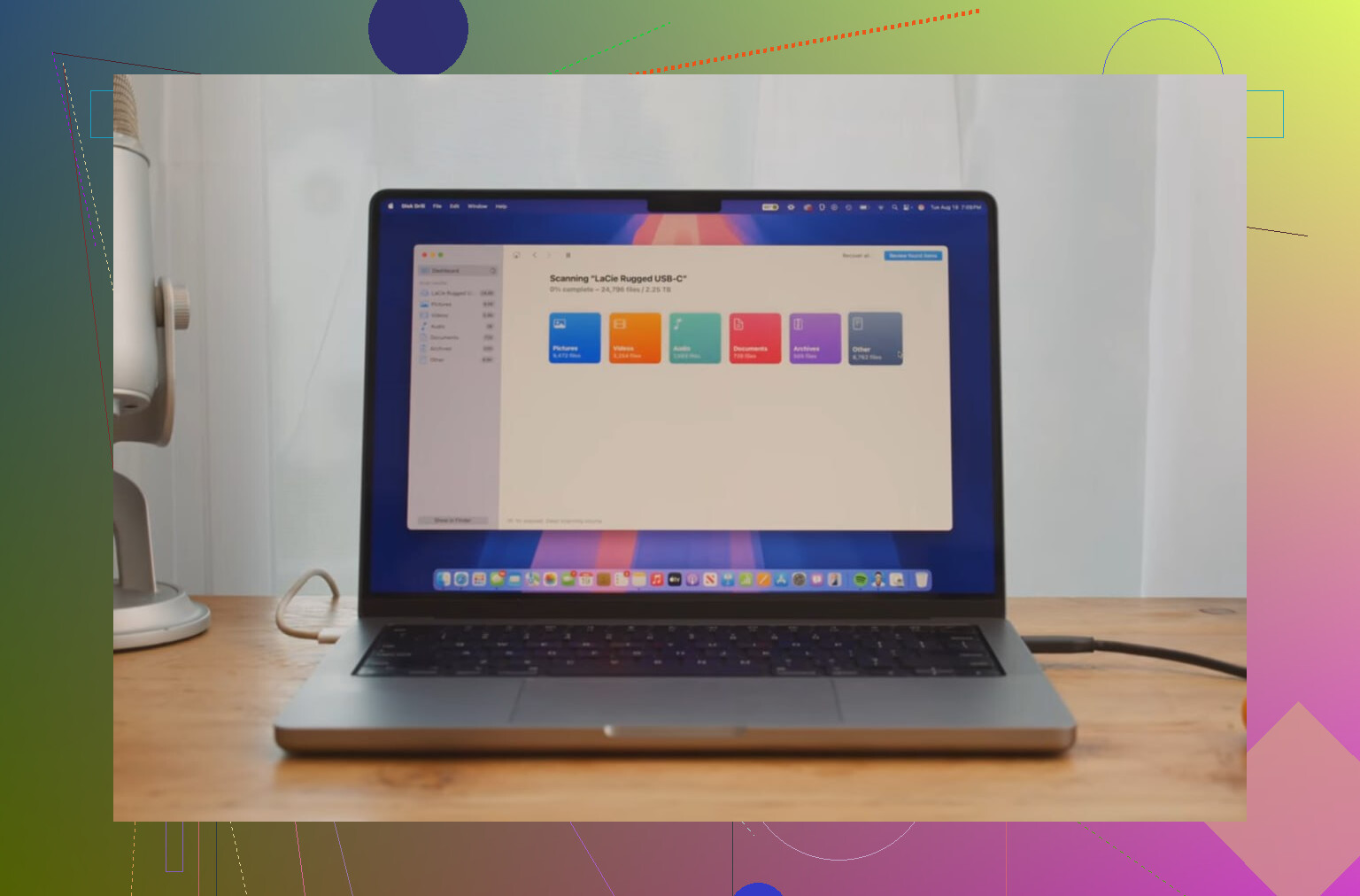
- Opened Disk Drill and selected the card.
- Ran a full scan and waited. It took a while on a larger card.
- Previewed the results. If a file previews cleanly, your odds are good for a proper recovery.
The other rule matters almost as much as pulling the card out fast. Do not save recovered files back onto the same SD card. Put them on your computer’s internal drive or on a separate external drive. Writing recovered files onto the source card is how people erase the exact stuff they were trying to get back. I almost did this once, caught it in time, felt like an idiot.
If you stopped using the card right after the format, you’ve still got a shot. In my case, most of the files showed up in the scan, and the preview told me what was worth recovering before I started dumping anything to disk.
Yes, recovery is still possible after an SD card format, espeically if you stopped using it fast. A quick format usually wipes the file table, not the photo and video data itself. A full format is worse. TRIM support on some newer devices is worse too, since it clears blocks sooner.
I agree with @mikeappsreviewer on one big point, stop writing to the card. I disagree a bit on one detail though. The lock switch helps prevent mistakes in some readers, but it is not a true write block on every device. Treat it like a reminder, not protection.
What I’d do next.
-
Make a byte for byte image of the SD card first.
This matters more than people think. Use USB Image Tool, Win32 Disk Imager, or dd on Mac/Linux. Work from the image, not the card. If a scan crashes or you click the wrong thing, your source stays untouched. -
Check what kind of format happened.
Camera quick format, best odds.
Phone format, mixed odds.
Full format on PC, lower odds.
If you shot new photos after formatting, recovery rate drops a lot. -
Run recovery software against the image.
Disk Drill is a solid pick for mixed photo and video recovery, and it tends to handle SD cards cleanly. Test previews first. If previews fail, the recovered file is often broken too. -
For photos only, try PhotoRec as a second pass.
It’s ugly, but it pulls raw file signatures well. Folder names and original filenames are often gone, so expect a mess. -
If the card has physical issues, stop DIY stuff.
If reads are slow, the card disconnects, or capacity shows wrong, send it to a lab. Continuing often makes it worse.
Also, save recovered files to your computer or another drive, not back to the SD card. Obvious, but ppl still do it.
If you want a plain guide on SD card photo recovery tools and methods, this is a decent read, best ways to recover deleted photos from SD cards.
Yes, maybe. Not always. The biggest factor is what happened after the format.
@mikeappsreviewer and @sterrenkijker already covered the big first move, stop using the card, and I mostly agree. I’ll push one extra point though: don’t keep plugging it into random devices to “check if the files come back.” People do that and accidentally create thumbnails, metadata, or new folders. Tiny writes still count.
A couple things to add that they didn’t really dig into:
- If this was a camera quick format, recovery odds are usually decent.
- If this was a phone, GoPro, Switch, or drone, some of those handle storage in weirder ways, and recovery can be hit or miss.
- If the card is microSD used in an Android phone as internal/adopted storage, that’s a whole different mess. If it was encrypted by the phone, normal file recovery can fail even if the raw data is still there.
I slightly disagree with the “just scan it right away” mindset. If the files matter a lot, I’d avoid experimenting with five free tools in a row. Every extra connection and every flaky reader adds risk. Use one decent reader, one decent app, recover to another drive, done.
Also, don’t judge results too fast. Photos often recover way better than video. A scan might show hundreds of JPGs perfectly but only partial MP4/MOV clips. That doesn’t always mean the software is bad, sometimes the camera wrote video in fragments and the format trashed the map that tells the file how to fit together. That’s why something like Disk Drill can be worth trying first since it handles photo and SD card video recovery better than a lot of barebones tools, esp if you need previews before restoring.
One more thing people miss: if the card suddenly asks to be formatted again, or shows the wrong capacity, stop. That can mean controller or file system damage, not just accidental formatting. At that point DIY recovery gets dicier.
If you want more real-world cases on formatted SD card recovery, this thread is relevant: formatted SD card with tons of footage, can any of it be recovered?
Short version: yes, SD card data recovery is often possible after formatting, but only if you stop using it imediately and recover carefully.
I’m with @sterrenkijker, @nachtdromer, and @mikeappsreviewer on the big rule: stop using the card. Where I slightly differ is this: people obsess over the format type, but the card’s current behavior matters just as much. If it mounts normally and reads at normal speed, DIY recovery is reasonable. If it hangs Explorer/Finder, throws I/O errors, or gets hot, stop before software turns a weak card into a dead one.
One extra thing to check before scanning: look at the recovered file sizes in previews or scan results. If your lost videos were 2 GB each and the tool only finds 32 MB fragments, that usually means partial recovery at best. Photos are much more forgiving than long video clips.
For software, Disk Drill is a sensible first pass on formatted SD cards because it’s easy to sort by file type and preview before restoring.
Pros of Disk Drill
- Simple interface
- Good preview support
- Usually decent with mixed photo/video cards
- Less intimidating than command-line tools
Cons of Disk Drill
- Full recovery usually means paying
- Deep scans can return lots of junk duplicates
- Large video recovery is still hit or miss
- Not magic if the card/controller is failing
My approach would be: image first if possible, then run one solid scan, recover to another drive, and verify files immediately. If the files are irreplaceable and this card was used in a phone with encryption, I’d skip experimenting and go straight to a pro lab.
Before running recovery tools, check for copies you forgot about. Look in Google Photos, iCloud Photos, OneDrive, Dropbox, and your computer’s Pictures or DCIM folders. Also check Lightroom imports, phone transfer folders, shared albums, chats, and email attachments.
Search by the shoot date and file type, such as JPG, RAW, MP4, or MOV. This takes 10 minutes and avoids scanning the card. You might find compressed copies in messages, but they’re still better than losing everything. Check the camera maker’s app too, since auto-transfer is often enabled by acident.
A clean preview doesn’t always mean a clean recovery, so don’t celebrate too early. Recovery tools use their own built-in decoders to show you those thumbnails and video previews, which can be more forgiving than the media player you’ll actually use later. I’ve seen people get a perfect preview of an MP4, restore it, then find it stutters or won’t open in anything normal. So @mikeappsreviewer’s ‘if it previews cleanly your odds are good’ is mostly true for photos, but I’d treat video previews as a maybe, not a promise. Restore a couple of the important clips first and actually play them all the way through before you trust the rest.
The byte-for-byte image advice from @sterrenkijker is genuinely the safest move, but let’s be honest about who’s going to do it. If you’re comfortable with dd or an imaging tool, great. If you’re the person who just panicked over a format, telling you to image the card first often means you either stall out or fumble it. For a card that still mounts fine and reads at normal speed, running one careful scan straight off the card and recovering to your internal drive is a reasonable risk. Save the imaging step for cards that are acting flaky, which is exactly when it matters most anyway.
Disk Drill fits fine as the one tool to run here, the sort-by-type and preview stuff makes it easy to see what survived before you commit. Just keep expectations flat. No software rebuilds a video whose fragments got partly overwritten, it can only stitch back what’s still there. If the shoot is truly irreplaceable and the card was in a phone with encryption, I’d stop poking at it and price out a lab before you accidentally spend your one good shot at the data.