I accidentally deleted a bunch of family photos from my phone and realized too late that they weren’t backed up. I’m trying to find the best affordable photo recovery software that actually works without charging a lot upfront. If anyone has used a cheap and reliable photo recovery tool, I’d really appreciate your advice.
I’ve had to pull deleted photos and video clips back from dead-looking cards more times than I want to count. Sometimes I wiped them by mistake. Once it was a flaky SD card after a wedding shoot. A couple of times, I was tired, clicked the wrong thing, and paid for it later. The biggest thing I learned was simple. What you do in the first few minutes matters more than the app you install.
If your files disappeared, stop using the card or drive right away. Don’t shoot more photos. Don’t move new files onto it. Don’t reformat it again because you hope it will fix itself. In a lot of cases, the deleted data is still sitting there until new data lands on top of it. Keep using the card, and your odds drop fast.
After I set the card aside, these are the tools I look at first.
1. Disk Drill
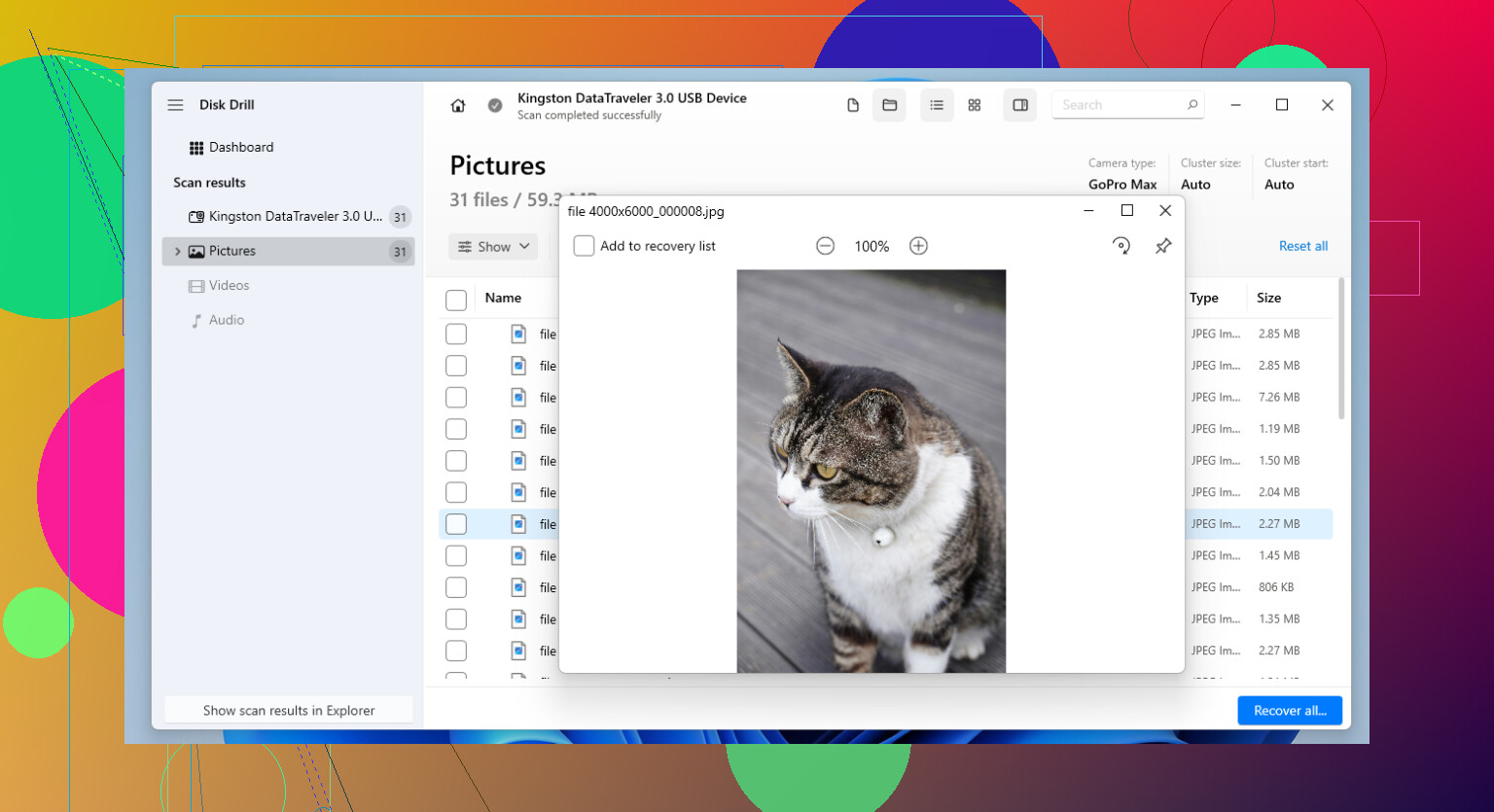
Disk Drill is the one I point people to first most of the time. It hits a decent middle ground. You don’t need to fight the interface, and it still does a solid job on SD cards, USB sticks, external drives, and SSDs.
The part I kept coming back to was its camera-focused recovery for broken-up video files. If you’ve tried recovering footage from a drone, action cam, or mirrorless body, you’ve seen this before. A lot of software finds the clip, then gives you a file that stutters, won’t open, or cuts off halfway. Disk Drill does better than most with fragmented video, and it also handles a long list of RAW photo types.
What I liked:
- Simple layout, not much guesswork
- Good support for common photo and video formats
- Useful for fragmented camera video
- Lets you preview files before pulling them back
- Runs on Windows and Mac
What bugged me:
- You need the paid version for full recovery
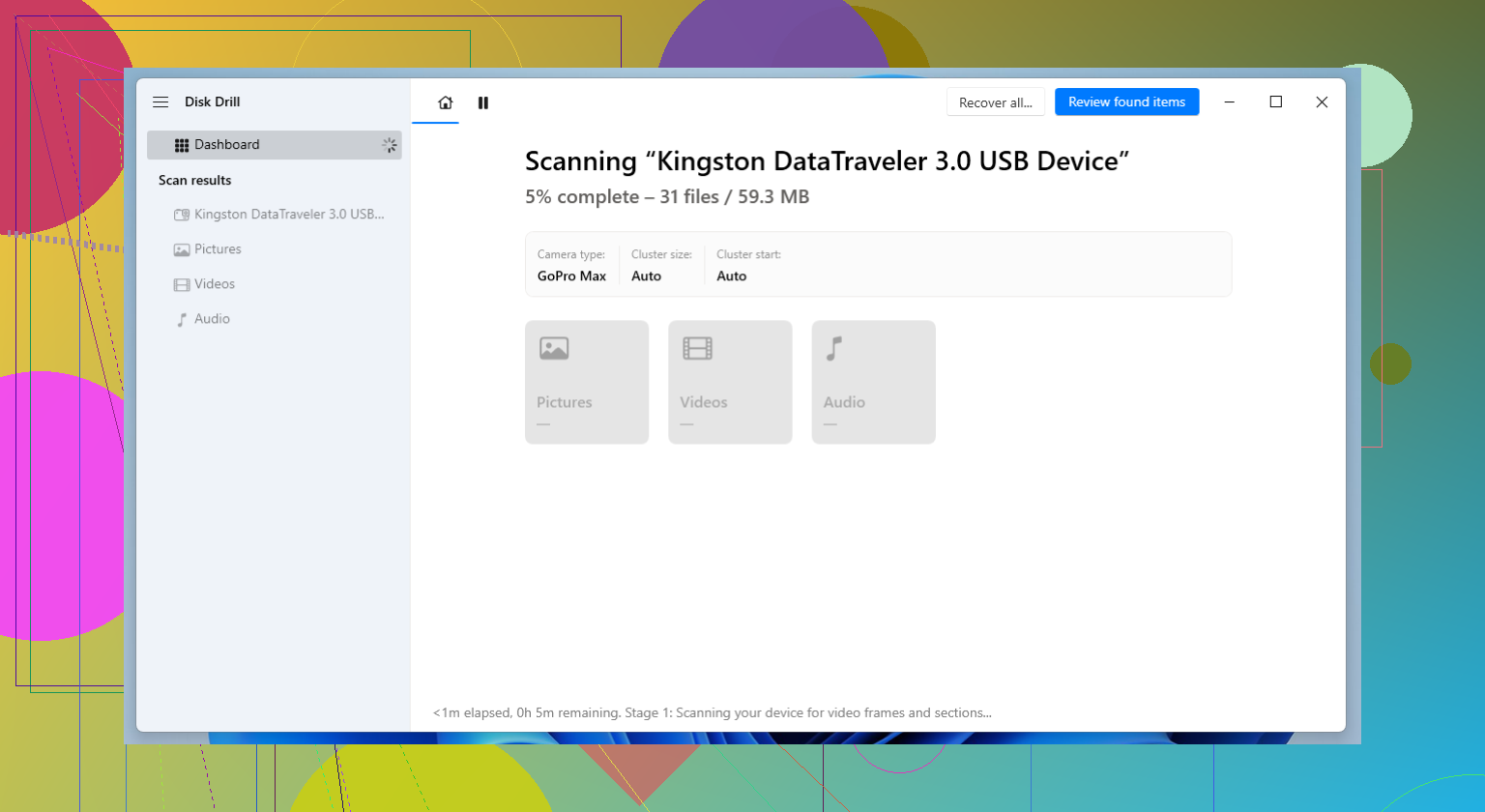
- Deep scans drag on with big cards
2. R-Studio
R-Studio is where I go when the easy stuff fails. I wouldn’t hand it to someone who’s never touched recovery software before. The interface feels dense, and the options pile up fast. Still, when the file system is damaged, the partition is a mess, or the card looks half-dead, this one has saved me more than once.
I used it on a badly corrupted SD card after another tool found almost nothing. R-Studio dug up enough usable files to make the whole mess worth the time. I did have to slow down and pay attention, though. It’s not forgiving if you click around without knowing what you’re looking at.
Why I keep it around:
- Strong recovery results in rough cases
- Good with damaged file systems
- More scan and recovery controls than simpler tools
- Works with a wide range of storage setups
Why some people will hate it:
- Harder to learn
- The interface feels built for techs, not regular users
- Costs more than a lot of other options
3. PhotoRec
PhotoRec is still the free option I bring up first. No payment wall, no recovery cap, no nonsense there. It’s open-source and it works far better than its plain look suggests.
The reason is pretty straightforward. It searches the device for file signatures instead of leaning on the file system. So when the card was formatted, damaged, or scrambled, it still has a shot at finding the files. The trade-off is annoying. Your recovered files often come back with generic names, and your folders are gone, so sorting the pile takes time. A lot of time, tbh.
Good stuff:
- Free
- Handles a huge range of file types
- Works well when cards are damaged or reformatted
- Available on Windows, macOS, and Linux
Bad stuff:
- Command-line setup turns people off
- Original filenames usually don’t survive
- Folder structure doesn’t come back
- Sorting recovered files is a slog
Recovery software is only one part of this. The other part is not ending up here again next month. After I recover anything important, I change how I store and back up files. If your photos or footage matter, keep backups on a routine. If you shoot on SD cards, spread a job across multiple cards instead of dumping the whole day onto one. A lot of working photographers do this for a reason. One bad card hurts less when it only takes part of the shoot with it.
I hope you won’t need any of these often. Still, if you stop using the card fast and avoid overwriting it, you’ve got a decent shot at getting at least some of your files back.
If the photos were deleted from the phone’s internal storage, your options are worse than most ads claim. A lot of “phone recovery” apps are junk, especcially on modern iPhones and Androids with encryption.
Affordable picks I’d look at:
-
Disk Drill
Good if the phone shows up on your computer like storage, or if the photos were on a microSD card. Easy UI. Preview helps. Price is fair compared with a lot of the bloated stuff. -
EaseUS Data Recovery Wizard
Not my favorite, tbh. It’s decent for simple deletes, but the free limits are annoyng. Still cheaper than pro lab recovery. -
Wondershare Recoverit
Works fine for photos. I think it’s a bit overmarketed, unlike what @mikeappsreviewer leaned toward with the more heavy recovery angle. For family pics, simple matters more.
If your phone used a microSD card, I’d skip most phone-specific apps and scan the card on a PC. Better results, less wasted time. This guide on photo recovery software for photographers and SD cards is worth a look.
Also, check Google Photos, iCloud, OneDrive, Samsung Gallery trash, and the phone’s Files trash first. People miss those all the time.
If these were deleted from the phone’s internal storage, I’d be a little skeptical of a lot of the cheap “phone photo recovery” apps. @mikeappsreviewer was right about recovery quality mattering, but I kinda disagree that going straight to heavier tools always helps for a family-photo situation. Sometimes you just need the least annoying option first.
What I’d do:
- Check the phone’s Recently Deleted/Trash again
- Check Google Photos, iCloud, OneDrive, Samsung Gallery
- If your phone had a microSD card, pull it and scan it on a computer
For actually affordable software, Disk Drill is probly the best balance of price and ease. It’s especially worth trying if the pics were on an SD card or the phone mounts like storage. The preview feature saves time, and it’s less janky than a lot of “mobile recovery” stuff.
If you want a broader shortlist, this page on best data recovery software for deleted photos and phones is a solid roundup.
My honest take:
- Disk Drill for easiest paid option
- PhotoRec if free matters more than convenience
- Avoid spending big money unless the photos are super important
Also, stop taking new photos on that phone for now. That part matters more than pepole think.
I’d be a little contrarian here: if the photos were on internal phone storage, “affordable recovery software” often matters less than the phone model and when you noticed the deletion. On newer iPhones and many Androids, encryption makes post-delete recovery pretty weak, so I would not spend big chasing miracle results.
If you can connect the storage in a readable way, or if the photos were actually on a microSD card, Disk Drill is a reasonable low-stress option.
Disk Drill pros
- easy to use
- photo preview is actually helpful
- fair price compared with a lot of recovery tools
- decent for SD cards, external storage, simple deletions
Disk Drill cons
- not magic on encrypted internal phone storage
- full recovery needs the paid version
- deep scans can take a while
- sometimes finds lots of junk along with real photos
I partly agree with @suenodelbosque and @chasseurdetoiles about keeping it simple first, but I think people undersell one boring step: check whether your carrier or chat apps auto-saved copies. WhatsApp, Messenger, Telegram, even old email attachments have rescued more family photos than recovery software has in some cases.
As for @mikeappsreviewer, I get the heavier-tool angle, but for a normal family-photo panic, I would try one affordable scan first, not jump straight into pricier or more complex stuff.
My short list:
- Disk Drill if you want easiest paid option
- PhotoRec if you want free and can tolerate a mess
- skip flashy “phone recovery” apps with subscriptions
If the phone is still being used daily, stop filling it with new photos/videos right now. That matters more than which app you buy.