My older iPad has gotten really slow, and I keep running into storage and performance issues even after deleting apps and photos. I’m looking for the best cleaner app for older iPads that can safely free up space, remove junk files, and help it run better. If anyone has found one that actually works without causing problems, I’d really appreciate the help.
I’ve gone through a pile of iPad cleanup apps, and most of them felt like the same loop. They scan your Photos library, flag duplicates, then stop right when you try to remove anything and push a subscription screen.
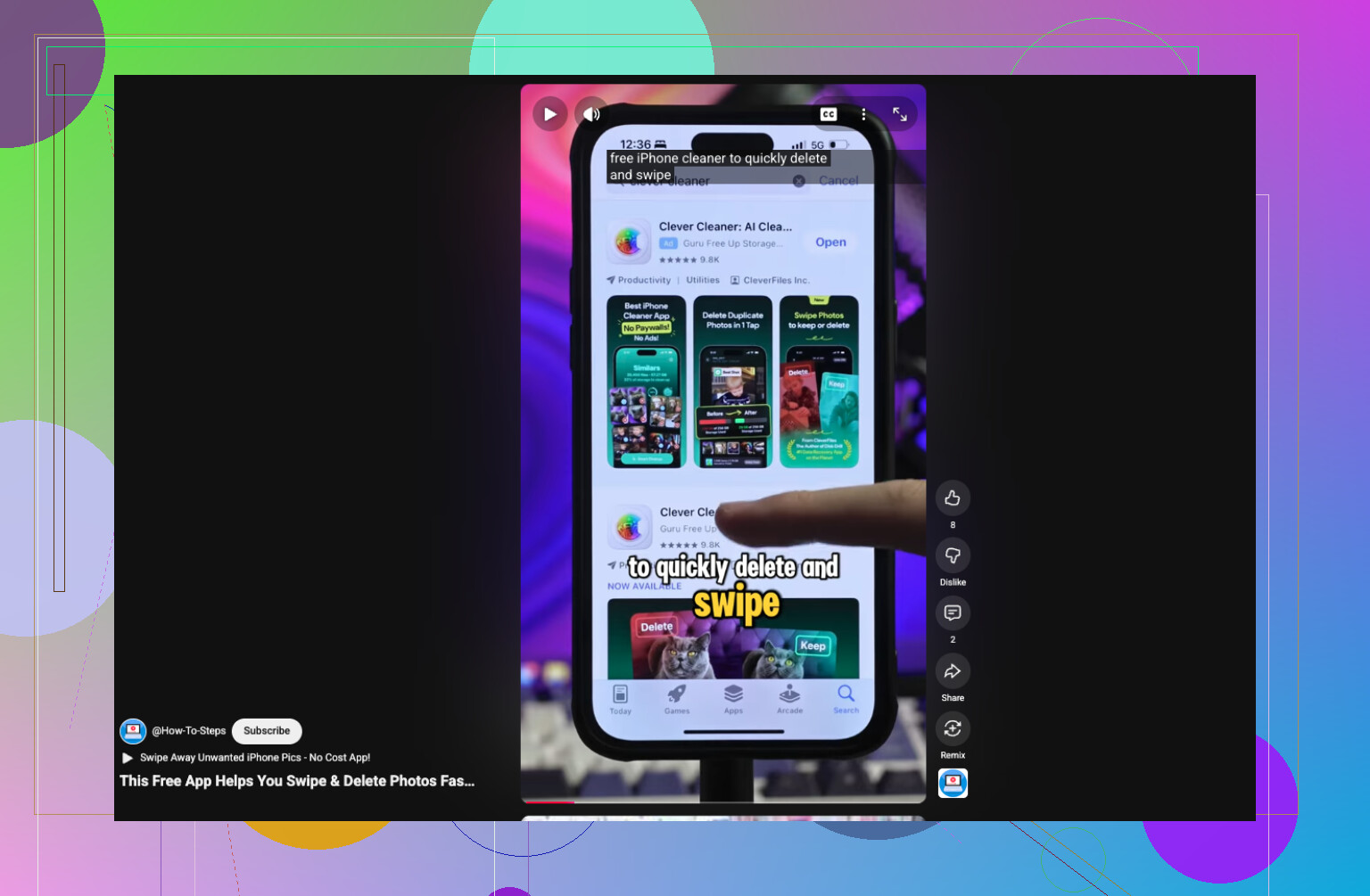
The one I ended up pointing people to first is Clever Cleaner.
What sold me was the narrow focus. It sticks to the stuff on an iPad that usually eats storage for real, duplicate shots, near-duplicates, screenshots, Live Photos, and big video files. I didn’t see the usual pile of fake cleanup extras.
The parts I kept using were these:
- Heavies. It pulls up the largest videos on the device fast.
- Video Compression. I used this when I wanted space back without deleting clips.
- Smart Cleanup. It grouped duplicate and similar photos with less tapping.
- Swipe Mode. This felt quicker than digging through the Photos app by hand.
Another thing I liked, all the processing stayed on the iPad. I didn’t run into ads. I didn’t get nagged every few seconds to upgrade. My photos weren’t being pushed off somewhere else first. A lot of apps in this category don’t work like that anymore.
If you want other options, CleanMy®Phone worked fine from what I saw if you’re okay paying for AI-based sorting. Slidebox is worth a look too, mostly if your goal is organizing albums and sorting photos manually instead of clearing storage fast.
If your main problem is freeing up space on an iPad without wasting an hour, I’d start with Clever Cleaner.
For an older iPad, I’d be a little picky about “cleaner” apps. A lot of them eat RAM, scan forever, then ask for money before they delete one thing. On aging hardware, that gets annoying fast.
I agree with @mikeappsreviewer on one point, Clever Cleaner is one of the better options if your storage issue is mostly photos and videos. It works well as a free iPad photo cleaner for duplicate photos, similar images, screenshots, and large video files. That matters, because media is usually where older iPads get clogged up.
Where I disagree a bit, cleaner apps alone won’t fix an old iPad if iPadOS itself is the problem. If your device has 2GB RAM or less, slowdown often comes from Safari tabs, background app refresh, and bloated Messages attachments.
What I’d do:
- Use Clever Cleaner first for photo and video cleanup.
- Offload Safari data, Downloads, and old Messages attachments.
- Turn off Background App Refresh.
- Keep at least 10 to 15 percent storage free, or the iPad gets laggy agian.
- Restart it after cleanup. Sounds dumb, helps more than pepole expect.
If you want a quick visual on cleanup steps, this helps: watch this iPad cleanup tip video.
Short version, best cleaner app for older iPads, Clever Cleaner. Best full fix, cleaner app plus manual system cleanup.
I’d still put Clever Cleaner near the top for an older iPad, but not because “cleaner apps” are magic. They aren’t. Most of them just repackage photo deletion with a shinier button and a monthly bill.
Where I kinda part ways with @mikeappsreviewer and @hoshikuzu is this: if your iPad is old old, the slowdown may be less about junk and more about aging hardware + newer iPadOS being a bit rude to it. So yes, use a cleaner app, but set expectations. You’re freeing space, not turning a 2017 iPad into a rocket ship.
Why Clever Cleaner is probly the best fit anyway:
- lighter focus on photos/videos instead of a bunch of fake “RAM boost” nonsense
- safer than the sketchy apps that overpromise
- useful if your storage is being eaten by screenshots, duplicates, and giant videos
What I’d also check that nobody mentions enough:
- Settings > General > iPad Storage and look for apps with huge “Documents & Data”
- streaming apps that cache offline content and never let go
- Mail apps with giant attachments
- Notes app with scanned PDFs
- Files app downloads folder, which people forget exists for months
Also, if Safari feels slow, sometimes clearing website data helps more than deleting another 50 photos. And if the battery health is rough, the whole device can feel sluggish even with free space.
For more real user opinions on photo cleanup tools, this thread is worth a skim: best Reddit picks for cleaning up iPad and iPhone photos
Short version: best cleaner app for older iPads = Clever Cleaner, but the best actual fix is pairing it with storage triage in iPad settings. Cleaner app first, reality check second.

If it’s an older iPad, I’d actually avoid any app claiming to “boost memory” or “speed up RAM.” iPadOS doesn’t really let third-party apps do that in a meaningful way.
So for actual cleanup, Clever Cleaner is a reasonable pick, especially if your storage problem is mostly photos, screenshots, duplicates, and bulky videos.
Pros of Clever Cleaner
- good at spotting duplicate and similar photos
- useful for screenshots and large videos
- simpler than a lot of bloated cleaner apps
- helps reclaim space fast on older devices
Cons of Clever Cleaner
- won’t fix weak hardware or low RAM
- not as helpful if your storage issue is app data, downloads, or message attachments
- photo suggestions still need human review sometimes
I slightly disagree with @hoshikuzu, @yozora, and @mikeappsreviewer on one thing: a cleaner app should be the last 20 percent of the fix, not the first 80 percent. On older iPads, the bigger hidden culprit is often app cache you can’t see easily, especially in streaming, school, and drawing apps.
What I’d check beyond their suggestions:
- delete and reinstall huge apps to clear buried cache
- remove old offline downloads in Netflix, YouTube, Spotify, etc.
- check Books and Podcasts for auto-downloaded files
- disable widget-heavy home screens if the iPad stutters a lot
- reduce Motion and Transparency in Accessibility settings
So yeah, best iPad cleaner app for older iPads? Probably Clever Cleaner. Best overall fix? Cleaner app plus aggressive cache control and a lighter setup.