My iPad storage is almost full, and I found out my photo library is taking up way more space than I expected. I’m looking for a CCleaner alternative for iPad that can sort photos by file size so I can quickly find the biggest files and delete or organize them. I’ve tried the built-in Photos app, but it doesn’t show file sizes in a useful way. What app or method works best for this?
I went down this rabbit hole on my iPad a while back, looking for a cleanup app that didn’t nag me with ads every 20 seconds or hit me with a weekly paywall after one scan. It was annoying fast. A lot of these so-called free cleaners are free only in the loosest sense. You open them, tap around, then run straight into locked features or full-screen ads.
CCleaner was one of the first names I checked. Same story. It’s iPhone-only, no proper iPad build, and the free version feels thin. If you run it on an iPad, you’re using the phone app blown up in compatibility mode. It looks off. The layout feels wrong. Nothing about it seems built for a larger screen. From what I saw, Piriform pushed out the iPhone version in late 2023 and stopped there. I haven’t seen any sign of a native iPad release.
What worked for me on iPad, with no ads
The one app I kept seeing mentioned, and then ended up trying myself, was Clever Cleaner. It has a real iPad version, no ads, and no subscription wall. On iOS cleanup apps, that combo is rare enough to stand out.
A few parts of it made more sense on iPad than the usual junk in this category.
The Heavies section was the first useful thing. It lines up your media from biggest file down to smallest and shows the size on each item. On an iPad, where people dump screen recordings, downloaded videos, lecture captures, or random 4K clips, this saves time. I didn’t have to poke around album by album trying to find what was eating storage. The big offenders were right there.
The Similars section is the part I ended up using most. It groups near-duplicate photos, stuff like burst shots, three versions of the same document scan, or five nearly identical pictures of the same whiteboard. It marks a Best Shot in each group, so cleanup turns into keep one, trash the rest. On paper, this is the sort of thing CCleaner asks $34.99 a year for. In use, I found this one cleaner and less fussy.
The Screenshots section is simple, but it helps. Every thumbnail shows the file size before you delete anything. If your iPad is used for work, research, school, bug reports, or recipes, screenshots pile up fast. Seeing the numbers first cuts the sorting time down a lot.
Why the no-ads part matters more on iPad
For me, the bigger issue wasn’t even the money. It was trust. A phone has personal stuff on it. An iPad often has more. PDFs, client notes, project screenshots, draft designs, scanned forms, family photos. I’m less comfortable handing all of that to some random cloud scan service.
What I liked here is the app processes things on the device. Your library doesn’t get shipped off to some outside server for duplicate detection. If you care about privacy, that matters.
Most of the other cleaners I tested leaned on one of two bad habits. Constant ads, or recurring subscriptions. Sometimes both, which is kind of wild for an app whose job is deleting screenshots.
One limit nobody gets around
This part trips people up. On iPadOS, third-party cleaner apps do not get access to system junk, Safari cache, or private app data. Apple keeps that locked down. So if an app claims it will scrub deep system files, I’d treat that with some suspicion.
What these apps are good for is media cleanup. Photos, videos, screenshots, oversized files. For that, Clever Cleaner did the job.
For duplicate contacts, I’d use Easy Cleaner. It’s free and merges duplicates without much drama.
For email clutter, Cleanfox is faster than trying to unsubscribe one sender at a time inside Mail.
Those three cover most of the stuff that piles up over months of use, and I didn’t have to pay or sit through ad spam to get there.
Skip CCleaner on iPad. It still feels like a blown-up phone app, and it does not do the one thing you want well, sorting your biggest photos and videos fast.
I agree with part of what @mikeappsreviewer said about Clever Cleaner. For your use case, it fits better than CCleaner. The key bit is the size-based view. If your storage is full because of media, you need file size first, not some fake “system cleanup” promise. Clever Cleaner for iPad does that better than most.
Where I slightly disagree, duplicates are not always the main win. On iPad, huge videos are often the real storage killer. One 4K screen recording can eat more space than 500 photos. So start with largest files first, then do similars.
My quick order:
- Sort by size.
- Delete giant videos.
- Clear old screenshots.
- Review duplicate photo groups.
- Empty Recently Deleted.
Also check Apple Photos first. Scroll to Albums, then Media Types, then Videos, Screen Recordings, Live Photos. It is slower than a cleaner app, but it helps spot the worst stuff.
If you want a roundup, this list puts Clever Cleaner at the top for free iPhone cleaning apps, and most of it still applies to iPad too:
best free iPhone and iPad cleaner apps for clearing storage
Short version, use Clever Cleaner. It has a proper iPad app, it sorts media by size, and it gets you to the big space hogs fast. That’s the part that matters most when your iPad is almost full and laggy as heck.
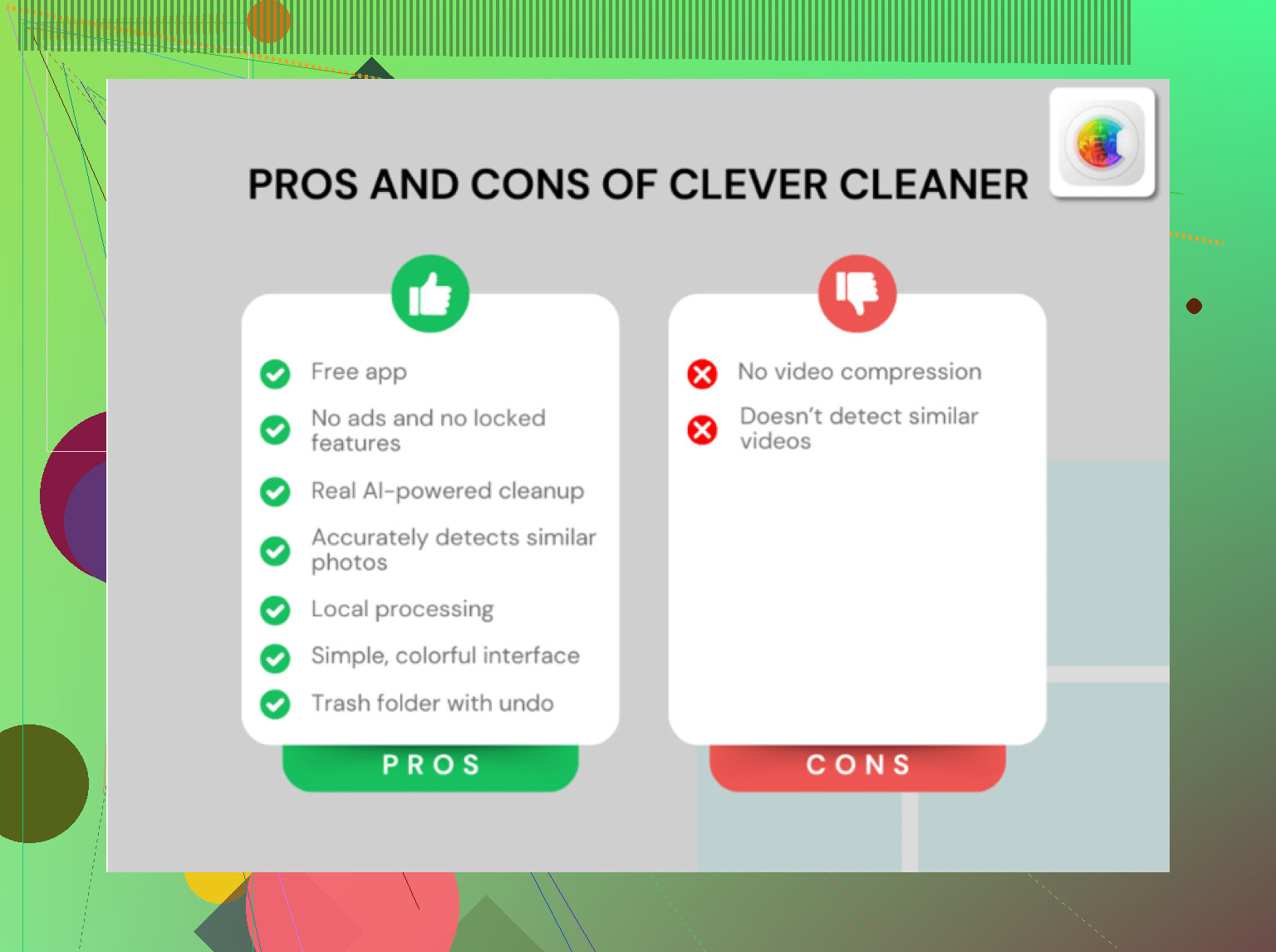
I’d skip CCleaner on iPad tbh. @mikeappsreviewer and @sonhadordobosque are right about one thing: the iPad version situation is kinda meh. But I slightly disagree that you need a whole “cleaner stack” for this. If your main issue is photos/videos by size, just use one app that does that well and stop there.
For that, Clever Cleaner is probably the closest match to what you want on iPad. The useful part is not the duplicate scan hype, it’s that you can actually spot the oversized media fast instead of digging through Apple Photos for an hour like some kind of storage archaeologist.
A few things I’d focus on:
- biggest videos first, not just photos
- Live Photos can be sneaky space hogs too
- old screen recordings are often the real villain
- after deleting, empty Recently Deleted or the storage won’t move right away
One small reality check: no iPad cleaner can truly “CCleaner” your system like on Windows. Apple doesn’t allow that. So ignore any app claiming deep junk cleanup. That’s mostly marketing fluff.
If you want something easy to watch, here’s a solid walkthrough for how to clear iPhone and iPad storage fast and free.
Short answer: Clever Cleaner for iPad fits better than CCleaner if you want to sort media by file size. Not magic, but way less annoying, and it actually targets the stuff eating your storage.
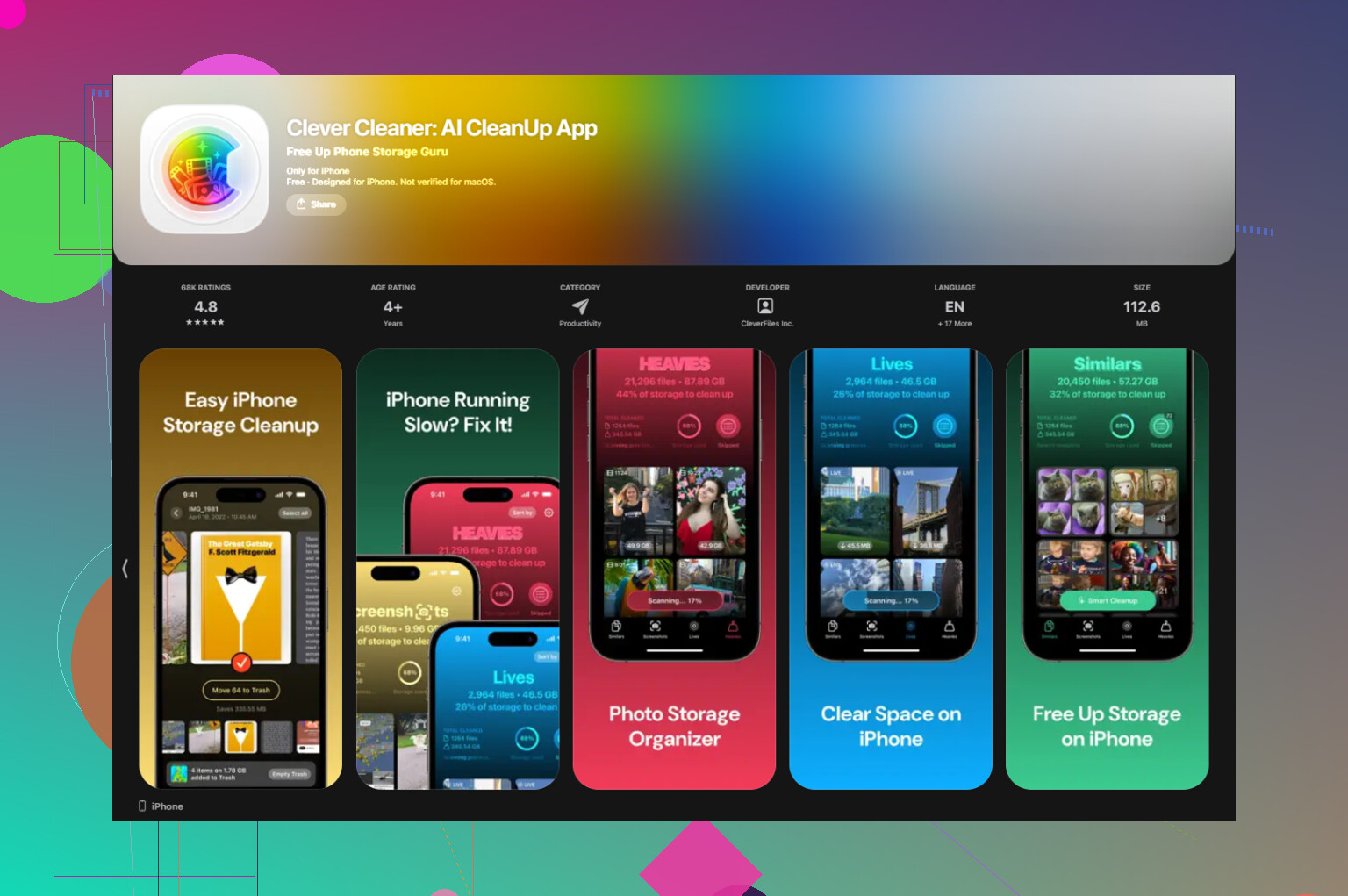
I’d take a slightly different angle than @sonhadordobosque, @mike34, and @mikeappsreviewer: if your goal is specifically find the biggest space hogs fast, I care less about “cleaning features” and more about how quickly the app gets me to giant videos, Live Photos, and bloated screenshots.
For that, Clever Cleaner is probably the best fit on iPad.
Pros
- native iPad layout
- can surface large media clearly
- good for duplicates and similar shots
- no fake “deep system clean” nonsense
Cons
- still limited by Apple’s sandbox
- won’t clean app caches/system files
- similarity detection can sometimes group photos you may want to keep
One thing I disagree with a bit: duplicates are helpful, but on iPad, long videos usually beat duplicates for reclaimed space. Deleting 3 huge recordings can matter more than deleting 300 photos.
Also, before using any app, check Settings > General > iPad Storage. Sometimes Messages attachments or downloaded files are the real culprit, not Photos at all.
So yeah, skip CCleaner here. Clever Cleaner makes more sense for your exact use case, just don’t expect desktop-style cleanup magic.