I’ve been using Cleanup App to clear storage on my iPhone, but I keep seeing lots of other cleaner apps recommended in the App Store. Some claim to free up more space, boost performance, or manage photos and videos better. Has anyone compared Cleanup App with other popular iPhone cleaner apps, and which one actually works best without causing issues or hidden charges?
Cleanup App (Phone Storage Cleaner) – my experience after a week of use
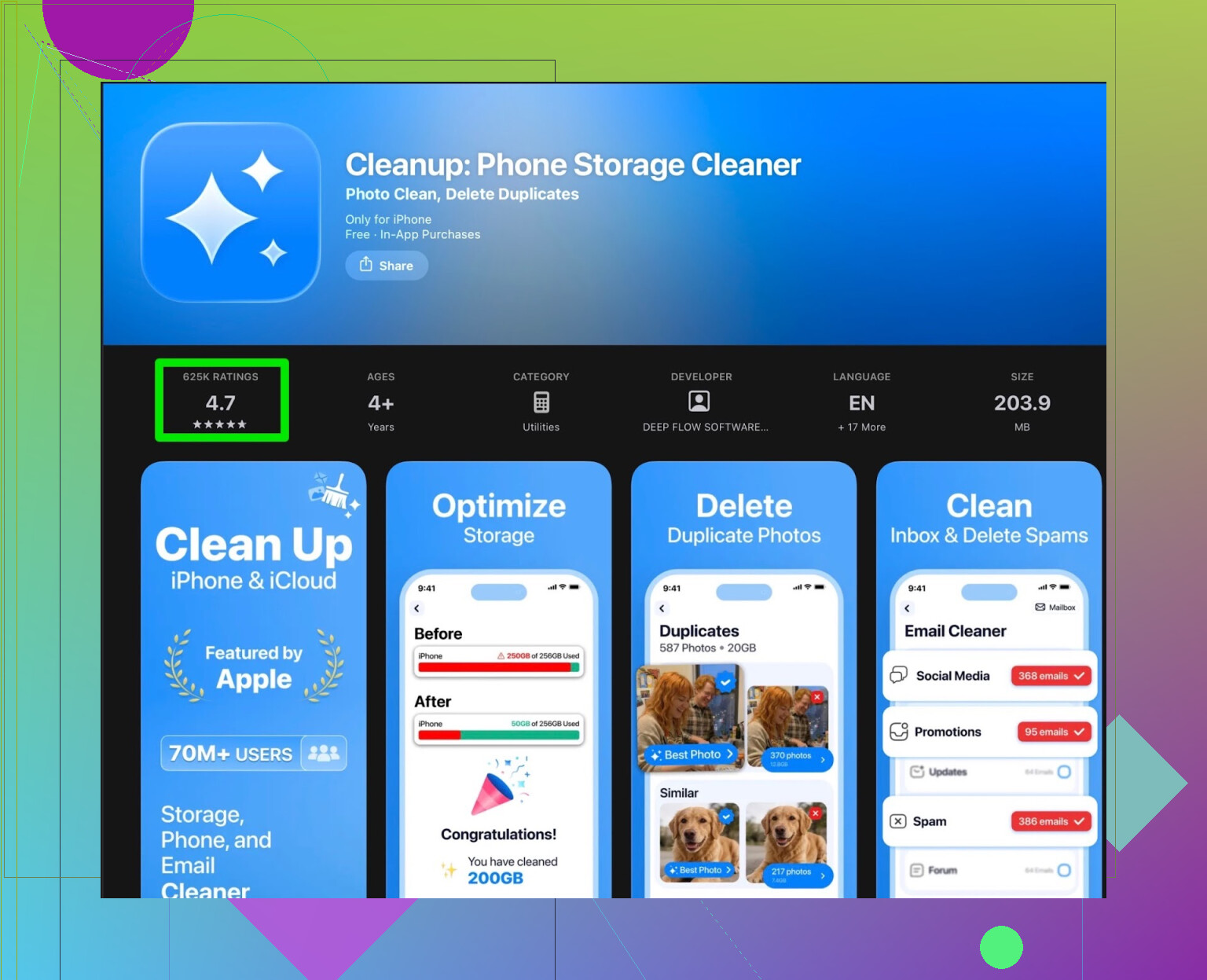
I installed Cleanup App (Phone Storage Cleaner) after my iPhone started throwing the “storage almost full” pop-up every few hours. I was sitting at something like 127 GB used out of 128 GB, photos not loading, iOS updates refusing to install, the usual mess.
Here is what I saw and what annoyed me.
First impression
The app looks decent when you open it. It offers:
- scan for duplicate photos
- detect similar pictures
- find screenshots
- clean contacts (merge duplicates)
- compress big videos to save space
So far so good. The scan itself runs fine. It pulled out:
- a ton of nearly identical burst photos
- old WhatsApp media
- many screenshots from apps I do not even use anymore
The problem starts after the scan.
Where it started to fall apart for me
Most of the actions that matter are behind a paywall or buried in ads.
Stuff I hit right away:
- you see the list of junk, but deleting in bulk needs a subscription
- free version lets you do a tiny amount, then asks for money
- if you try to stay on free, you get spammed with long ads
I tried going the ad route. After the fourth 30 second ad just to clear a handful of photos, I gave up. It felt slower than opening the Photos app and deleting things myself.
There are also add‑on style features:
- some flashy animations
- a “secret vault” for hiding photos
For me, those did not help with storage cleanup. They felt bolted on to sell the subscription, not to solve the storage issue.
What other users say
I checked reviews because I thought maybe I was missing something. A lot of people report the same patterns.
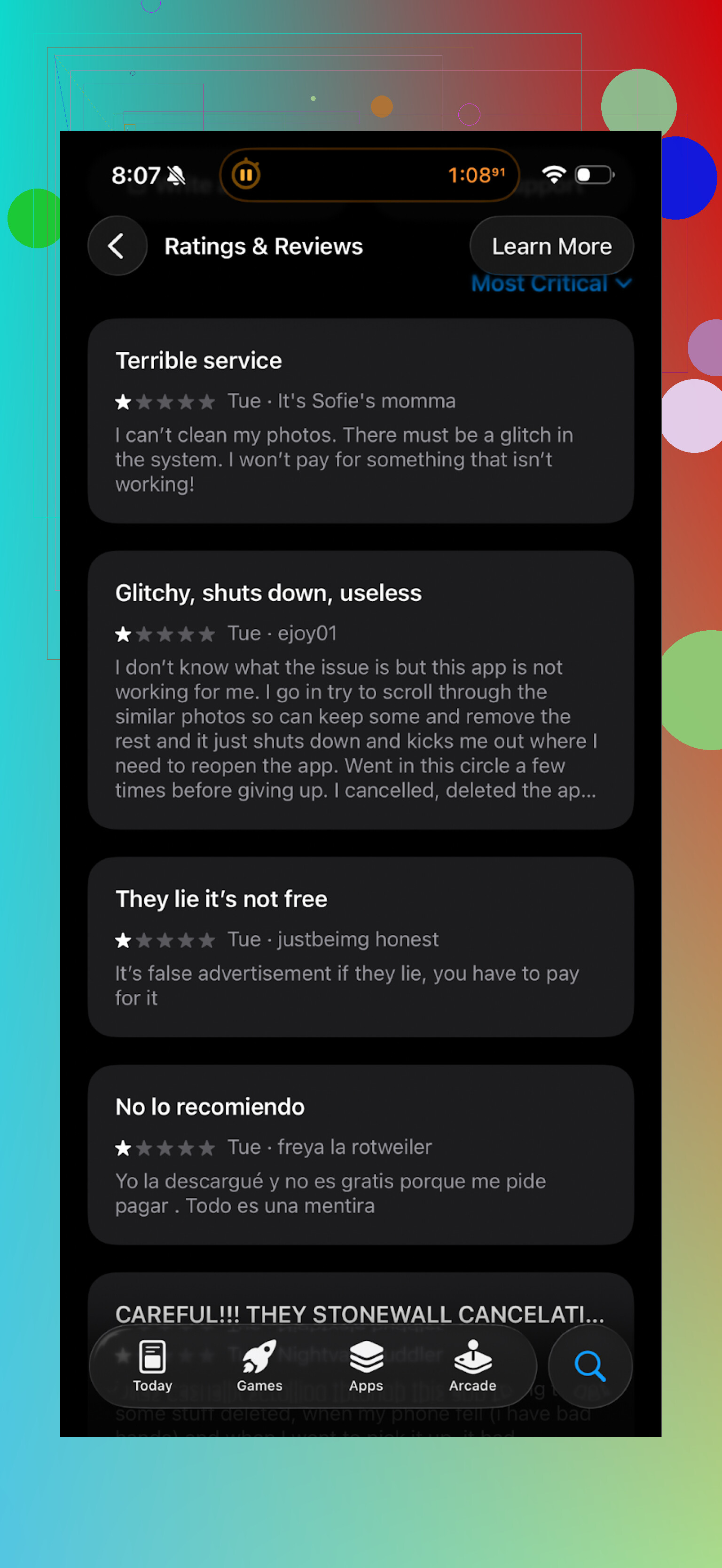
Common complaints I kept noticing:
- aggressive upsell to subscription
- too many ads in the free tier
- free version acting more like a demo showing what you could remove, but not letting you do much
Again, the core scan works. The frustration sits around everything wrapped around it.
What I switched to instead
After two days of this I removed Cleanup and went hunting for something less pushy. Ended up on Clever Cleaner.
Clever Cleaner on App Store:
Here is how it behaved differently for me.
- No constant subscription spam. You install it, run it, and it lets you work.
- It picked up:
- duplicate photos
- giant videos I forgot I had
- old screenshots
- other large files sitting in random app folders
On my phone, first run:
- freed about 9.4 GB in 15–20 minutes
- most of that from videos and bursts from trips
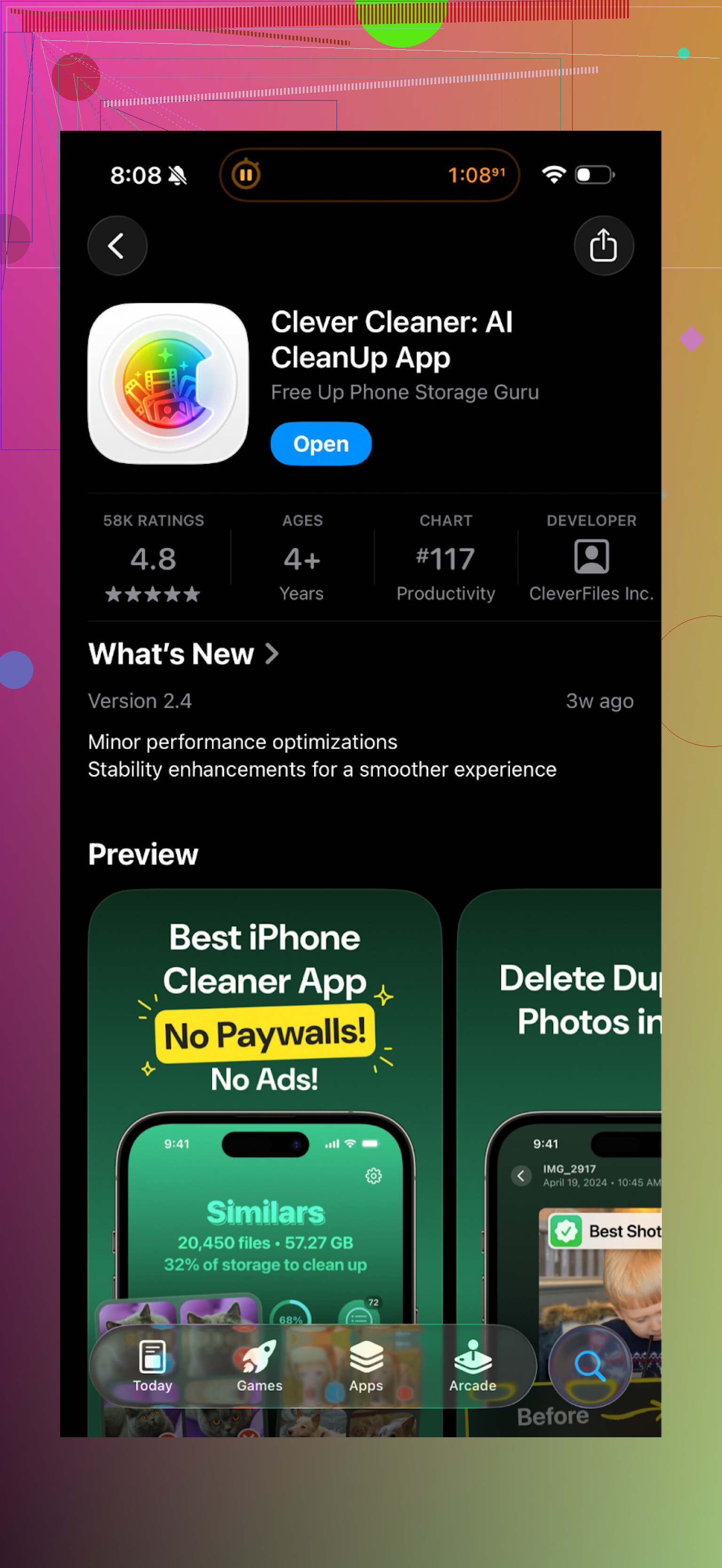
The UI is simple. You see:
- “Duplicates”
- “Similar”
- “Large”
- “Screenshots”
You tap in, select, delete. It did not force me through full-screen ads every action.
Here is how it looks:
Practical difference in day‑to‑day use
With Cleanup App:
- I spent more time dismissing offers and ads than cleaning
- I felt pushed to subscribe before even trusting the app
- free mode felt like a teaser, not a tool
With Clever Cleaner:
- I ran it when my storage dipped under 10 GB
- quick scan, quick review, free up a few GB, delete the app from RAM, done
- no feeling I needed to fight the app to do what I wanted
If you want to try the same setup I used
YouTube overview of it:
Clever Cleaner homepage:
App Store link again:
Short version of my take
Cleanup App (Phone Storage Cleaner) works at the technical level. It detects junk on your phone. On my device, the problem was the paywall/ads structure and side features that did not help storage.
Clever Cleaner did the same storage job with fewer nags and less friction. If your iPhone is choking on photos and large files and you do not want to pay a subscription for something this basic, I would start with Clever Cleaner before spending time on Cleanup App.
Short version. Cleanup App works, but for most people it gets in your way more than it helps.
A few practical points to help you decide:
-
What these cleaner apps actually do
They mostly:
• Scan for duplicate and similar photos
• Find screenshots
• List large videos and large files
• Sometimes merge contactsNone of them speed up the iPhone in any real technical sense. iOS handles memory by itself. You gain space, not performance miracles.
-
Where Cleanup App falls short
You already know the main pain.
• Heavy paywall for bulk actions
• Aggressive ads in the free tier
• Extra “vault” type features that do not help with storageIf your time is worth anything, watching ad after ad to delete a few dozen photos is not great value.
-
Where I disagree a bit with @mikeappsreviewer
They were pretty hard on the free tier. For someone who only needs a one time cleanup of a small library, Cleanup App is usable if you are patient. The detection of similar photos is decent, and the UI is simple for non tech folks.
If you are the type who gets overwhelmed inside the Photos app, Cleanup App still beats doing everything 100 percent manually. -
Alternatives and what to look for
Ignore the marketing about “more space” or “performance”. Focus on:
• Does it let you bulk delete without paying immediately
• Does it show clear previews before deleting
• Does it group by “duplicates”, “similar”, “large”, “screenshots” like @mikeappsreviewer described
• Does it nag you every tapOn my phone, the Clever Cleaner App hits a better balance.
• Quick scan of duplicates, similar shots, and big videos
• Fewer nag screens
• Simple categories that match how you think: what is huge, what is useless, what is a duplicateIt freed a few GB on my 256 GB iPhone mostly from 4K videos and burst photos. No need to babysit it every second.
-
What I would do in your place
• Keep Cleanup App only if:- You already paid and you like its layout
- You do not mind the upsells
• Try Clever Cleaner App if: - You want something lighter on ads
- You want fast “scan, check, delete” without extra fluff
-
Extra manual tips that beat any cleaner app
• In Settings > General > iPhone Storage, check “Review Downloaded Videos” and “Offload Unused Apps”
• In Photos, sort by Videos and delete old 4K clips
• In Messages, set message history to 1 year or 30 days
• In WhatsApp or Telegram, clear old media from large chats
If you treat these apps as helpers for sorting and previewing, they are useful. If you expect them to magically free 50 GB and make the phone “run faster”, you will be disappointed.
Cleanup App is… fine, but it’s kind of the “free-to-play mobile game” of cleaner apps. It technically works, but you pay with your time, attention, or subscription.
I’m with @mikeappsreviewer on the main pain point: the constant upsell around the one thing you actually want to do, which is bulk delete. I slightly disagree with @suenodelbosque on one thing though: I don’t think “it’s okay if you’re patient” is much of a defense. If it takes multiple 30‑second ads to clean what you could remove in the Photos app in 2 minutes, that’s just bad value, even for a one‑time cleanup.
Where I’d put Cleanup App:
- Good enough if:
- You already paid and don’t want to switch
- You only need light cleanup and don’t mind some friction
- Not great if:
- Your storage is a disaster (tens of GB to claw back)
- You hate being nagged or slowed down by ads
On the “other cleaner apps” question: none of them truly “boost performance.” iOS isn’t Windows XP. They mainly:
- sort and surface: duplicates, similar shots, huge videos, screenshots, contacts clutter
- give you faster review than digging manually
That’s it. Any app promising “turbo speed” or “RAM booster” is mostly just marketing fluff.
Where the Clever Cleaner App comes in, and why people keep mentioning it:
- It focuses on the useful buckets: duplicates, similar, large files, screenshots
- It lets you actually act on that stuff without feeling like you’re in a sales funnel
- For a lot of us, it freed several GB in one sitting, especially from 4K vids and bursts
I don’t think Clever Cleaner is magic or uniquely powerful. It’s just not fighting you every step like Cleanup App’s free tier does. That alone makes it feel like it “frees more space,” even though technically they’re doing very similar jobs.
If I were in your spot right now:
- Stop expecting any app to speed up the phone. Expect storage management only.
- Keep Cleanup App only if the flow already makes sense to you and you’ve paid.
- If you’re annoyed at the nags or you’re trying to clear a big chunk of storage, install the Clever Cleaner App and run one full pass on:
- duplicates / similar
- large videos
- screenshots
After that, honestly, delete whatever cleaner you used and only reinstall when you’re low again. None of these need to live on your phone 24/7.
If you strip away the marketing, Cleanup App and the other iPhone cleaner apps are all doing the same 3–4 jobs: surface junk, help you review, then delete. The differences are in friction, safety, and how much they try to monetize your frustration.
A few points that build on what others said:
- On Cleanup App itself
I think @mikeappsreviewer is right that its “free‑to‑play” vibe is the main problem. Where I differ a bit from @suenodelbosque is on the idea that it is OK “if you’re patient.” In my experience, patience is exactly what runs out once your phone starts refusing updates and failing to load photos. At that point, 30‑second ads are not a minor annoyance, they are a dealbreaker.
That said, Cleanup App does have two real positives:
- Its similar‑photo detection is quite friendly for non‑technical users.
- The contact merge feature is simple enough that someone who never touches Contacts can use it.
If you already paid for it and you know its quirks, sticking with it is perfectly reasonable.
- Where Clever Cleaner App actually differs
Not magic, but there are structural differences that matter day to day:
Pros of Clever Cleaner App:
- Low friction: You spend your time selecting and deleting, not closing full screen promos.
- Clear mental model: buckets like “Duplicates,” “Similar,” “Large,” “Screenshots” match how most people think of clutter.
- Fast “one pass” cleanup: It is genuinely practical to open it, run a scan, clear a few gigabytes, then ignore it for months.
- Decent safety: You can review items with reasonable previews before deleting, which reduces “oops, that was important” moments.
Cons of Clever Cleaner App:
- It still encourages bulk actions that can go too far if you just tap “select all” without reviewing. Any cleaner in this category has that risk.
- It does not fix deeper storage hogs like huge offline Spotify/Netflix libraries or bloated message attachments inside some third party apps. You still need to pair it with manual checks in Settings.
- Similar‑photo logic is not perfect. It can flag a “best shot” among near‑duplicates, so you should not blindly nuke everything it marks as similar.
- It is another app to trust with access to your photos, which some people are understandably cautious about.
- Where I slightly disagree with the others
- With @voyageurdubois: They framed these tools mostly as helpful “assistants,” which is fair, but I would go further and say that for people with 30k+ photos, an app like Clever Cleaner App can be the difference between “I’ll never deal with this” and “I actually cleaned up.” The psychological barrier of opening Photos and sifting manually is huge.
- With @mikeappsreviewer: They emphasized that any promise of “speed boosts” is nonsense, and I agree technically, but some users do experience a perceived speedup when iOS stops constantly juggling near‑full storage. So the apps do not tune performance directly, yet the side effect of reclaiming space can make the phone feel less flaky.
- How I would choose, in practice
-
Stay with Cleanup App if:
- You already paid and know your way around its screens.
- You only do occasional small cleanups and can tolerate the extra taps and upsells.
-
Switch or try Clever Cleaner App if:
- You need to reclaim many gigabytes from videos and bursts quickly.
- You hate ad walls and want a “scan → review → delete” loop with fewer distractions.
- One thing none of them fix that you should still do
Others already listed the usual iOS Storage tricks, so I will add one angle they did not stress:
Go into the specific apps that cache a lot of content and clear from inside:
- Streaming apps with offline downloads.
- Social apps that auto save media.
- Cloud sync apps that keep local copies.
Cleaner apps are great at surfacing Photos junk and big local files. They are far less effective at untangling the “invisible” caches that live behind individual app sandboxes.
Summary: Cleanup App is workable but feels like a sales funnel around a useful core. Clever Cleaner App leans more into actually letting you act on what it finds with less friction. Pair any of them with a quick manual pass through heavy apps and you get 90 percent of the benefit, without expecting miracles in performance.