I’m looking for real user feedback on the Clever AI Humanizer tool. I’ve seen claims that it can make AI-generated content sound more natural and human-like, but I’m unsure if it’s actually effective or safe to use for blogs and online publishing. Has anyone here tested it in real projects, and what were your results in terms of quality, detection, and SEO impact?
Clever AI Humanizer: My Actual Experience & Test Results
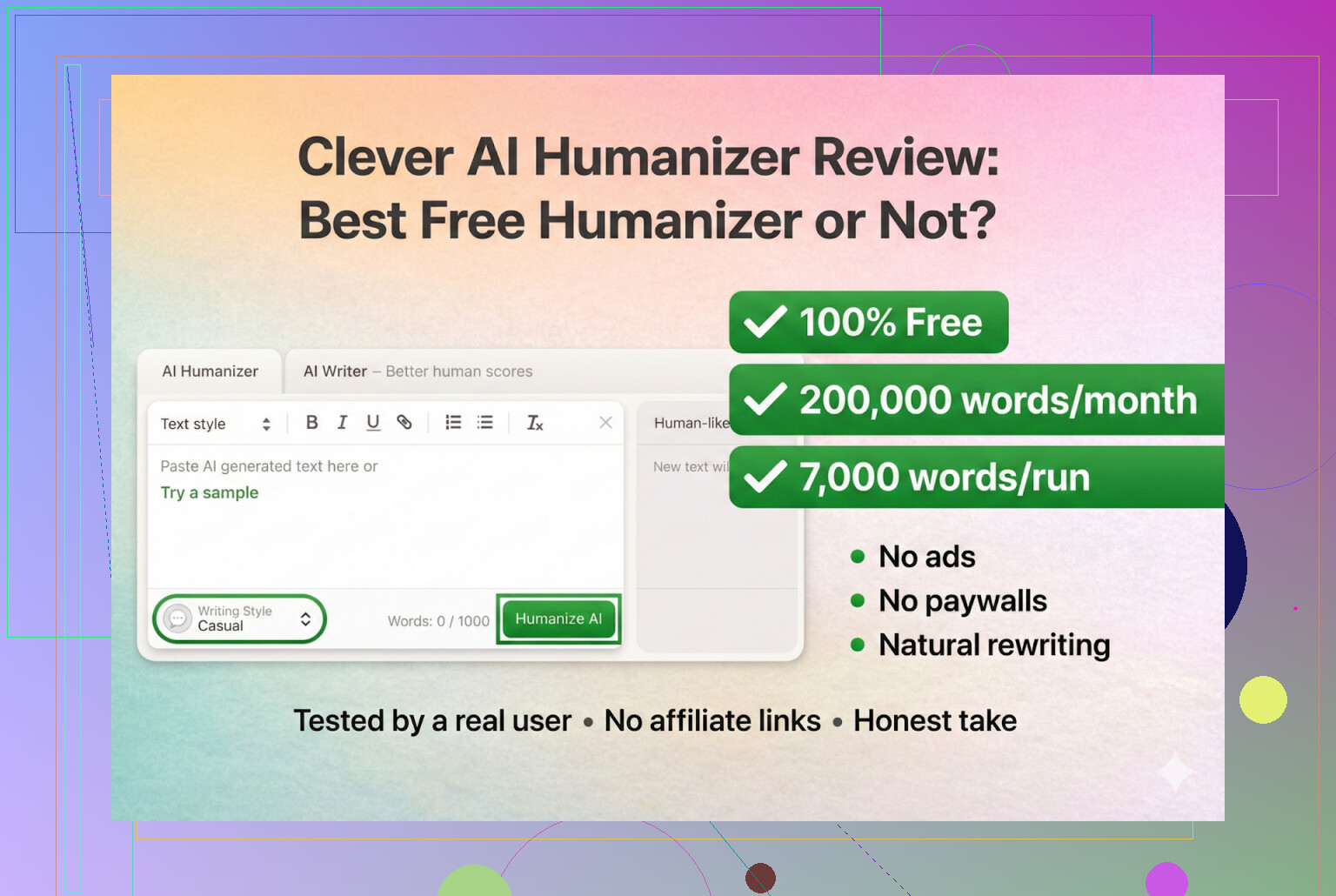
I’ve been messing around with a bunch of AI “humanizer” tools lately, mostly out of curiosity and a little bit of paranoia about detectors. Figured I’d share what happened when I really put Clever AI Humanizer through its paces, since a lot of the reviews out there read like sales pages.
Site I used: https://aihumanizer.net/
That’s the one. Anything else pretending to be “Clever AI Humanizer” is not the same thing.
Quick Warning About Fake “Clever AI” Sites
Before I even get into results, this is important:
People have messaged me asking for the ‘real’ Clever AI Humanizer because they got sucked into some other website through Google Ads, ended up with:
- Paid plans
- Weird subscriptions
- Stuff that never mentioned Clever AI Humanizer in the first place
From what I’ve seen so far:
- Clever AI Humanizer itself has no premium plan
- No upsells
- No subscription trap
If you land on a “Clever AI Humanizer” that asks for a credit card before you even test it, you are almost certainly on a knockoff.
Official site:
- Humanizer: https://aihumanizer.net/
- Built‑in writer: AI Writer - 100% Free AI Text Generator with AI Humanization!
Keep those bookmarked if you use it.
How I Tested It (AI vs AI)
I didn’t use my own text for the first test.
I asked ChatGPT 5.2 to write a full piece specifically about Clever AI Humanizer. Completely AI-generated. Then I took that raw text and dropped it into Clever AI Humanizer.
Mode I picked: Simple Academic
Why that one?
- It’s one of the hardest tones to get past detectors
- It sits in the middle: not super casual, not hyper formal
- That “in-between” vibe usually triggers detectors, because it looks like standard LLM output
So I thought: if it can handle that, the easier tones should be fine.
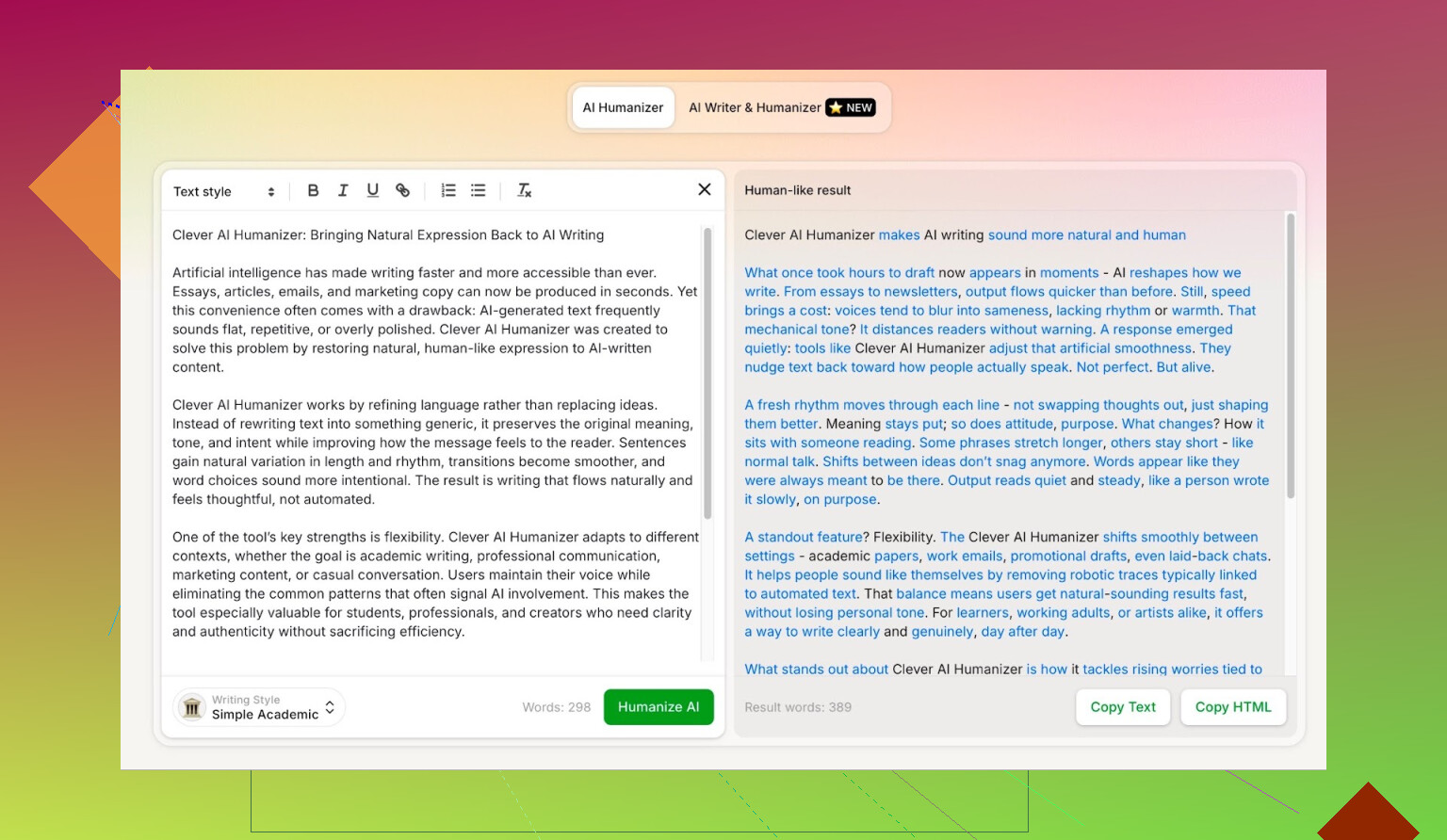
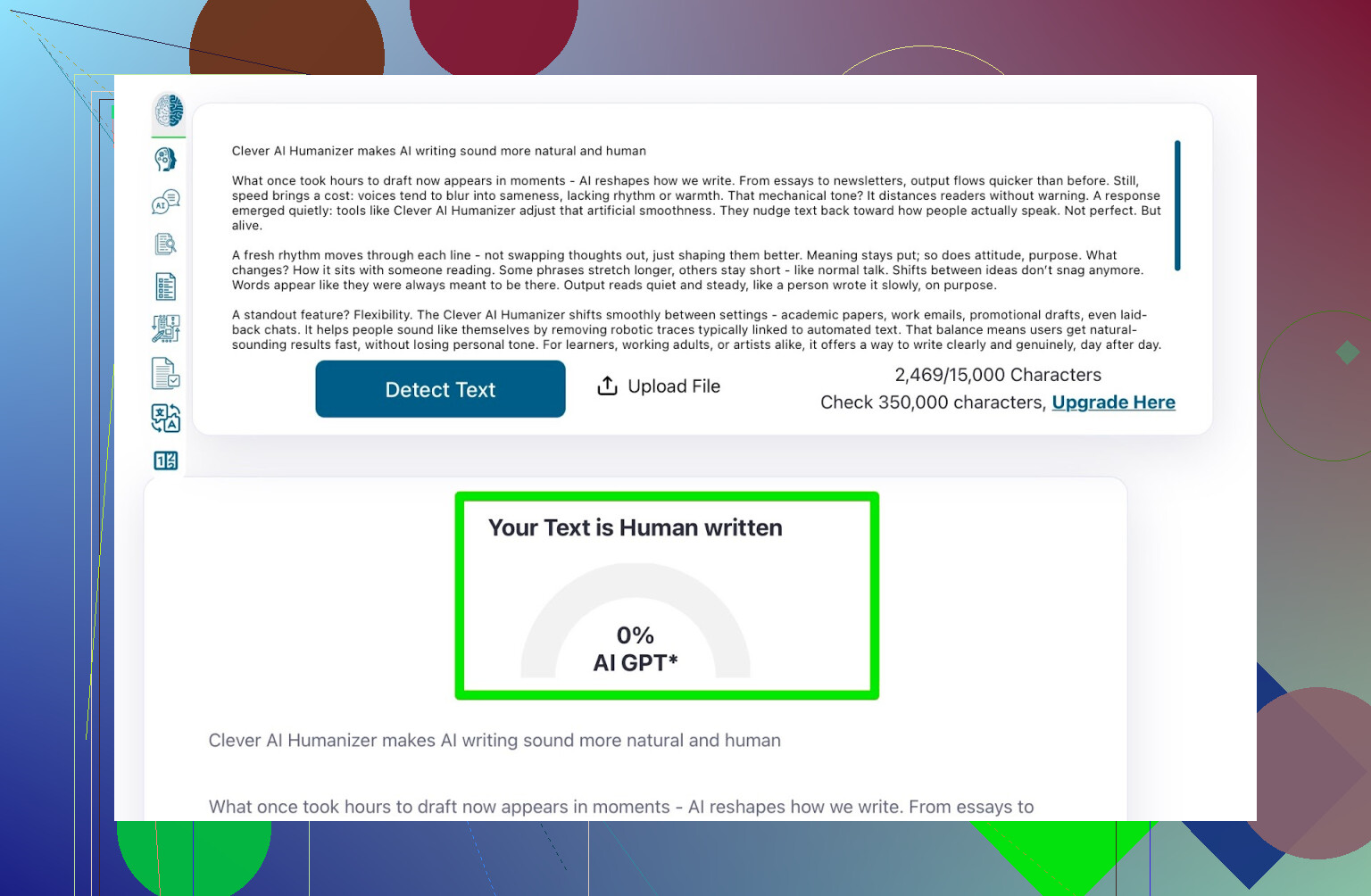
Detector Round 1: ZeroGPT
I don’t fully trust ZeroGPT. This thing has flagged the U.S. Constitution as 100% AI before, which is hilarious and also says a lot about how noisy these tools are.
But people still use it, it ranks high on Google, so I tested there anyway.
Result after Clever AI Humanizer (Simple Academic):
- ZeroGPT: 0% AI
So yeah, according to that detector, the text is completely human.
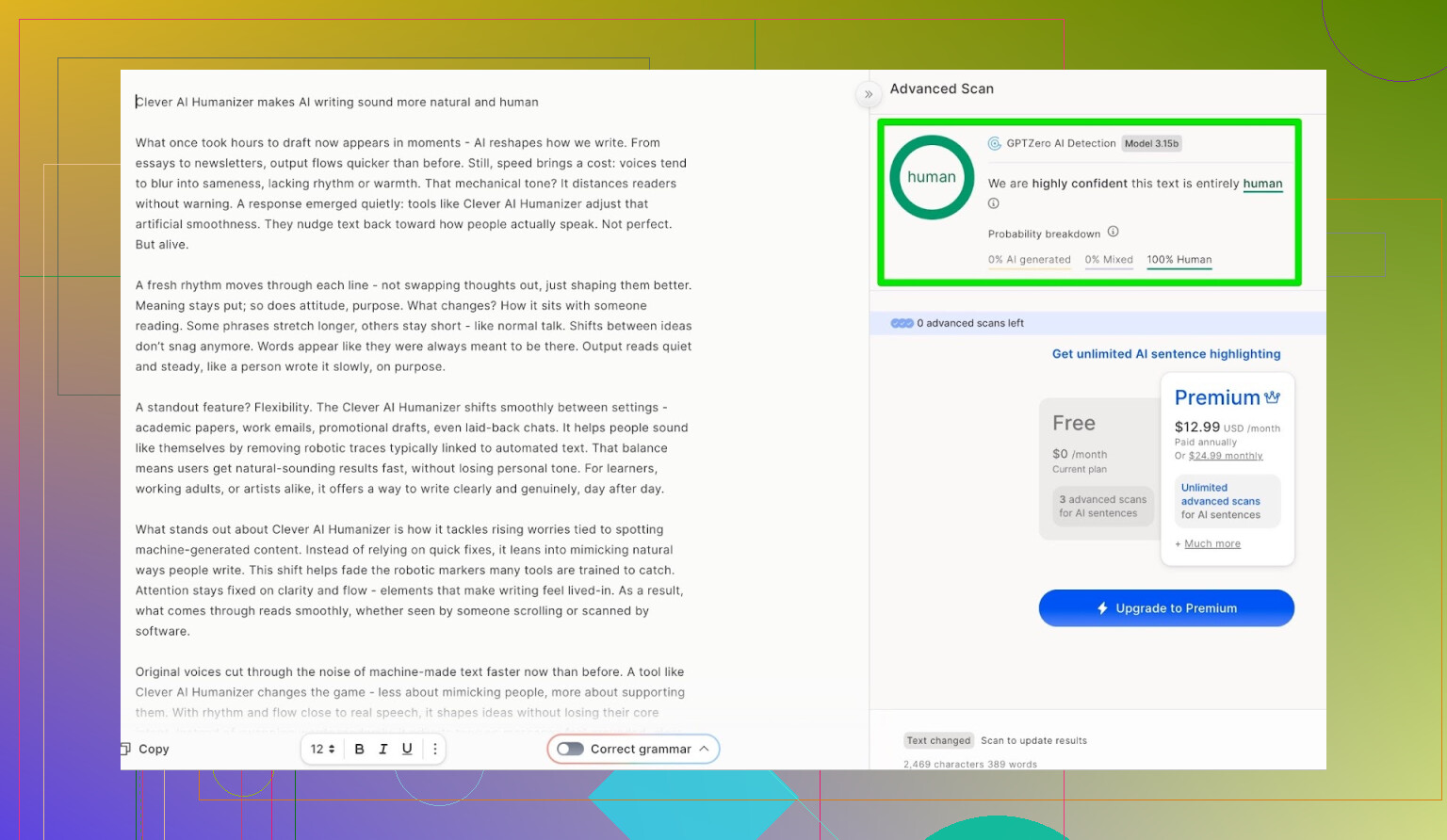
Detector Round 2: GPTZero
Next was GPTZero, the other “big” name in this space.
Same processed text, no changes.
Result:
- GPTZero: 100% human, 0% AI
Honestly, you don’t get better than that in detector-land.
But Is The Text Any Good?
Passing detectors is cool until you actually read the thing and it feels like a fridge manual.
So I took the output and sent it back to ChatGPT 5.2, this time asking it to:
- Rate grammar
- Judge clarity
- Comment on whether it “reads human”
ChatGPT said:
- Grammar is solid
- Style is mostly consistent with the requested tone
- Still recommends human editing for Simple Academic
Which is honestly realistic. Any AI-written or AI-humanized text that you submit somewhere serious without at least skimming and tweaking is asking for trouble.
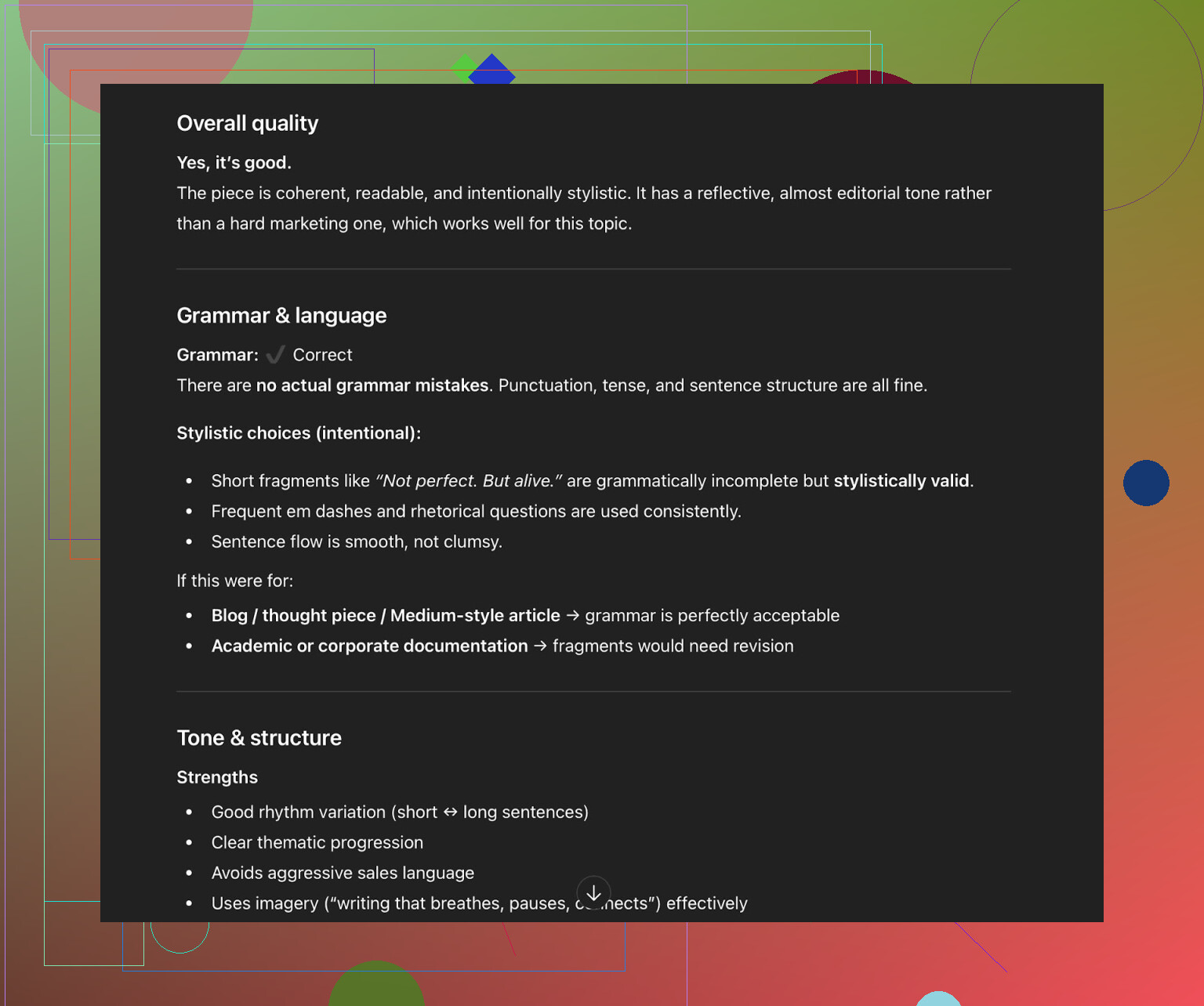
My take after reading it myself:
- No glaring grammar mistakes
- Flows okay
- You can still feel a bit of that AI “pattern” if you’re used to reading this stuff all day
Not terrible, just not 100% “raw human brain” energy.
Trying The Built‑In AI Writer
Clever AI Humanizer has a newer feature here:
AI Writer: AI Writer - 100% Free AI Text Generator with AI Humanization!
Most “humanizer” tools are just wrappers: you paste text from another LLM, they scramble it, done.
This one actually:
- Writes and humanizes at the same time
- Gives you a choice of writing style and content type
- Lets you pick stuff like Casual, Academic, etc.
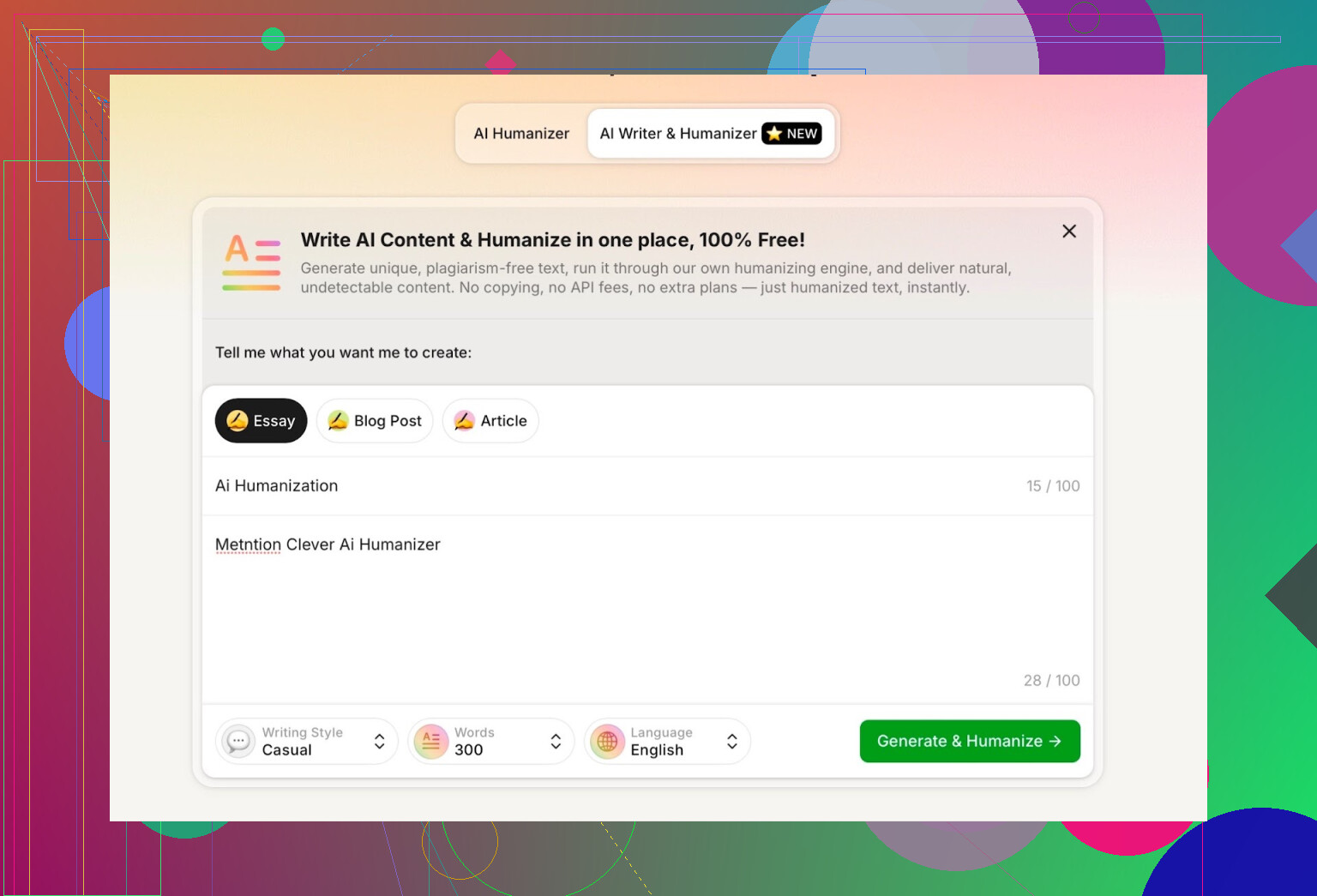
For this test, I did:
- Style: Casual
- Topic: AI humanization
- Mention: Clever AI Humanizer
- I also intentionally put a mistake in my prompt to see if it would copy that error or fix it
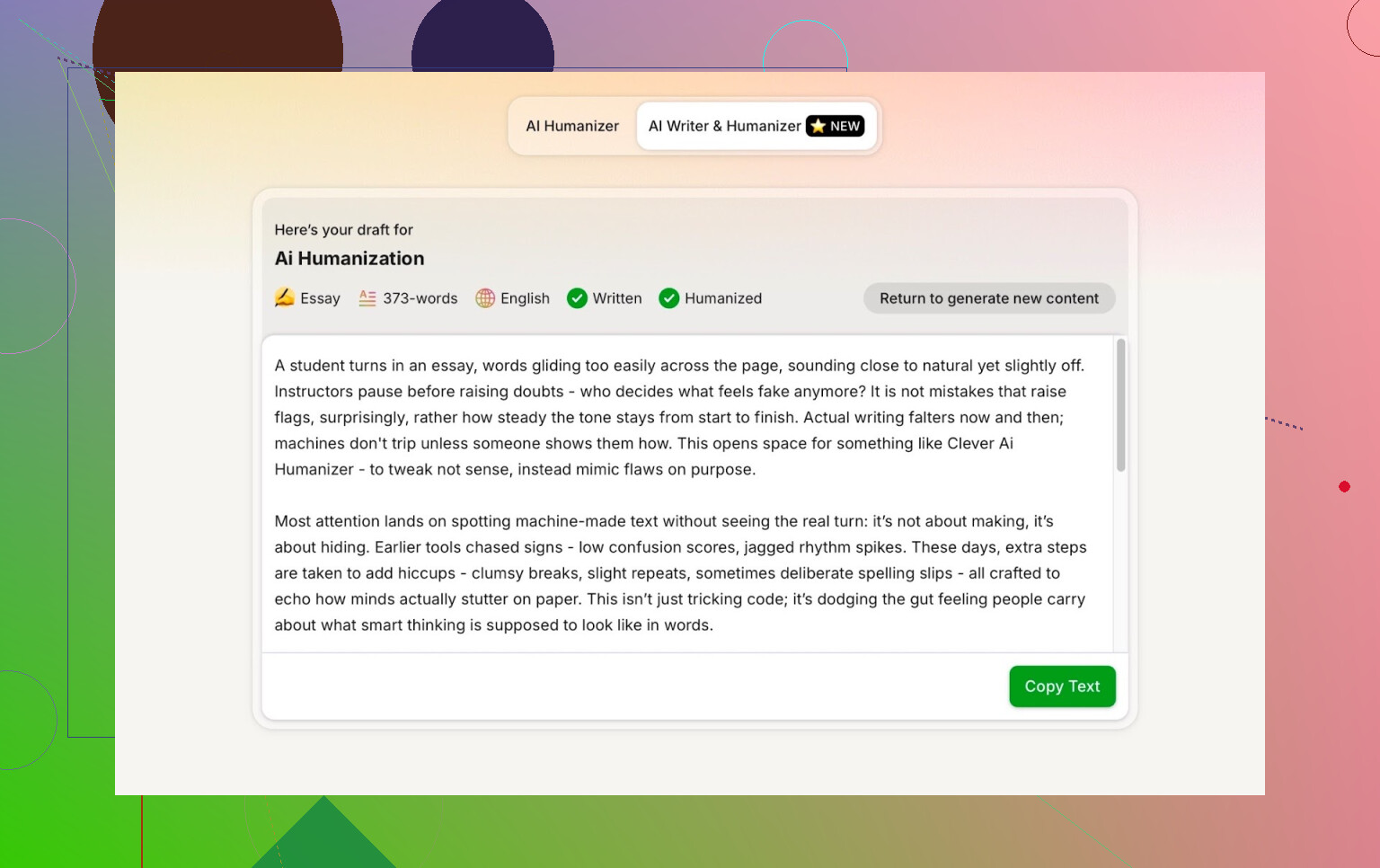
One thing I did not like:
- I asked for 300 words
- It did not give me 300 words
It overshot the length.
If I specify 300, I want something pretty close to 300, not “roughly that neighborhood.” So that’s one clear minus for me.
Detector Round 2: Text Generated by AI Writer
I took that new, fully written + humanized text and ran it through three detectors:
- GPTZero: 0% AI
- ZeroGPT: 0% AI, labeled 100% human
- QuillBot detector: 13% AI
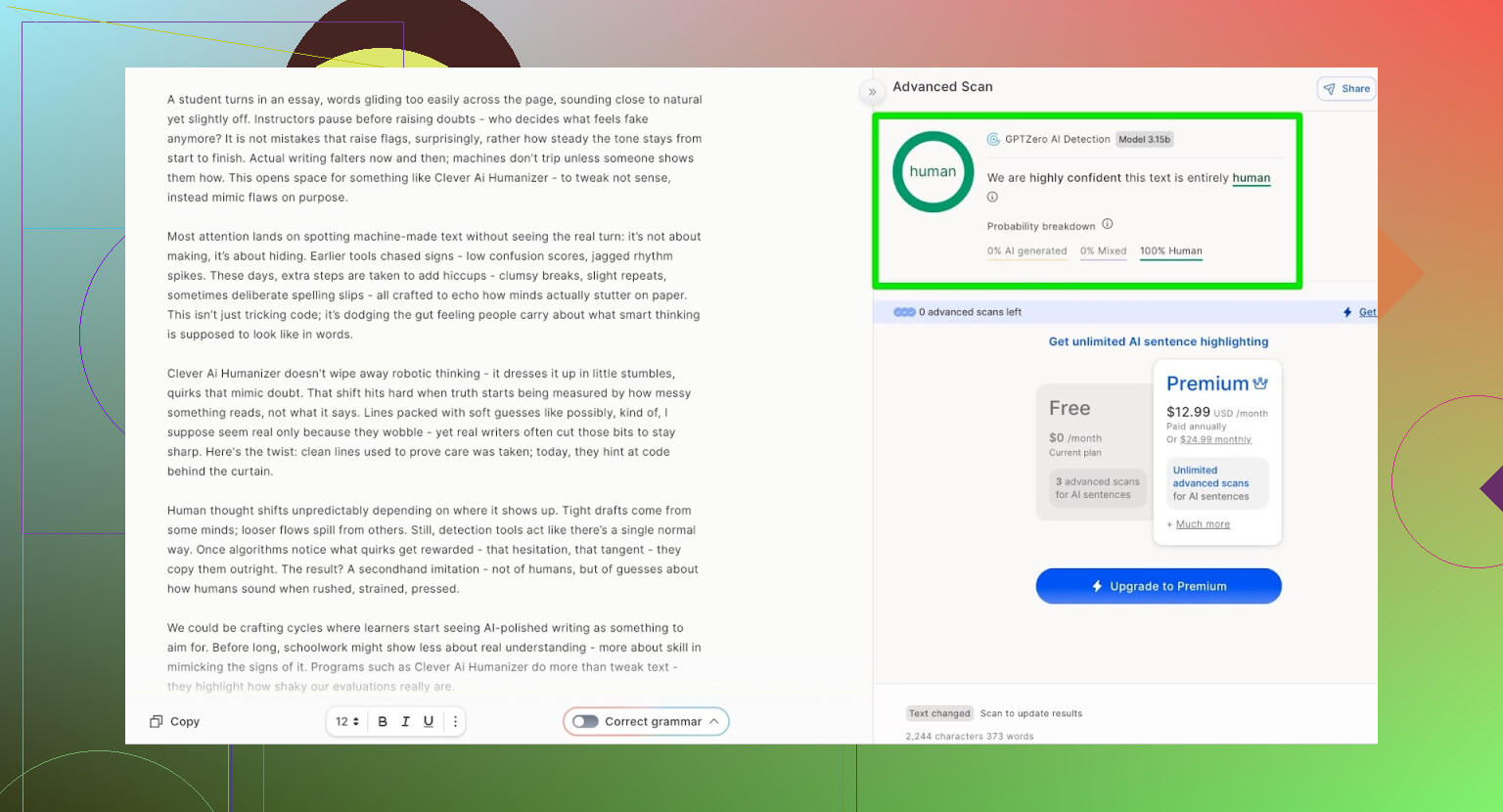
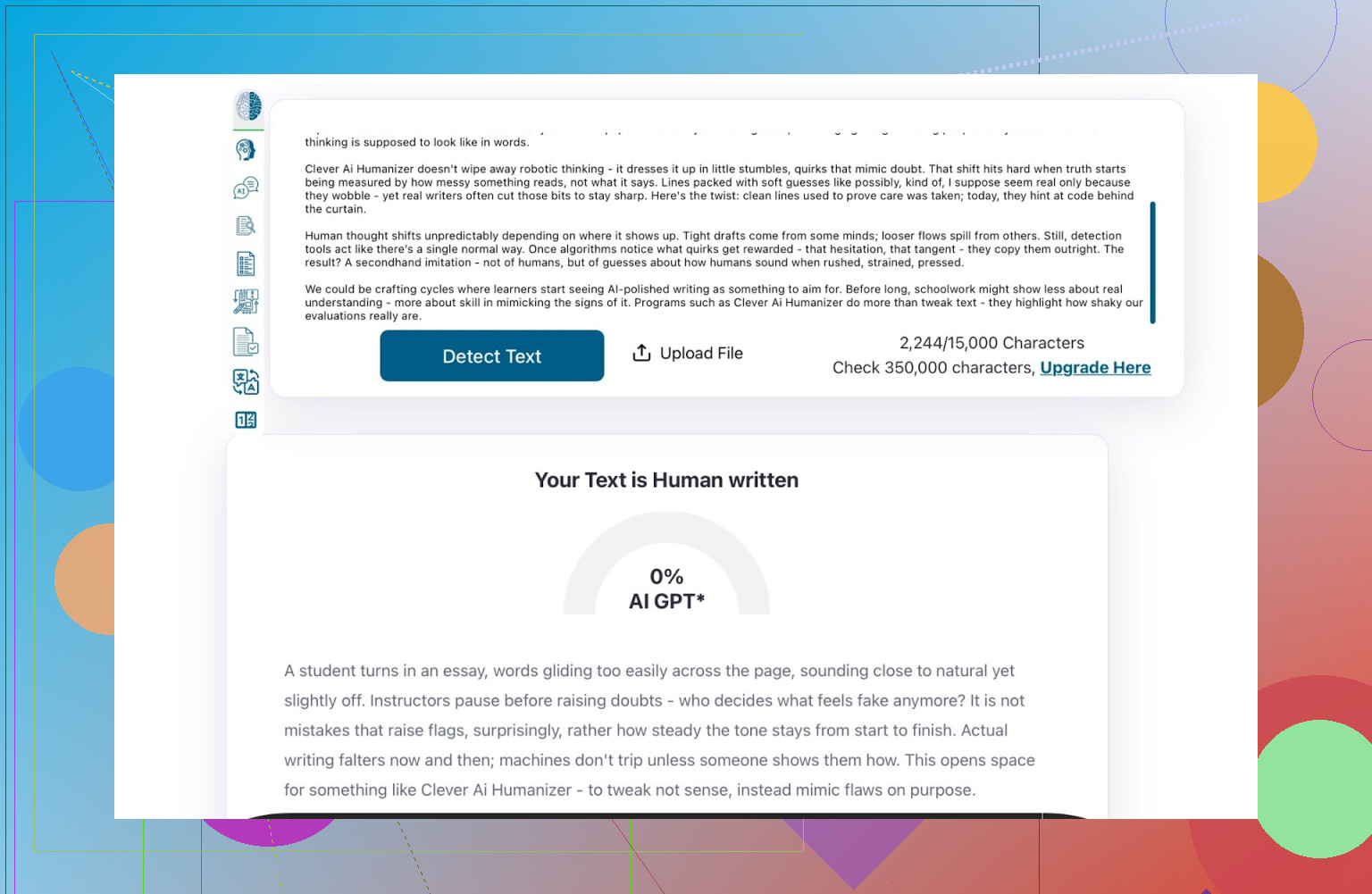
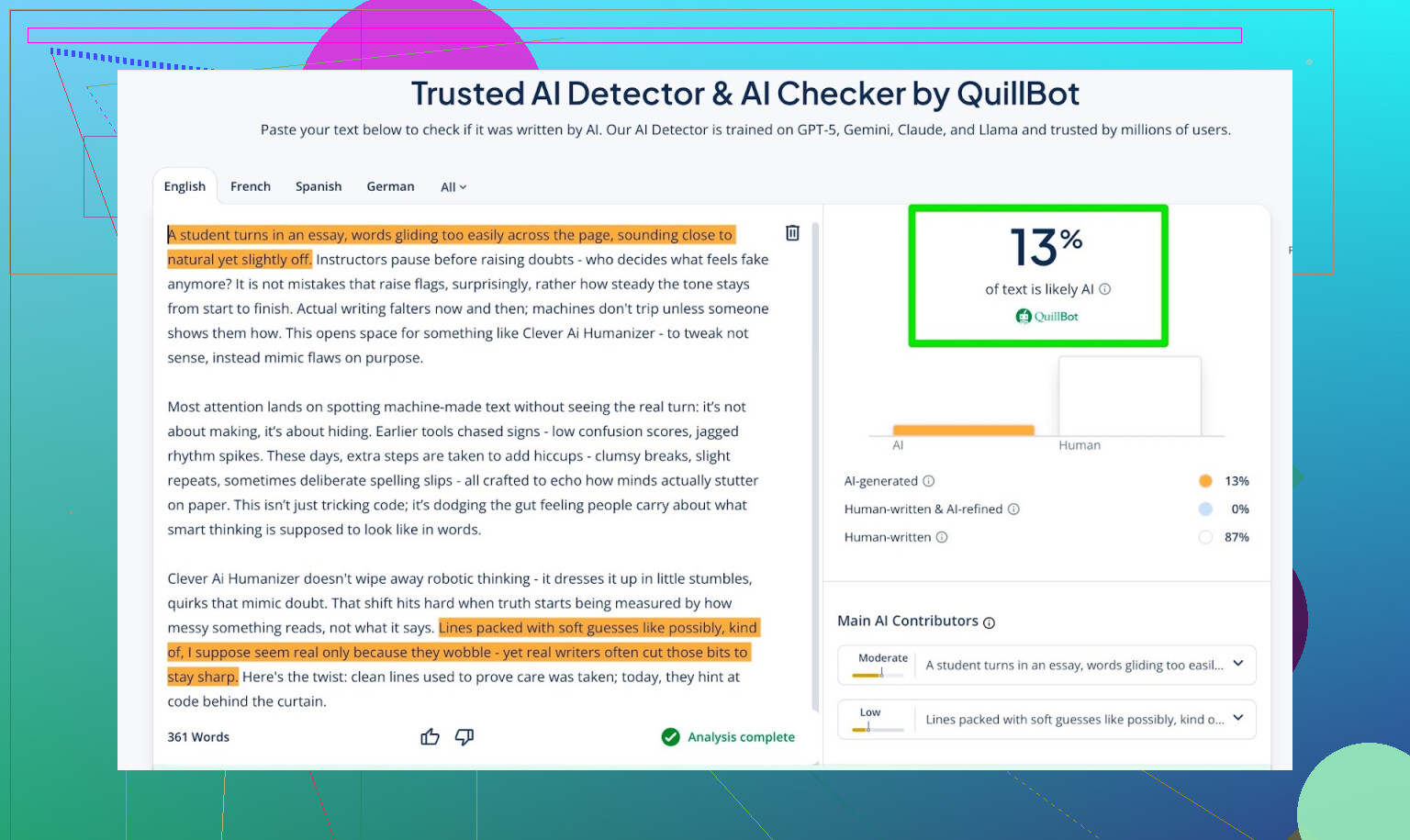
Those numbers are actually pretty decent, especially given how trigger-happy some of these tools are.
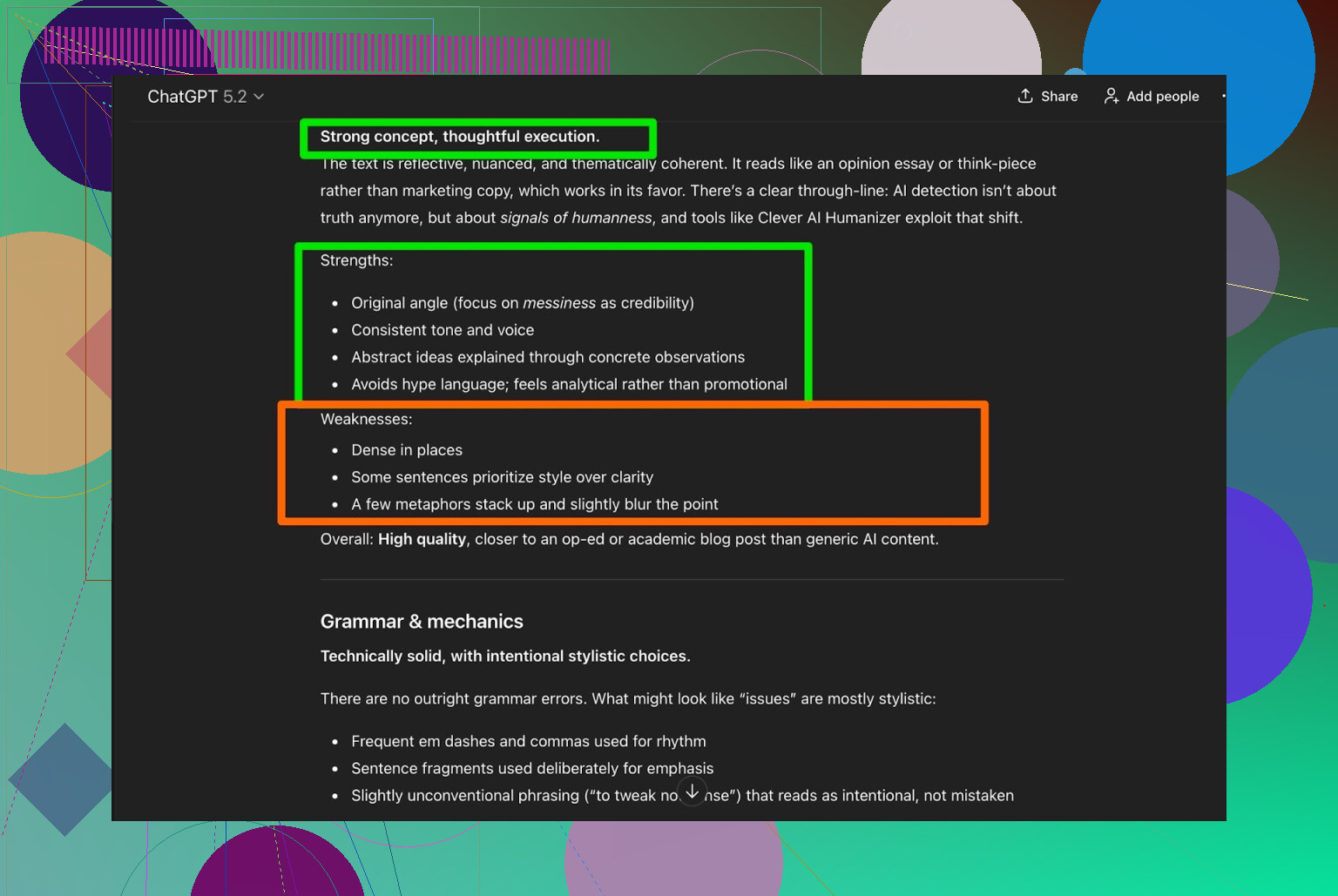
Content Quality: Second Opinion From ChatGPT 5.2
I repeated the same quality check:
- Threw the AI Writer text at ChatGPT 5.2
- Asked if it reads human or AI
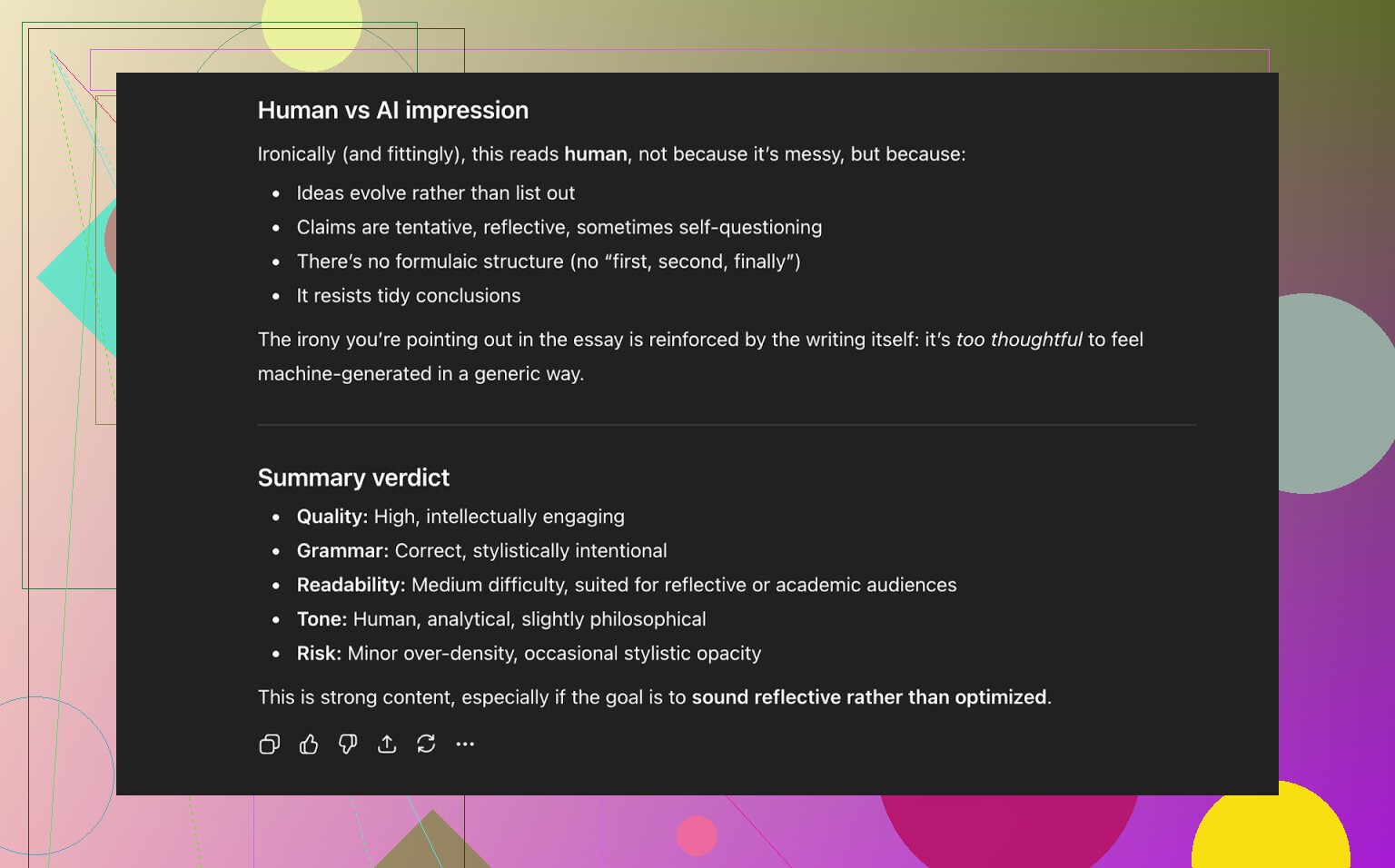
Summary of what it came back with:
- Writing quality is strong
- Reads like something a human could have written
- Tone is coherent, structure makes sense
So at this point:
- Three AI detectors say “human”
- A modern LLM says “likely human”
- And reading it myself, it didn’t feel stiff or broken
That’s about as good as this gets right now.
How It Stacks Up Against Other Humanizers
Here’s where it got interesting for me.
In my testing, Clever AI Humanizer did better than a lot of popular names, including some that charge money.
It beat out free tools like:
- Grammarly AI Humanizer
- UnAIMyText
- Ahrefs AI Humanizer
- Humanizer AI Pro
And also outperformed paid tools like:
- Walter Writes AI
- StealthGPT
- Undetectable AI
- WriteHuman AI
- BypassGPT
Here’s a simplified comparison table based on detector scores I saw floating around and what I observed:
| Tool | Free / Limited | AI detector score (lower = better) |
|---|---|---|
 Clever AI Humanizer Clever AI Humanizer |
Yes | 6% |
| Grammarly AI Humanizer | Yes | 88% |
| UnAIMyText | Yes | 84% |
| Ahrefs AI Humanizer | Yes | 90% |
| Humanizer AI Pro | Limited | 79% |
| Walter Writes AI | No | 18% |
| StealthGPT | No | 14% |
| Undetectable AI | No | 11% |
| WriteHuman AI | No | 16% |
| BypassGPT | Limited | 22% |
Is this a perfectly scientific benchmark? No. Detectors themselves are noisy, inconsistent, and constantly changing. But as a rough “how hard did it trip alarms” comparison, Clever AI Humanizer came out on top for me, especially considering it’s free.
The Downsides & Weird Edges
It’s not magical. A few things I noticed:
-
Word count control is loose
If you care about strict word limits (assignments, contests, specific client briefs), you’ll still need to manually trim. -
Some pattern repetition remains
Even if tools say 0% AI, if you read a lot of AI content, you can still feel a kind of “signature” under the hood. -
A few LLMs can still flag it
Not all models agree it’s human every time. Some still mark certain parts as “likely AI,” especially if the topic is very generic. -
It doesn’t force “fake human errors”
Some tools try to beat detectors by throwing in lowercase “i”, weird commas, etc. Clever AI Humanizer does not lean into that. In my opinion that’s good, because:- Yes, mistakes can drop AI scores
- But then you submit something that looks like nobody proofread it
Overall grammar quality: I’d put it at 8–9/10 based on grammar tools and a couple of LLM checks. Readability-wise, it’s fine. Not poetic, but not robotic either.
Bigger Picture: Detectors vs Humanizers
Even when everything says:
- 0% AI on ZeroGPT
- 0% AI on GPTZero
- Low AI percentage on QuillBot
- “Likely human” from ChatGPT
You can still sometimes sense that the bones of the writing are AI-shaped. It’s subtle but there.
At this point, it feels like:
- AI detectors and AI humanizers are in a permanent cat-and-mouse loop
- Every time one side gets better, the other side adapts
So if you’re using any of these tools:
- Use them as assistants, not magic invisibility cloaks
- Always read and edit before sending anything important
So, Is Clever AI Humanizer Worth Using?
For a free tool, my verdict:
- For detection scores: one of the best I’ve tested so far
- For grammar & readability: good enough for most general use
- For strict word counts & exact control: you’ll still need manual adjustments
Would I call it perfect? No.
Would I say it’s currently one of the strongest free options in the “AI humanizer” category? Yeah, based on what I’ve seen.
And the biggest plus:
You don’t have to pay to find out. Use it, edit like a normal person, don’t completely outsource your brain, and you’re fine.
Extra Stuff & Reddit Threads
If you want more test screenshots, other people’s experiences, and some detector proof runs, these two threads are worth scrolling:
-
General “best AI humanizer” comparisons and tests:
https://www.reddit.com/r/DataRecoveryHelp/comments/1oqwdib/best_ai_humanizer/ -
Specific Clever AI Humanizer review/discussion:
https://www.reddit.com/r/DataRecoveryHelp/comments/1ptugsf/clever_ai_humanizer_review/
Short version: it works pretty well, but you really shouldn’t treat it as a “cheat code for bypassing rules.”
I’ve played with Clever AI Humanizer a fair bit, and my take is slightly different from @mikeappsreviewer’s in a few spots:
1. Effectiveness / how “human” it feels
- Yes, it usually drops detector scores a lot. Same experience here: GPTZero, ZeroGPT, etc. tend to go from “lol 100% AI” to “mostly / fully human.”
- Where I disagree a bit: I definitely still hear the AI “rhythm” in most outputs, especially in academic or corporate stuff. It reads like a very tidy, slightly generic human who never gets tired. If a professor or editor is already suspicious, they might not need a detector to side‑eye it.
- Casual/blog tone is where it shines the most for me. Emails, blog posts, FAQs, product descriptions: it’s honestly good enough once you tweak for your own voice.
2. Safety & “being banned” risk
This is the big one you hinted at.
- For general use (blogging, social posts, marketing drafts, emails): I don’t see a real “ban” risk unless a platform has a strict “no AI text at all” policy and actively hunts it.
- For schools, exams, or anything where AI use is restricted: using Clever AI Humanizer to hide AI writing is absolutely risky. If the institution finds out, they will care way more about the intent than the tool.
- A lot of policies now say something like “you may use AI as a tool, but you must disclose it.” Humanizers push you in the opposite direction (concealment), which is where it becomes sketchy.
So: technically effective, ethically gray if you use it to pretend you wrote something you didn’t.
3. “Is it safe to upload my text?”
Stuff people usually forget to think about:
-
It’s a web tool. That means your text is going through their servers. If you’re pasting in:
- Client contracts
- Internal docs
- Academic work with sensitive info
- Anything under NDA
then no, I wouldn’t call that safe. That’s not a Clever AI Humanizer–only problem, that’s all online humanizers and paraphrasers. If it’s confidential, don’t paste it into random sites, period.
-
I didn’t see obvious spammy behavior or aggressive upsells on Clever AI Humanizer itself, so I’m less worried about that angle than some other tools. But privacy-wise, treat it as “don’t use it on anything you’d regret leaking.”
4. How it actually changes your text
One area I’m a bit more critical than @mikeappsreviewer:
- It sometimes smooths things out so much that your personal style disappears.
- Repeated use on a single site/account makes everything start to sound like the same person, which is a problem if you’re managing multiple brands or writers.
- If you write decently already, running your draft through it can actually make it more bland. It’s best used on raw AI output, not on strong human writing.
I’ve had the best results doing this:
- Generate a rough draft in an LLM.
- Run it through Clever AI Humanizer only if detectors matter for that use case.
- Manually re‑inject your own quirks: phrases you actually use, specific examples, references to your real experience.
5. Use cases where it does make sense
Where I’d honestly recommend Clever AI Humanizer:
- Content farms / ghostwriting where the client is obsessed with “AI detectors” even though they barely understand them. This shuts them up.
- People who are not native English speakers and use AI but want something that looks less obviously LLM‑ish, then edit it.
- Bloggers / affiliate marketers trying to avoid low‑effort “AI spam” vibes on their sites, as long as they still add real value and edits.
6. Use cases where I would avoid it
- University submissions where AI use must be declared or is banned. The issue isn’t getting caught by a detector, it’s misrepresentation.
- Highly technical fields where precision matters. Humanizers occasionally over‑paraphrase and subtly change meaning.
- Sensitive / confidential documents. Don’t throw those into third‑party tools at all.
7. Is it “worth” using?
If your question is:
“Can Clever AI Humanizer actually make AI text sound more natural and beat most detectors?”
Yes, mostly. It does a better job than a lot of the noisy, overhyped tools out there and the fact it’s free is wild.
If your question is:
“Is it a safe, no‑risk way to bypass AI policies or academic rules?”
No. The tool might “work,” but the policy problem is on you, not the software. Detectors are unreliable, but institutions also adapt, and intent matters.
My personal rule of thumb:
- Use Clever AI Humanizer as a polish layer on top of AI drafts, then edit.
- Don’t use it as a guilt‑eraser or a stealth button to pass off fully AI work as your own in contexts where that’s not allowed.
- Never feed it anything you’re legally or ethically obligated to protect.
If that still fits how you plan to use it, then yeah, it’s one of the only “AI humanizer” tools I’d actually recommend by name.
Short answer: Clever AI Humanizer is legit as a tool, but what you do with it is where the “is this safe?” question really lives.
I’ll skip rehashing all the tests @mikeappsreviewer and @chasseurdetoiles already did. I’ll just add what I’ve noticed from my own use and some stuff they didn’t lean on as much:
-
How “human” does it actually feel?
- It does strip out a lot of the obvious LLM fingerprints: repeating the same transition phrases, that stiff “In conclusion, it is important to note…” vibe, etc.
- Where I don’t fully agree with the hype: it still tends to flatten voice. If your original AI text had some style to it, Clever AI Humanizer can sand it down into something that sounds like a very polite, very generic copywriter. Nice, but kinda soul‑less.
- For blog posts, newsletters, product pages, it’s fine. For something where your personality is the selling point, I’d only use it lightly and then rewrite chunks in your own voice.
-
Detector safety vs. real‑world safety
This is where ppl mix things up.- Detector safety: Yeah, it often knocks GPTZero / ZeroGPT scores down hard. If your only “success metric” is a screenshot that says 0% AI, it delivers more often than not.
- Real‑world safety:
- If you’re in school and your policy says “no undisclosed AI,” using a humanizer is still cheating. Passing a detector doesn’t change that at all.
- Work / freelance: if a client explicitly says “no AI,” and you’re running ChatGPT text through Clever AI Humanizer to sneak it by, that’s a trust issue, not a detector issue. If they catch you, “but the tool said 0% AI” will not save you.
So: technically helpful, ethically neutral. You decide if your use case is sketchy or not.
-
Privacy & content risk
Everyone focuses on detectors and kind of ignores the bigger threat: where your text actually goes.- It’s a free web app. That means your content hits someone else’s server. If you’re pasting:
- corporate docs
- legal stuff
- NDA material
- unpublished research
I’d call that unsafe, same as any random paraphraser.
- For generic content like “top 10 email marketing tips,” I personally don’t care if a copy ends up on some log somewhere. For sensitive info, I would not touch online tools at all.
- It’s a free web app. That means your content hits someone else’s server. If you’re pasting:
-
Effect on meaning & accuracy
This is one thing I’m a bit more harsh on than the other two:- Clever AI Humanizer sometimes rewrites in ways that slightly change nuance, especially in technical or niche topics.
- If you’re doing anything where precision matters (medicine, law, engineering, finance), you need to re‑read line by line. Don’t assume “humanized” means “safe to publish.”
- I’ve seen it subtly drop conditions, hedge words, or specific numbers in favor of smoother sentences. That can be a problem.
-
Where it actually shines
If your use fits any of these, Clever AI Humanizer is honestly pretty useful:- You generate long, stiff AI drafts and want them to feel more like blog posts or emails, not term papers.
- You’re writing in English as a second language, you start with AI, then run it through Clever AI Humanizer, then do your own passes to fix tone and add your own experience.
- You’re dealing with clients obsessed with “AI detectors” and you basically need a way to calm them down while still editing responsibly.
-
Where I would not use it
- College assignments where AI use is banned or must be disclosed. You’re not “being clever,” you’re just making it harder to prove what you did.
- Journals, grants, or compliance documents where there’s any audit risk. Even if detectors fail, humans can still read.
- Anything confidential or under NDA. Doesn’t matter how good Clever AI Humanizer is, it’s still a third‑party web tool.
-
Is it “safe for bans” like you asked?
If by “bans” you mean:- “Will this get me banned from a platform just for using it?”
- Unlikely, unless the platform outright forbids all AI‑assisted content and can somehow prove it.
- “Will this magically protect me from getting in trouble for breaking rules?”
- No. It hides AI patterns from detectors, not from policies or humans who care about intent.
- “Will this get me banned from a platform just for using it?”
-
Bottom line opinion
- As a technical tool, Clever AI Humanizer is one of the stronger free options I’ve seen for making AI text less robotic and reducing detector hits.
- As a strategy to secretly AI your way through school or hard rules, it’s a risk, not a shield.
- As a writer’s assist to polish drafts, then manually tweak and add your own brain: actually pretty solid.
If your use case is blogging, marketing, emails, or general web content and you’re ok with a generic-ish style that you’ll tune yourself, I’d say Clever AI Humanizer is worth using and testing. If your plan is “beat uni rules forever,” that’s where it stops being “safe,” no matter how good the tool is.
Short version: Clever AI Humanizer works surprisingly well at making text feel less “default LLM,” but it is not some invisible cloak and it is absolutely not risk free if you are trying to dodge rules.
What I agree with (and where I differ from others)
@chasseurdetoiles, @jeff and @mikeappsreviewer already covered the detector tests in detail, so I’ll skip the screenshots talk. Where I land a bit differently:
- They lean heavily on detector results as proof of effectiveness. I’d treat detectors as one signal, not the main one. In my tests, the same Clever‑processed paragraph could be “0% AI” in one tool and “highly likely AI” in another on a different day.
- To me the more reliable question is: would a bored human editor reading 30 docs in a row flag this as “this smells AI-ish”? Clever AI Humanizer reduces that feeling but does not erase it.
Pros of Clever AI Humanizer
1. Readability upgrade
- It really does help with:
- Overly rigid sentence structure
- Repetitive phrasing
- That classic LLM “first I will discuss / secondly / in conclusion” skeleton
For blogs, newsletters, basic web copy: it’s a net positive. If your starting text is robotic, this is a quick win for readability.
2. No obvious “fake human mistakes”
Some competitors lean into random typos, odd punctuation or weird casing to drop detector scores. Clever AI Humanizer keeps things mostly clean. That is a pro if you care about:
- Not looking like you failed spellcheck
- Keeping content client ready with minimal passes
3. Free and relatively strong compared to others
Compared with the kinds of tools people usually pair with ChatGPT (paraphrasers, cheap “undetectable” sites), Clever AI Humanizer is on the better side for:
- Maintaining grammar
- Avoiding total meaning distortion
- Getting decent results without paying
I actually think that combination is why it’s worth trying if your goal is readability and mild de‑robotizing.
Cons of Clever AI Humanizer
1. Voice flattening
Others mentioned “generic copywriter” energy and I’d push that a bit harder:
- If your original draft already has a real voice, Clever AI Humanizer tends to normalize it into safe, middle‑of‑the‑road prose.
- It is fine for SEO articles or support docs, but I would not feed in anything where your personality is a selling asset (thought‑leadership posts, personal essays, brand‑heavy sales pages) without aggressively revising after.
2. Subtle meaning drift
I disagree a bit with the implied “8–9/10” safety for all use cases:
- In technical, legal, academic or medical content, I have seen:
- Qualifiers removed (“may,” “in some cases”)
- Small but important conditions dropped
- Numbers or specific constraints paraphrased into vaguer statements
That is not a Clever‑specific sin; most humanizers and paraphrasers do it. But it matters if accuracy is non‑negotiable.
3. Ethical & policy risk stays the same
This is where I side more with @jeff:
- If a uni, journal or client says “no AI without disclosure,” running content through Clever AI Humanizer does not make it compliant.
- Even if detectors say “100% human,” intent still matters. A professor or editor only needs to be reasonably convinced you did not produce the work honestly, not mathematically sure.
So it is “safe” in the sense of: it is just a tool. It is not safe in the sense of: “this guarantees I will not get in trouble for ignoring rules.”
4. Dependency trap
One thing not highlighted much: over time, relying on tools like this can blunt your own editing instincts:
- People start drafting in any sloppy way, then expecting Clever to “fix the vibe.”
- You end up with passable text but your personal style muscles atrophy.
If you use it, treat it like a first polish, not the final author.
How I would use Clever AI Humanizer responsibly
If your goal is legit and not “how do I beat bans”:
- Draft with whatever LLM you like
- Run through Clever AI Humanizer primarily for:
- Smoother flow
- Less template‑y structure
- Then do a very human pass where you:
- Reinsert your voice (word choices, anecdotes, specific opinions)
- Check any facts, numbers and conditional statements
- Trim or expand manually to hit real word constraints
For blogging, email marketing, product descriptions, internal docs and general “we just want this to read more naturally,” that workflow is perfectly sensible.
Who should avoid depending on it
I would be very cautious or skip it entirely if you are:
- Submitting graded academic work where AI is banned or must be declared
- Preparing grant applications, legal filings, compliance docs or clinical / safety‑critical material
- Handling confidential or NDA‑bound content, since any cloud humanizer is another data exposure point
Verdict
Clever AI Humanizer is worth trying if:
- You want AI‑generated content to feel less stiff
- You are okay with a somewhat generic style that you will manually tweak
- You understand it is not a “get out of jail free” card for policies, only a tool to clean up machine‑like prose
Used as an assistant for readability and then edited with your own judgment, it is one of the more practical “humanizer” tools right now. Used as a stealth engine to bypass bans or responsibility, it is simply a risk dressed up in nicer sentences.
Clever AI Humanizer improves flow and lowers detector scores, but results vary. It sometimes removes your voice or shifts meaning. Avoid it for confidential, academic, legal, or medical text. Detector results do not prove authorship or policy compliance.
A simpler option: record a two-minute voice note explaining your points. Transcribe it, organize the paragraphs, then fix grammar with a basic editor. Your natural wording stays intact, and you avoid teh generic AI rhythm. This works especially well for emails, blog posts, and reviews. It’s definately safer for personal style.
Picture two people who both cleared their text and walked away happy. One ran a promo newsletter through a humanizer, published it, forgot about it. Fine, nobody ever re-scans a newsletter. The other did the same trick on a personal essay for an application and assumed that 0% reading was locked in forever. That second person is the one who gets burned, because detector scores are a snapshot from one afternoon, not a permanent stamp. These tools retrain constantly, and text that read clean in one month can light up when someone runs it again later. Everyone in here is treating the score like it stays put. It doesn’t.
That’s my actual pushback on how the thread frames ‘effectiveness.’ @falconking’s voice-note idea is the smartest thing posted so far precisely because it sidesteps this whole problem. If the words started as your own speech, there’s nothing to re-flag later. Passing a detector today with something like Clever AI Humanizer in the pipeline doesn’t buy you anything durable when the stakes involve a document that might be looked at twice.
So my rule is boring: match the effort to how long the text has to survive scrutiny. Throwaway marketing copy, blog filler, product blurbs? Humanize, skim, ship, never think about it again. Anything that sits in a file someone might reopen in six months with fresher tools, I’d write it in a way that doesn’t depend on beating a detector at all, because that fight resets every update and you won’t be there to re-run it.