My iPhone storage is getting full, and I noticed apps and Safari seem to leave behind temporary files. I’m not sure if iOS clears these automatically or if I need to delete them myself to free up space. Looking for help understanding the best way to manage temporary files on an iPhone without removing anything important.
iPhone “System Data” bloat, what worked for me
Yeah, I ran into this too. iOS is supposed to clean up temp files on its own. On paper, fine. In use, not so much. After one update, my iPhone got slow enough that typing felt delayed. Storage was the problem.
Low free space seems to hit performance fast. When your phone is packed, iOS has less room for caches, updates, swap, and app temp junk. You feel it as lag, slow app launches, keyboard delay, random pauses.
Start with the basic cleanup
I know, restart sounds dumb. I thought the same. Still, a full shutdown and power-on helped a bit when my phone got sticky. I do it about once a week now. It won’t erase all temp files, though it clears RAM and stops some background processes from piling stuff up.
Safari is usually worse than people think
Safari keeps a lot of site leftovers. Mine had months of garbage sitting there.
Go here:
Settings > Safari > Clear History and Website Data
If you use Chrome, do it inside Chrome:
Settings > Privacy and Security
I cleared browser data once and got back more space than I expected. Not huge every time, but enough to matter when you’re close to full.
App cache is the annoying part
Apple still doesn’t give a proper cache-clear button for most apps. So you open:
Settings > General > iPhone Storage
Then you see stuff like Instagram, TikTok, Reddit, whatever, taking multiple gigabytes. The app itself isn’t the size. The junk around it is.
What I found:
- Offload App keeps your documents and removes the app binary
- Delete App removes the app and its stored cache
- Reinstalling from scratch is the cleanest reset
If you want the deepest cleanup, delete the worst offenders and install them again. Social apps were the biggest pigs on my phone.
What happened on my phone
A few months back, mine was bad. Text input lag. Camera slow to open. Storage almost full. “System Data” looked absurd. I tried the usual steps first. Some helped a little. The bigger change came after I cleared browser data, removed two heavy apps, then cleaned out my photo library.
That last part mattered most.
The photo mess was the real storage leak
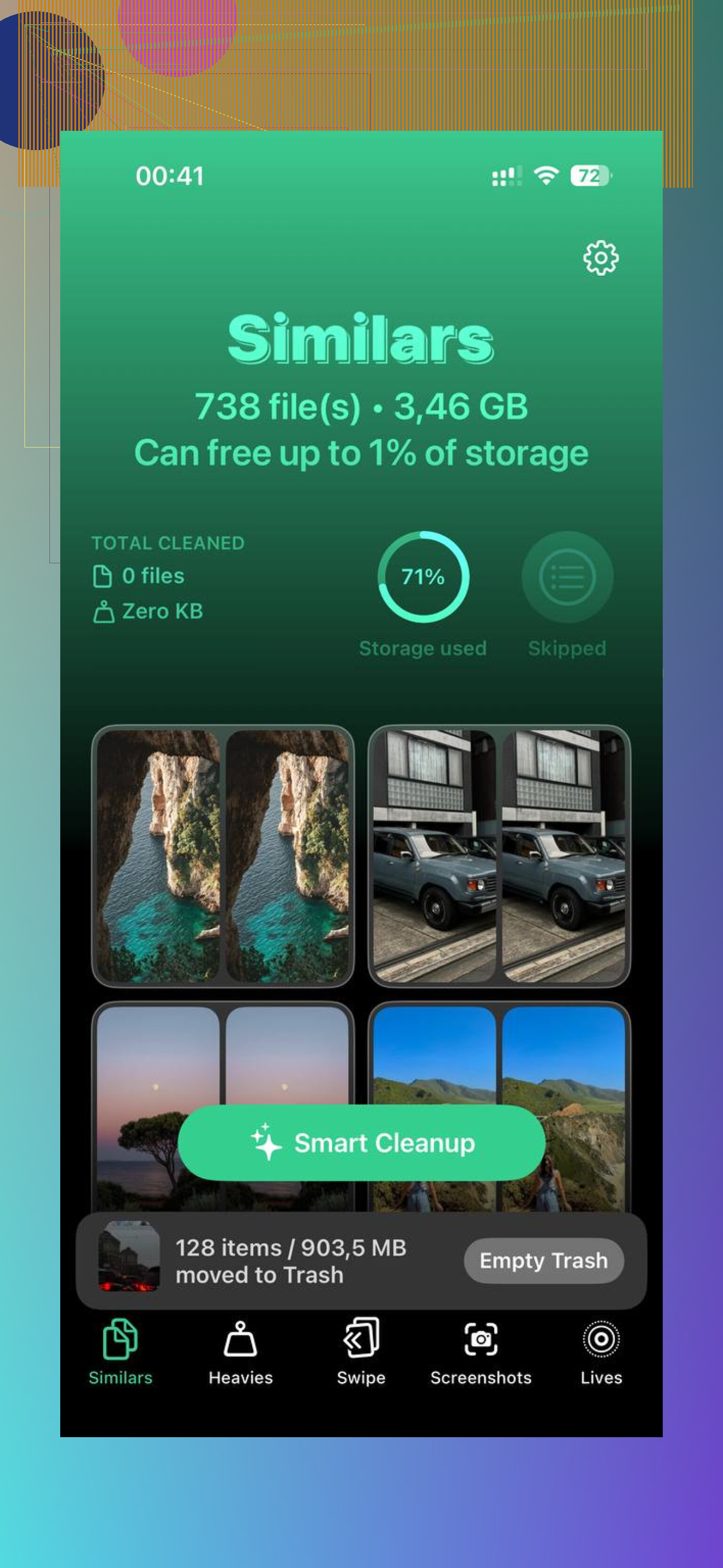
For me, media was eating the phone alive. Screenshots, duplicate shots, random 4K clips I forgot about. I used Clever Cleaner because I wanted something simple and I was tired of those cleanup apps with fake scans and paywalls after 3 days.
What I liked:
- Similars finds near-duplicate photos, not only exact copies
- Heavies sorts media by file size
- It shows the size of screenshots and videos clearly
- Processing stays on-device, which mattered to me
The Similars section caught stuff I wouldn’t have found by hand. Ten versions of the same pic, tiny angle changes, same subject. The Heavies view was even better. I found old videos over 1GB sitting there for no reason.
After clearing around 10GB to 15GB, the phone felt normal again. Not magic. It was more like iOS stopped choking.
What I’d do in your spot
- Reboot the phone fully.
- Clear Safari history and website data.
- Clear Chrome data too, if you use it.
- Open iPhone Storage and look for the biggest social apps.
- Delete and reinstall the worst ones.
- Clean your photo and video library, especially duplicates, screenshots, and old large videos.
- Try to keep at least 15% of storage free.
That last number made the biggest difference on mine. Once I got some breathing room back, “System Data” dropped and the lag mostly vanished.
Not a fun fix, I know. Still, if your phone got slow right after an update, storage junk is high on the list. I saw it myself.
iOS deletes some temporary files by itself. Key word, some.
Caches, logs, streaming buffers, and update leftovers often shrink when your iPhone needs space. But iOS does a poor job when storage gets tight. Stuff hangs around longer than it should. So no, I would not trust it to manage everything for you.
I partly agree with @mikeappsreviewer on app bloat, but I disagree on restarts as a real storage fix. Restarting helps stability. It does not free much storage in most cases.
What works better is this:
-
Check Messages first.
A lot of people miss this. Photos, videos, voice notes, and meme dumps in Messages eat tons of space.
Settings > General > iPhone Storage > Messages
Review Large Attachments and delete the big ones. -
Look at Downloads in streaming apps.
Netflix, Spotify, YouTube, Podcasts. Offline content stays until you remove it. This is not temp data. It is stored media, and it fills phones fast. -
Turn on storage features Apple already gives you.
Settings > App Store > Offload Unused Apps
Settings > Photos > Optimize iPhone Storage
These help over time. Not instant, but worth it. -
Remove old iOS update files.
If an update downloaded and did not install cleanly, the file sometimes sits there.
Settings > General > iPhone Storage
If you see an iOS update listed, delete it. -
Mail app is sneaky.
Big attachments and synced mailboxes take space. If Mail is huge, remove and re-add the account. Annoying, but it often drops stored junk.
For Safari, yes, website data often needs manual clearing if storage is full. For apps, many caches only disappear when you delete or offload the app. That’s the part Apple still handles badly, imo.
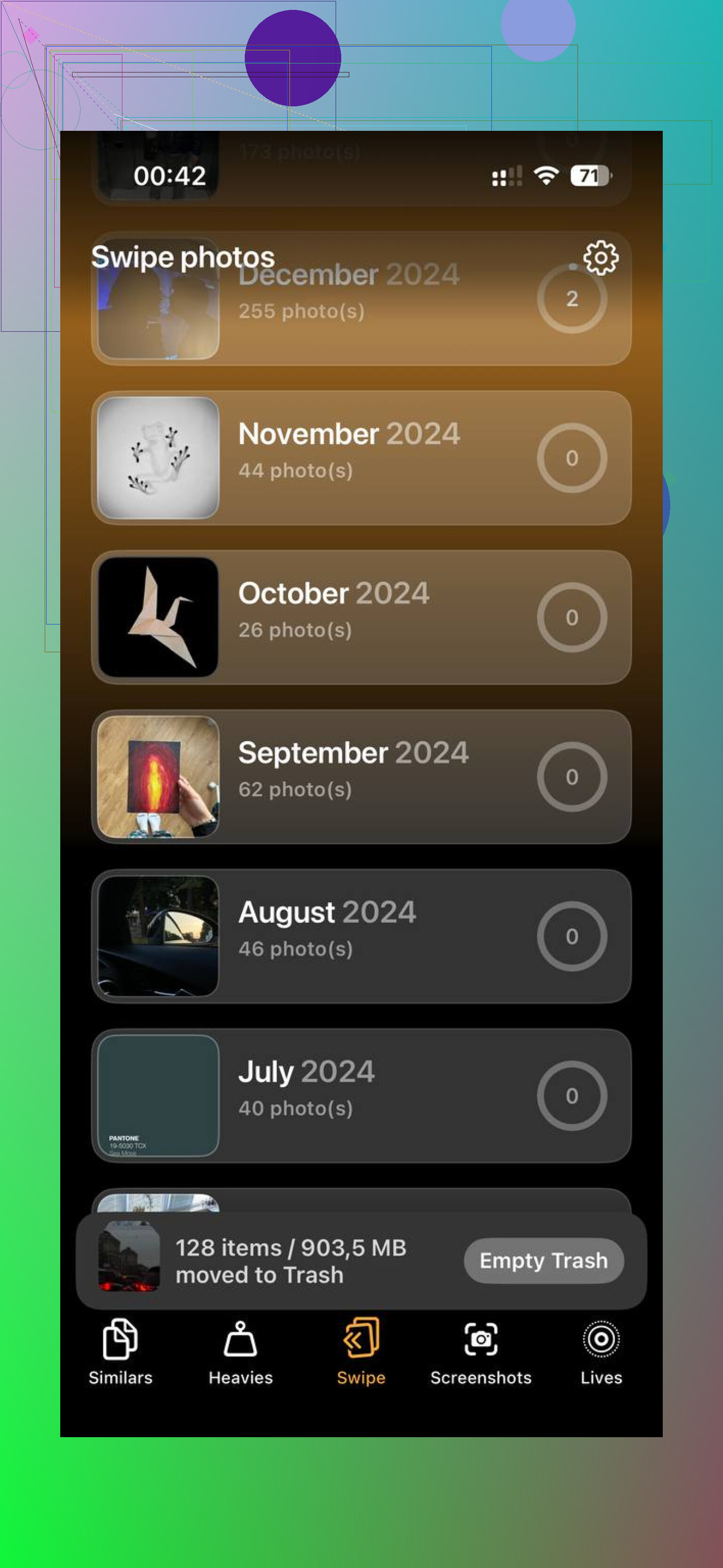
If your photo library is the main issue, a cleanup app saves time. Clever Cleaner is one of the few people keep mentioning without the usual paywall nonsense. If you want a second opinion, this review from Fossbytes covers why it stands out as a free iPhone cleaner app: see the Fossbytes review of Clever Cleaner for iPhone.
Short version, temp files do self-delete to a point. When your storage is near full, you often have to step in manualy.
Mostly yes, but not enough to rely on it.
iOS does purge some temporary stuff automatically: app caches, streaming buffers, logs, update leftovers, that kind of junk. The catch is it does it on Apple’s schedule, not when you want space back. So if your storage is already cramped, manual cleanup is usually faster and way more predictable.
I kind of disagree with @mikeappsreviewer on one point: restarts are fine for bugs, but for storage they’re mostly placebo. Tiny gain at best. @stellacadente was closer on this part.
What I’d check that they didn’t really get into:
- Files app > On My iPhone > Downloads
PDFs, ZIPs, video edits, random attachments pile up there. - Voice Memos
People forget these and some are huge. - GarageBand, iMovie, CapCut, Lightroom, etc.
Editing apps hoard project files and exports like crazy. - Recently Deleted in Photos and Files
Deleting something is not always deleting it. Apple loves that little gotcha.
Also, Safari “website data” is not the only browser mess. If you use in-app browsers from Reddit, Facebook, or Instagram, some of that clutter lives inside the app cache, so deleting/reinstalling the app can clear more than browser settings do.
If your real problem is photos/videos, that’s where a cleaner helps more than chasing temp files. Clever Cleaner is actually useful for iPhone storage cleanup because it finds duplicates, similar shots, and large media without making you dig forever. That’s probly a better time investment than obsessing over mysterious System Data.
Also, if you want a walkthrough, this full iPhone storage cleanup video review is easier to follow than Apple’s vague menus.
Short version: temp files do delete themselves, but not reliably enough when space is tight. So yeah, sometimes you gotta do it manualy.