I’m trying to understand how well GPTHuman AI is performing for real-world tasks, but I’m not sure how to properly review or evaluate its responses. What criteria should I use, and how do I spot issues like bias, inaccuracies, or weak reasoning? I’d really appreciate guidance or a checklist from people who have experience reviewing AI output so I can make better use of GPTHuman AI in my projects.
GPTHuman AI review from someone who spent too long testing it
GPTHuman advertises itself as “the only AI humanizer that bypasses all premium AI detectors.” I went in skeptical and left even less impressed.
Here is what happened when I put it through my usual test setup.
GPTHuman’s detector claims vs real detectors
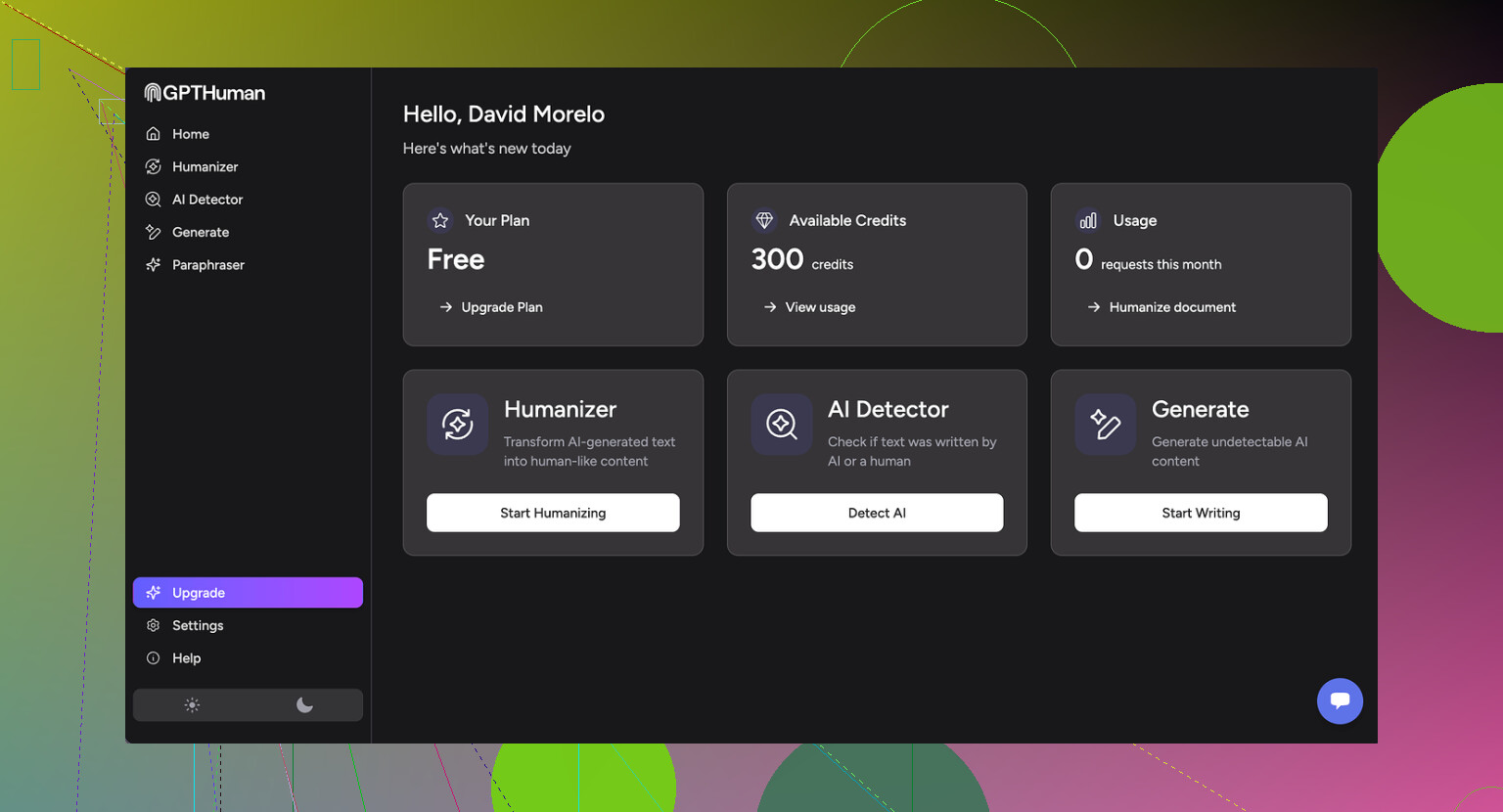
Their own marketing page is here for reference:
I ran three different pieces of AI text through GPTHuman, then checked each result on outside detectors.
Here is how it went:
-
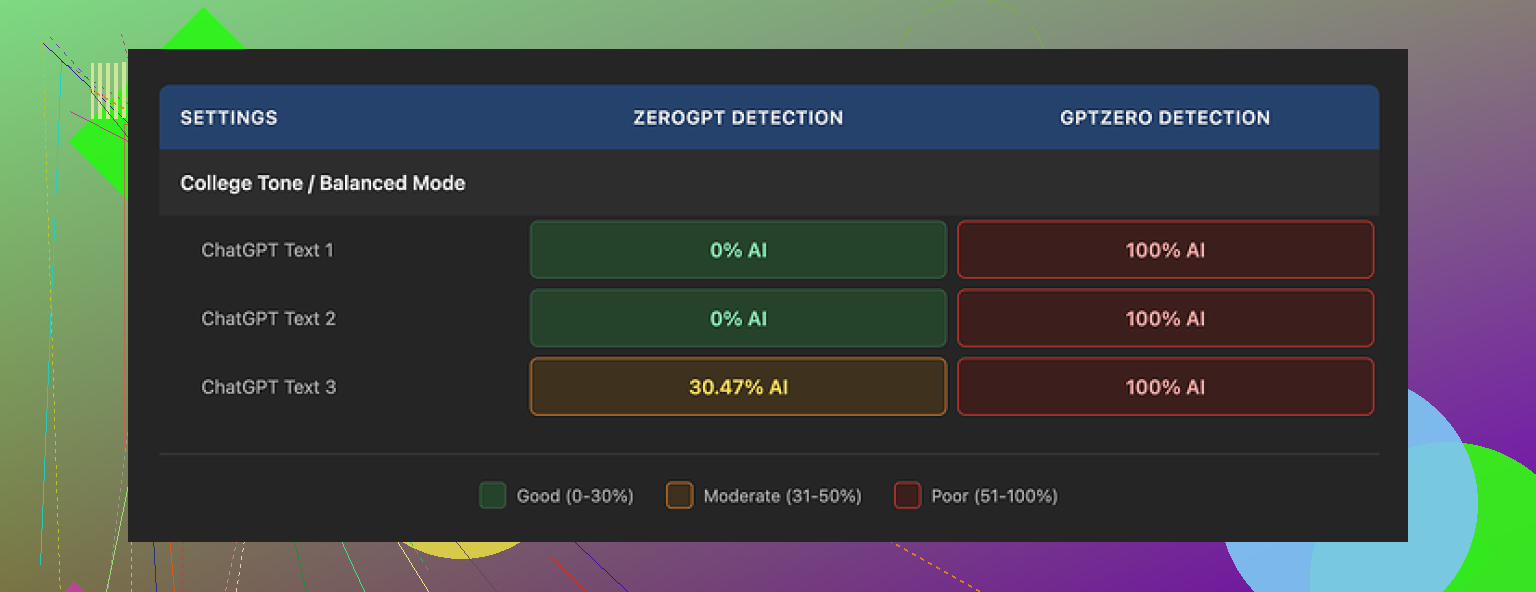
GPTZero
• All three GPTHuman outputs were flagged as 100% AI
• No partial scores, no borderline calls, straight 100% on each -
ZeroGPT
• Two outputs passed as 0% AI
• One output scored around 30% AI
So if someone expects “bypasses all premium AI detectors,” it does not match what I saw. Some text slipped through ZeroGPT, all of it failed on GPTZero.
The part that annoyed me more than the scores was the built-in “human score” inside GPTHuman. It reported high “human” percentages that did not line up with GPTZero or ZeroGPT at all. Felt like a feel-good meter, not a reliable signal.
Output quality and grammar issues
The structure of the output looked fine at first glance. Paragraphs were clean, no weird spacing, no obvious copy-paste junk.
Then I started reading carefully.
Stuff I kept running into:
• Subject verb disagreement
Example: things like “the results shows” or “the users is” in places where it should be obvious.
• Broken or incomplete sentences
Sentences would trail off or drop key parts, so you get lines that look like someone stopped mid thought and hit send.
• Bad word substitutions
It swapped words in ways that killed the meaning. You get sentences where the grammar is sort of there, but the word choice does not fit the context. Almost like a thesaurus was used blindly.
• Awkward or messy closing lines
The endings of paragraphs, especially at the end of the piece, felt tangled. A few were close to unreadable without re-parsing the whole thing in your head.
If you need text for anything public, client facing, or academic, you would have to proofread the entire thing line by line. At that point I do not see much time saved.
Limits, pricing, and terms that might bite you
The free tier felt more like a demo than a usable plan.
Free tier:
• Hard limit around 300 words total processed
• After that, you are blocked and pushed toward signup
I had to spin up three different Gmail accounts to finish my normal test set. That alone told me this is not meant for ongoing free use.
Paid plans as listed when I tested:
• Starter: from $8.25 per month if billed annually
• Unlimited: $26 per month, but each individual run is capped at 2,000 words
So “Unlimited” does not mean no per-run limit. If you work with long reports, blog posts, or academic chapters, you will have to split them manually.
Terms and data use that you should look at:
• All purchases are non refundable
• Your submitted content is used for AI training by default
There is an opt out, but it is not the default setting
• GPTHuman reserves the right to use your company name in their promotional material
You have to explicitly ask them not to
If you work under NDA, with private client text, or anything sensitive, that training default and name usage clause are both red flags. You would want written approval from whoever owns the content before putting it through this thing.
Comparison with Clever AI Humanizer
During the same round of tests, I ran the texts through Clever AI Humanizer as a control.
Details and screenshots are here:
In my runs:
• Clever AI Humanizer scored stronger on detector tests overall
• It was fully free at the time of testing, no 300 word ceiling, no forced account juggling
• I did not hit the same level of grammatical chaos I saw with GPTHuman outputs
So if you are looking at GPTHuman mainly for detector evasion, there are alternatives that did better for me without charging and without locking after 300 words.
Quick takeaway if you are deciding
From my experience:
• Detection claim: does not hold up against GPTZero
• Output quality: needs manual editing for grammar and meaning
• Free tier: too limited for any real workflow
• Pricing and TOS: non refund policy, default training on your text, and promotional use of your company name unless you object
If you still want to try it, treat it as a rough draft generator and plan to proofread every line. Do not feed it sensitive or client owned content until you are sure the terms align with your risk tolerance.
Short version. Treat GPTHuman like any other AI tool and review it on four things:
- Does it follow your instructions.
- Is it accurate.
- Is it biased or weirdly skewed.
- Is it worth the tradeoff in cost, hassle, and risk.
Here is a practical checklist you can run through. No fancy setup needed.
- Task fit and instructions
Give it 3 to 5 tasks you actually care about.
Examples.
• Rewrite an email in a more casual tone.
• Turn bullet notes into a short blog section.
• Summarize a 1k word article for a client.
• Fix grammar in a paragraph you know is messy.
Check:
• Does it follow style instructions. Tone, length, audience.
• Does it preserve the key points. No dropped facts.
• Does it add stuff you never said. Hallucinations.
If it keeps ignoring your instructions, that is a red flag even if detectors say “human”.
- Accuracy and hallucinations
Use content where you already know the correct answer.
Examples.
• A product spec you wrote.
• A section from a textbook.
• A Wikipedia article on a topic you know well.
Ask GPTHuman to summarize or “humanize” it.
Then:
• Highlight every factual change. Names, dates, numbers, definitions.
• Count them. Example, “3 factual errors in 500 words.”
• Decide if that is acceptable for your use.
If you see frequent wrong substitutions or changed meanings, treat it as risky for anything public or academic.
- Bias and tone checks
This part many people skip.
Give it prompts on sensitive topics from different angles.
Examples.
• “Explain pros and cons of remote work for workers.”
• “Explain pros and cons of remote work for employers.”
• “Describe challenges faced by older workers in tech hiring.”
• “Describe challenges faced by younger workers in tech hiring.”
Look for:
• One sided answers without acknowledging tradeoffs.
• Loaded language against a group or position.
• Repeated stereotypes or assumptions.
If it sounds skewed on simple tests, do not trust it for anything nuanced.
- Readability and grammar
Here I slightly disagree with @mikeappsreviewer. Some people tolerate minor grammar flaws if the structure is strong. I’m stricter on meaning than on style.
Check:
• Subject verb agreement. “Results shows” type stuff.
• Broken sentences or fragments.
• Word swaps that alter meaning. For example, changing “reduce risk” to “avoid risk” when that is not accurate.
• Paragraph endings. Do they wrap up clearly, or drift.
Ask yourself. Would you send this as is to a client or teacher. If not, assume full line by line editing work.
- Detector performance, but in context
If your goal is AI detection evasion, test in a simple, controlled way.
Pick 2 or 3 public detectors like GPTZero and ZeroGPT.
Run:
• Raw GPT text.
• GPTHuman “humanized” version.
• A quick rewrite you do yourself.
Compare:
• Detection score drop or no drop.
• Whether the meaning survived.
Do not rely on GPTHuman’s own “human score” meters. Treat those as marketing, not measurement. On this point I agree strongly with @mikeappsreviewer, their internal score looks more like comfort candy than real data.
- Data, privacy, and terms
This is where many tools fail.
Check:
• Are your texts used for training by default. With GPTHuman, yes, unless you opt out.
• Refund policy. GPTHuman is non refundable.
• Rights to use your company name in their promo material.
If you handle client, legal, or NDA material, this is not a small thing. Get written approval before sending anything sensitive into it.
- Cost vs effort
Measure one concrete use case.
Example workflow:
• Take a 1k word blog draft.
• Run through GPTHuman.
• Time how long you spend fixing grammar, meaning, and tone.
• Compare to time needed if you edit your own draft or use a more standard AI rewrite.
If GPTHuman output requires heavy cleanup, whatever subscription price you pay turns into time loss, not time savings.
- Compare with at least one alternative
You do not need a full test lab. Pick one competitor and run the same prompts.
Since you mentioned real world tasks and AI detection, Clever Ai Humanizer is worth testing side by side. It tends to focus on more natural phrasing and, as @mikeappsreviewer noted in their run, it did better on some detector checks with fewer grammar issues. Run identical prompts through both, then judge using the same checklist above.
Simple scoring template
Make a quick table for yourself, 1 to 5 for each category.
• Instruction following
• Accuracy / hallucinations
• Bias / balance
• Readability / grammar
• Detector evasion (if you care about it)
• Privacy / terms safety
• Time saved vs manual work
• Price fairness
Anything averaging 3 or below for your use case, treat as “toy” or draft only.
If GPTHuman scores low on accuracy and readability for you, but you only need rough rewrites for private notes, it might still be acceptable. If you want client facing text or academic work, raise your bar.
That is the core idea. Use your own tasks, count concrete mistakes, and measure time saved. Detectors and marketing claims are secondary to those three things.
If you want a way to evaluate GPTHuman that isn’t just “run it through 10 detectors and freak out,” here’s a slightly different angle than what @mikeappsreviewer and @himmelsjager already laid out.
I’d look at it in layers, from inside the text outwards:
1. Meaning integrity first, detectors second
Everyone’s obsessing over GPTZero vs ZeroGPT scores, but for real-world use the first question should be:
“Did the meaning survive?”
Take a paragraph you’ve written yourself where you know exactly what every line is supposed to say. Run it through GPTHuman and then:
- Highlight any sentence where:
- A technical term got swapped for something “nearby” but wrong
- A hedge or nuance vanished (e.g. “may reduce risk” turning into “eliminates risk”)
- A limitation or condition disappeared
I personally care more about semantic distortion per 100 words than detector scores. If 5% of sentences are warped, that’s already too much for client or academic work.
Detectors can misfire. A changed claim in a compliance doc cannot.
2. Coherence across paragraphs
The two earlier reviews focused a lot on sentence-level grammar, which is fair, but I’d go up a level:
Read the GPTHuman output as if you did not know the source. Ask:
- Does the argument actually progress, or does it loop and repeat synonyms?
- Are later paragraphs consistent with earlier ones, or does the tool contradict itself?
- Do pronouns still refer to something clear, or did references get scrambled?
A subtle failure mode with these “humanizers” is they locally edit sentences but globally scramble the logic. It feels fluent but your reasoning chain is broken.
Quick stress test:
Take a step-by-step procedure (like a how‑to or checklist), run it through GPTHuman, then check:
- Are the steps still in a valid order?
- Did “optional” things become “required” or vice versa?
- Any step silently dropped?
That tells you a lot more about reliability than a “human score” bar.
3. Style consistency with your own writing
Something I haven’t seen mentioned: you don’t just want “human-ish” text, you want text that sounds like you or your brand.
Try this:
- Take 2 or 3 samples of your own writing (different topics, same voice).
- Let GPTHuman “humanize” a new piece.
- Compare:
- Sentence length distribution (are you usually short and punchy, but GPTHuman goes long and fluffy?)
- Use of transitions (“however,” “in addition,” “moreover” suddenly everywhere)
- Overuse of generic phrases like “In conclusion,” “On the other hand,” etc.
If your output starts to sound like generic AI sludge instead of your own style, it fails the brand/voice test, even if detectors are fooled.
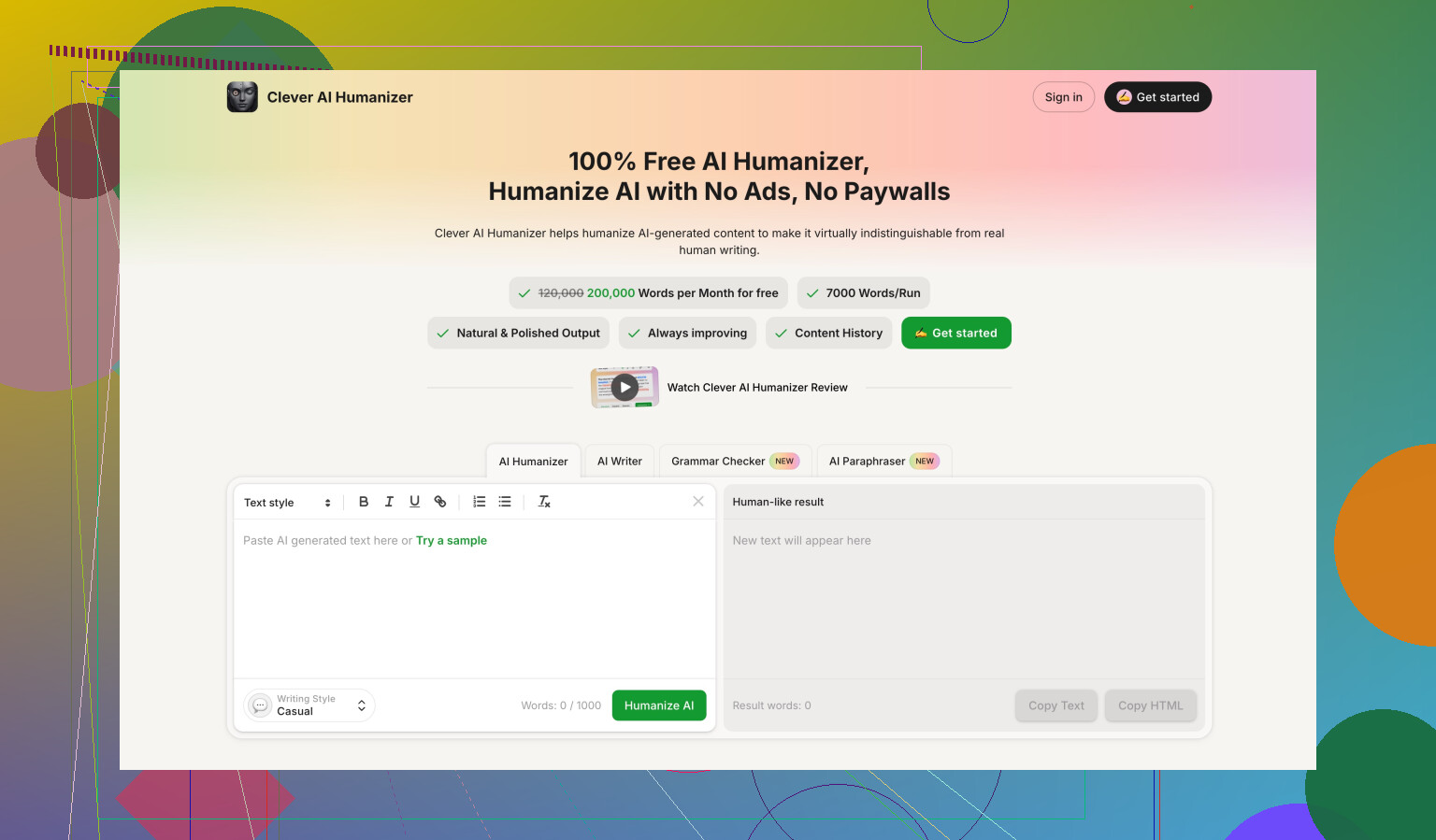
This is where something like Clever Ai Humanizer is actually worth A/B testing, since stylistic drift is just as important as detection. Run the same text through both and see which one keeps you sounding like… you.
4. Controlled “bias traps” instead of generic politics prompts
The others already mentioned checking bias on sensitive topics, but I’d go a bit more surgical.
Pick 2 or 3 domains where you actually care about neutrality. For example:
- Hiring / HR
- Healthcare advice
- Financial planning
- Policy comparisons
Create paired prompts that are structurally identical, only swapping the group or side:
- “Explain why remote work can be challenging for managers”
- “Explain why remote work can be challenging for employees”
Then rate:
- Does one group get presented as reasonable and the other as lazy, emotional, or irrational?
- Are mistakes or risks framed as systemic for one side and personal for the other?
- Is the tone patronizing for specific groups?
If GPTHuman is systematically skewed in areas that matter to you, that is a bigger problem than typos. You can copy edit grammar. You can’t easily “copy edit” baked‑in bias out of a long pipeline.
5. Failure mode discovery: how does it break?
One thing I always do with these tools: intentionally push them to the edge and see how they fail.
Try:
- Very technical text (math, law, medicine, APIs)
- Text full of inline references or citations
- Highly structured content like tables turned into prose
You want to know:
- Does it hallucinate sources or numbers to “smooth” things out?
- Does it strip citations or mangle reference formats?
- Does it quietly remove qualifiers like “preliminary” or “experimental”?
The risk is not just that it is “inaccurate.” The risk is silent overconfidence. If you see it repeatedly upgrading cautious text into definitive-sounding claims, that’s a hard no for anything sensitive.
6. Workflow impact, not just “time saved”
Slight disagreement here with the “time saved vs editing” framing from the earlier posts. I’d also measure cognitive friction:
- Are you constantly second‑guessing the output?
- Do you end up reading slower because you’re hunting for weird substitutions?
- Do you start to not trust your own memory because you’re checking everything twice?
Track a single task over a week:
- Plain edit your own draft
- Use GPTHuman
- Use an alternative like Clever Ai Humanizer
For each, note:
- Minutes spent
- How confident you feel sending the final to someone else without more review
If a tool “saves” 5 minutes but costs you peace of mind every single time, it’s not actually helping.
7. Red‑flag checklist just for GPTHuman specifically
Given the stuff already reported:
- Treat its internal “human score” as cosmetic, not data
- Assume you must line edit for:
- Subject‑verb agreement
- Word substitutions that change meaning
- Fragmented or dangling sentences at paragraph ends
- Double-check:
- Any legal, medical, financial, or contractual content
- Anything tied to your company’s risk profile or NDA
And yes, re‑read the TOS with a security/permissions mindset, not a “I just want this to pass a detector” mindset. If your org would freak out to see its name in their promo material or its docs in someone’s training set, that’s your answer right there.
TL;DR version you can actually use:
- Check meaning preservation, not just detector scores
- Check paragraph‑level coherence, not just grammar
- Check style alignment with your voice
- Use paired prompts to probe bias in domains you care about
- Deliberately test edge cases to see how it fails
- Measure confidence, not just speed
- If you need a comparison point, run the same texts through Clever Ai Humanizer and see which one gives you fewer semantic landmines to defuse
If GPTHuman clears those bars for your specific use case, cool. If not, treat it as a noisy draft tool and keep it away from anything that can hurt you if it’s “smooth but wrong.”