My iPhone photo library has gotten really crowded, and I know I have a lot of similar pictures taking up space. I do not want to scroll through thousands of photos one by one to compare them. I need help finding the fastest way to locate similar photos on an iPhone so I can delete duplicates and organize my storage.
i ran into this with iPhone too. The built in duplicate finder only catches near-perfect copies. Same file, same shot, or close enough. It does not do a good job with similar pics like five photos of the same dog, burst shots, tiny angle changes, or an edited version of the original.
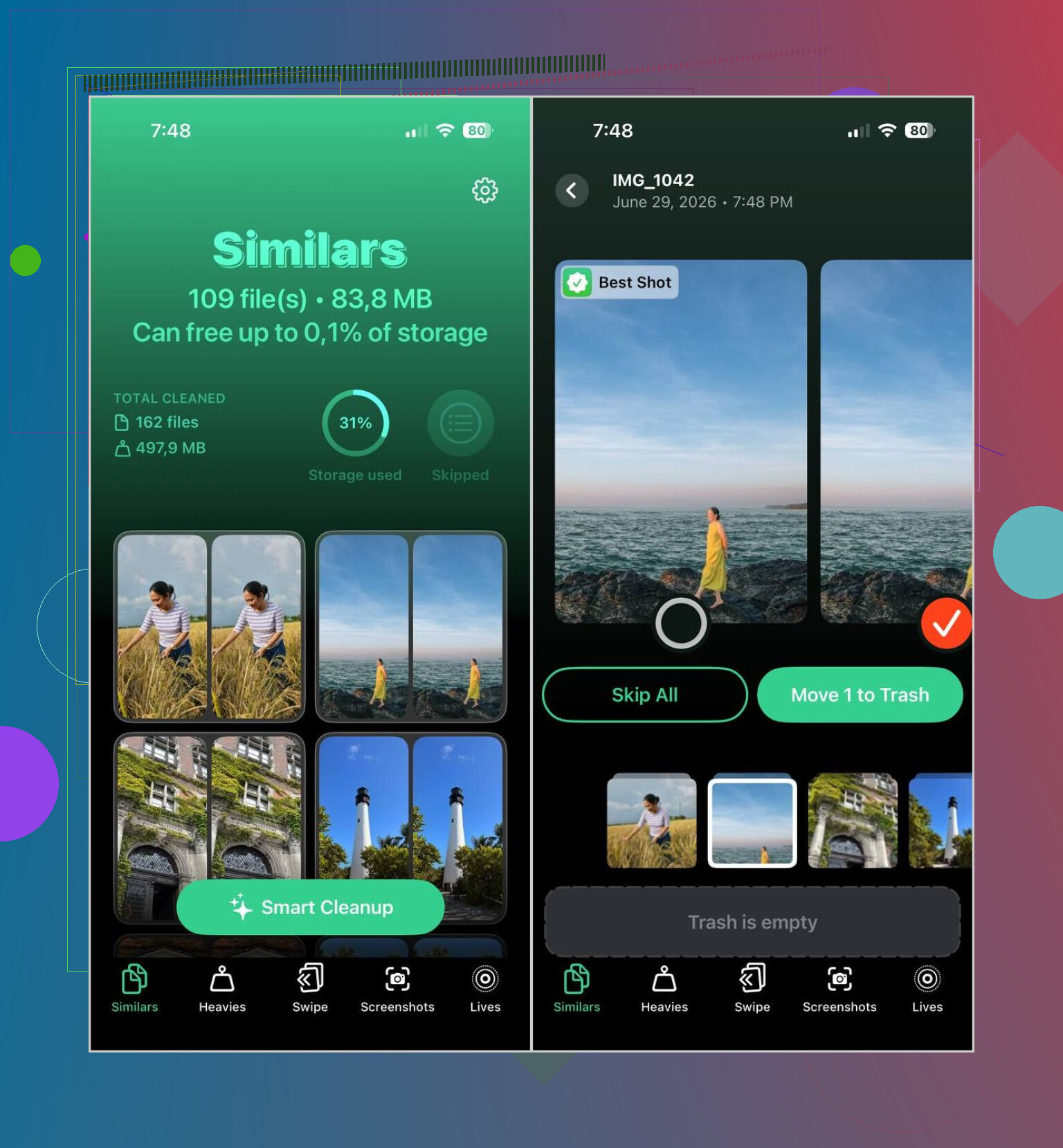
If you want similar photos grouped fast, I had better luck with a separate app. The one I kept using was Clever Cleaner. I skip most cleaner apps because a lot of them are ad farms or they block useful stuff behind a paywall. This one felt different when I tried it. It was free, it worked on the phone itself, and the grouping was decent. In most sets, it picked the Best Shot well enough that I only checked the ones I cared about before deleting the extras.
How I did it
- Install Clever Cleaner from the App Store.
- Give it access to your photo library.
- Go to the Similars section and wait for the scan to finish.
- Check each cluster of photos yourself, or use Smart Cleanup if you want it to handle the sorting.
- The app labels one image as Best Shot. If you disagree, switch it.
- Send the extras to trash, then open Apple Photos and clear the Recently Deleted album if you want the storage back right away.
I ended up using the other sections too, mostly because they saved time.
- Duplicates, for exact copies.
- Heavies, for big videos taking up space.
- Video Compression, for shrinking large clips without a clear quality hit.
- Lives, for turning Live Photos into still images.
- Screenshots, for cleaning out old junk captures.
- Swipe Mode, if you want to review things manually and flick left or right.
One part I liked, it did not send my library off to some server for analysis. Everything stayed on the iPhone. I care about stuff like tha tmore than I used to.
If you do not want another app, iOS still gives you a few slower ways to narrow things down.
Search by content
- Open Photos, then Search.
- Type something like dog, beach, concert, New York, or a person’s name.
- Photos with the same subject tend to appear close together, so it gets easier to spot repeats and near-repeats.
Check by date or event
- Open your library.
- Look through one day, one trip, or one event at a time.
- This helps if you usually take a bunch of shots back to back.
Go through Bursts
- Open Photos, then Media Types, then Bursts.
- Pick the frame you want to keep.
- Delete the rest.
Use albums and collections
- Open areas like People & Pets, Trips, Media Types, or Memories.
- Those groupings make it easier to review related images instead of digging through the whole library.
So yes, the built in tools help in spots. I still found them slow for this job. If your goal is to find similar photos without burning half an hour scrolling, a dedicated app gets there faster.
Skip the one-by-one grind. Use grouping.
I agree with part of what @mikeappsreviewer said. iPhone’s built-in Duplicates album is too narrow for this job. It finds exact or near-exact matches. It misses sets like 12 photos from the same second, one edited copy, or tiny framing changes.
My faster approach is this.
Use Clever Cleaner for the first pass. It groups similar photos, not only duplicate files. This matters if your library has burst shots, pet pics, food pics, concert pics, and the usual camera-roll mess. Review the grouped sets, keep the best frame, delete the rest. It saves a ton of time if you have a few thousand photos. On a library of 10,000 items, even cutting review time from 2 seconds per photo to grouped review is a huge diference.
One small place I disagree with @mikeappsreviewer, I would not trust auto-cleanup too fast on family photos or travel shots. Best Shot picks are decent, but I still spot-check important albums first. For random screenshots and repeats, sure, be more aggressive.
Also do this inside Photos before or after cleanup.
- Review Bursts.
- Sort by Months or Days, not All Photos.
- Check Media Types like Screenshots, Selfies, Live Photos, and Videos.
- Use search terms like dog, beach, receipt, menu, car. Similar shots bunch together.
And if you want a solid walkthrough, this thread is useful for how to delete duplicate and similar photos on your iPhone fast.
Last part people forget. After deleting, empty Recently Deleted, or your storage wont change right away.
Honestly, I would not rely only on Apple Photos for this. @mikeappsreviewer and @jeff are right that the built-in duplicate tool is too literal, but I also think people overestimate how much any app should delete automatically. Similar does not always mean disposable. That part matters.
What worked better for me was changing the review flow, not just the app.
- First pass: use Clever Cleaner to surface similar photo groups fast.
- Second pass: review only the biggest clusters first, because that is where the easy space savings are.
- Third pass: leave sentimental stuff alone until the end, or you will overthink every pic for an hour lol.
A couple extra tricks that were faster than digging through the full library:
-
Use Photos filters
In the Library view, filter to Favorites unchecked, or specific media types. It narrows the mess down way quicker than people think. -
Review trip-by-trip
Similar shots usually come from the same day, same place, same subject. Looking at one event at a time is way less chaotc. -
Start with non-keepers
Screenshots, memes, accidental pocket shots, receipts. Delete those first, then deal with actual photos. -
Check storage impact, not just photo count
Ten giant Live Photos or videos can matter more than 500 regular images.
If you want a solid overview of tools, settings, and what actually helps, this best iPhone cleaning app review and photo cleanup guide is pretty easy to follow.
So yeah, if the goal is finding similar photos on iPhone without checking one by one, the fastest realistic answer is: let Clever Cleaner group them, then you review groups instead of individual files. Much less painful, and way fewer bad deletions.
I’m a little less sold on doing everything inside Photos than @jeff, @codecrafter, and @mikeappsreviewer seem to be. Apple’s tools are fine for exact duplicates, but for “same moment, six slightly different shots,” they’re still pretty clumsy.
What actually speeds this up is batching your decisions.
A trick that helps without staring at every image one by one:
- open an album or date range
- zoom out in the grid view
- look for repeated thumbnails from the same scene
- only tap into those clusters
That sounds basic, but it cuts review time a lot because you stop treating the whole library like one giant stream.
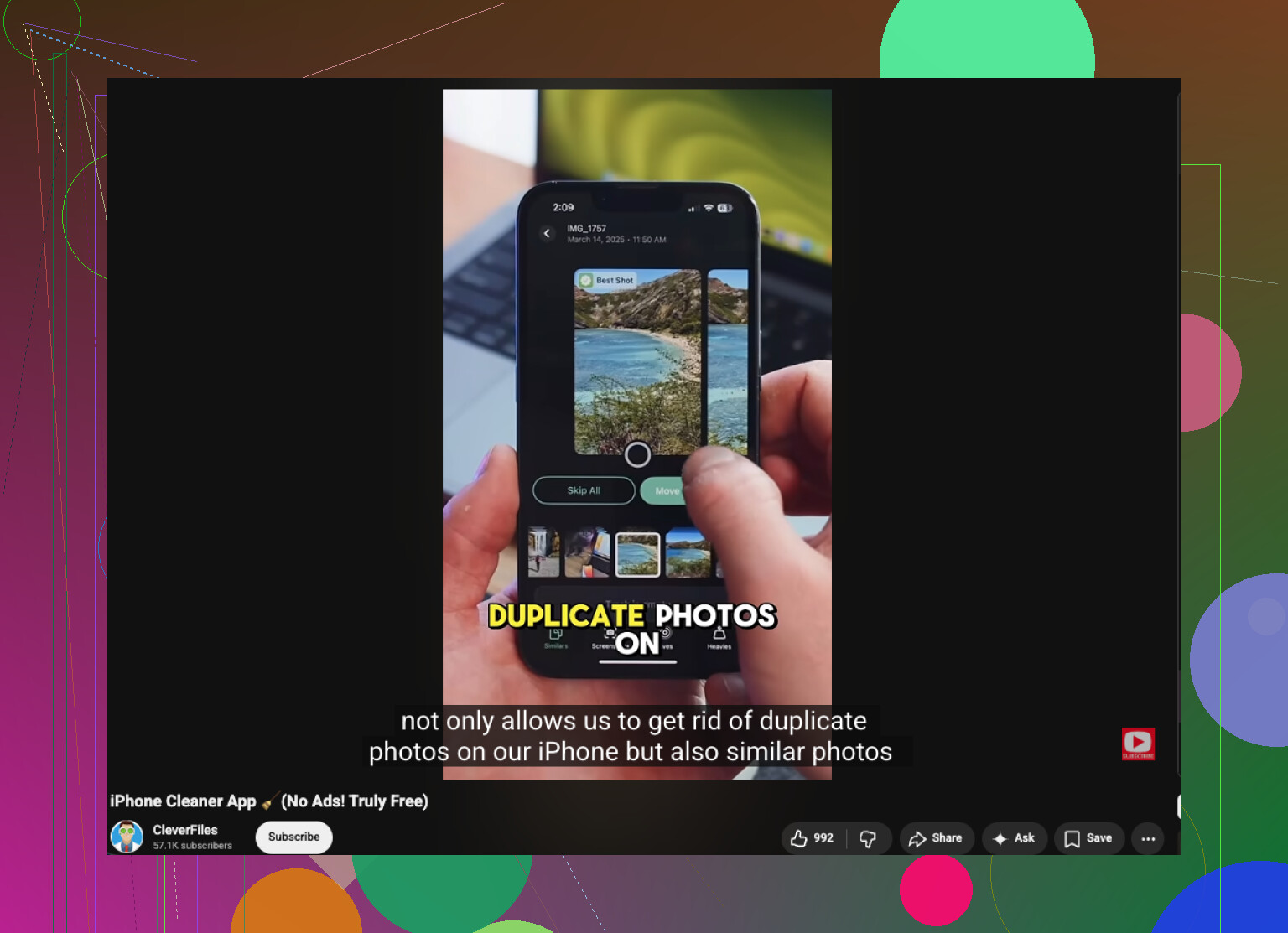
If you want automation, Clever Cleaner is the better shortcut because it groups similar photos, not just literal duplicates.
Pros:
- finds lookalike shots
- faster than manual review
- good for bursts, screenshots, repeated angles
- simpler than digging through Photos categories
Cons:
- “best shot” guesses are not always right
- you still need to review important memories yourself
- any cleaner app can feel risky if you delete too fast
My take: use Clever Cleaner only as a sorting layer, not as the final decision-maker. That’s where I differ a bit from the more cleanup-first advice above. Group first, judge second. That gets you through a messy library way faster without accidental deletes.