I’m looking at OpenMTP as an alternative for managing Android file transfers on my computer, but reviews online are all over the place and most of them seem outdated. Some say it’s fast and reliable, others mention random connection drops and bugs. Before I switch my workflow over, I’d really appreciate recent, real‑world experiences from people actively using OpenMTP!
 Quick Take
If you’re asking whether people actually use OpenMTP – yeah, a lot of folks have given it a fair shot. It fills a real hole: macOS doesn’t natively let you browse or move files on an Android phone the way Windows does, so tools like this are pretty much the only straightforward way to do it over USB. The reputation is mixed, and that’s mostly because it behaves decently for many setups but doesn’t behave well for all.
 The Good
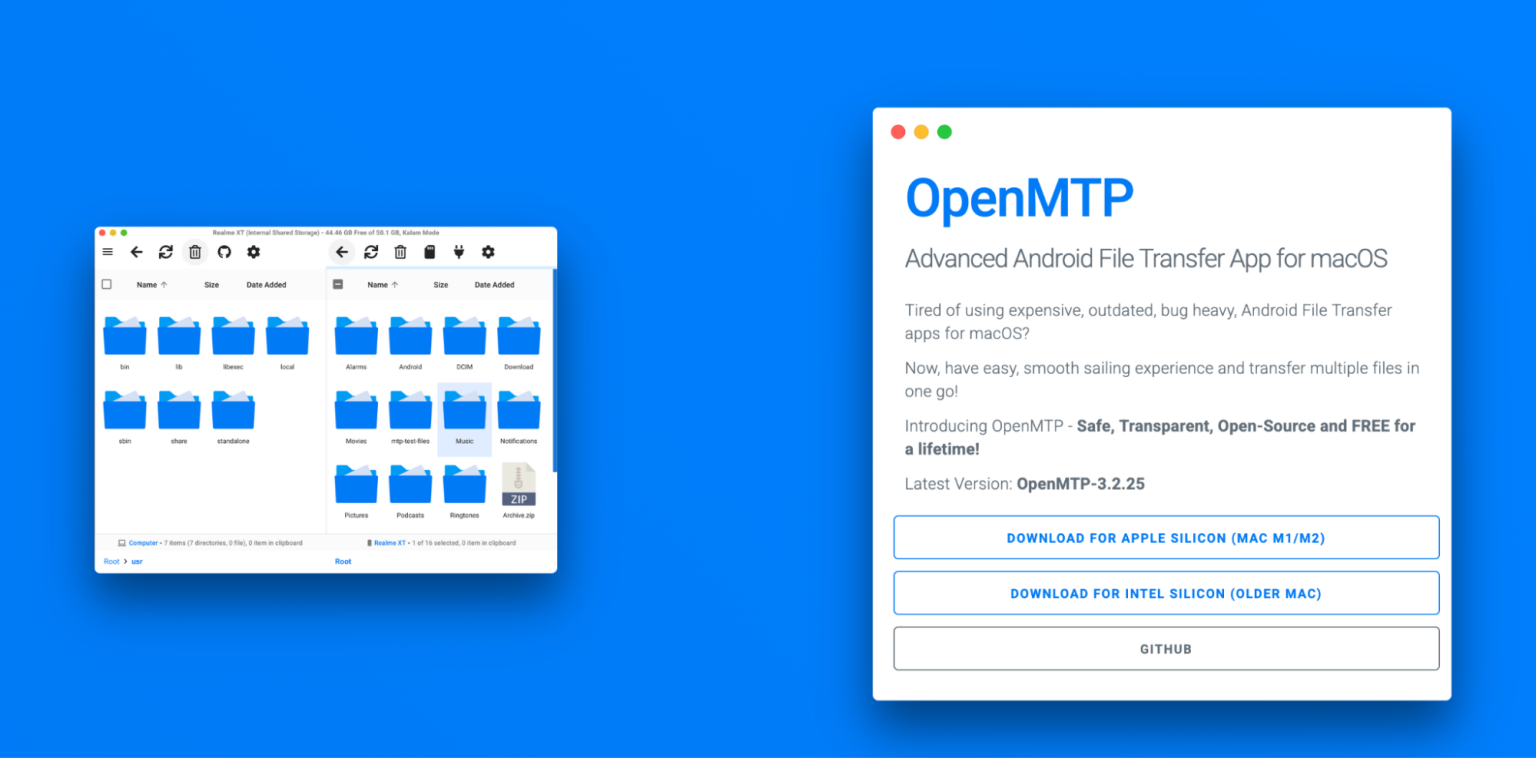
What I’ve noticed – and what a fair number of people on Reddit have said too – is that it’s generally simple to use when things go right. You open it up, and there are two panes: one showing your Mac and the other showing your Android storage. That makes dragging and dropping files feel familiar and easy. I’ve moved batches of photos and some big video files without the app quitting on me, which was nice compared to older tools I’ve tried.
Another point people often bring up is that OpenMTP doesn’t require anything on the phone itself – you don’t need to sideload or install an app on Android. It’s also free and open-source, and the developer has mentioned that’s meant to stay the case, which matters to a lot of folks who don’t want to pay for basic file-moving functionality.
Compatibility has gotten better over time too. It supports macOS Catalina and newer, and there have been updates that specifically improve support for Samsung devices, which used to be a common complaint.
 The Not-So-Great Part
One real snag some people hit is that OpenMTP doesn’t behave consistently with all Android devices. There are anecdotal reports – for example, some Samsung smartphones or certain MTP-compatible gadgets simply don’t show up or don’t behave normally in the app. If you’re in that group, it’s not obvious how to fix it from within the app itself, which can be irritating if you were hoping to rely on it for regular transfers.
 Two Things That Actually Help
A couple of practical tips I – and other people in these threads – have found useful:
-
If your phone isn’t showing up at all, turning on USB Debugging in Developer Options sometimes seems to make a difference. You unlock that by going to Settings → About phone and tapping the Build Number seven times.
-
Clean up file names before moving them over. Files with special characters, especially forward slashes (/), can hang transfers in OpenMTP and make it look like the app itself is glitching when it’s just tripping over a file name.
These aren’t magic fixes, but they’re worth trying before giving up on a transfer.
 Worth Knowing About
If OpenMTP doesn’t want to cooperate with your hardware, there are other ways to handle file transfers that come up often in these conversations.
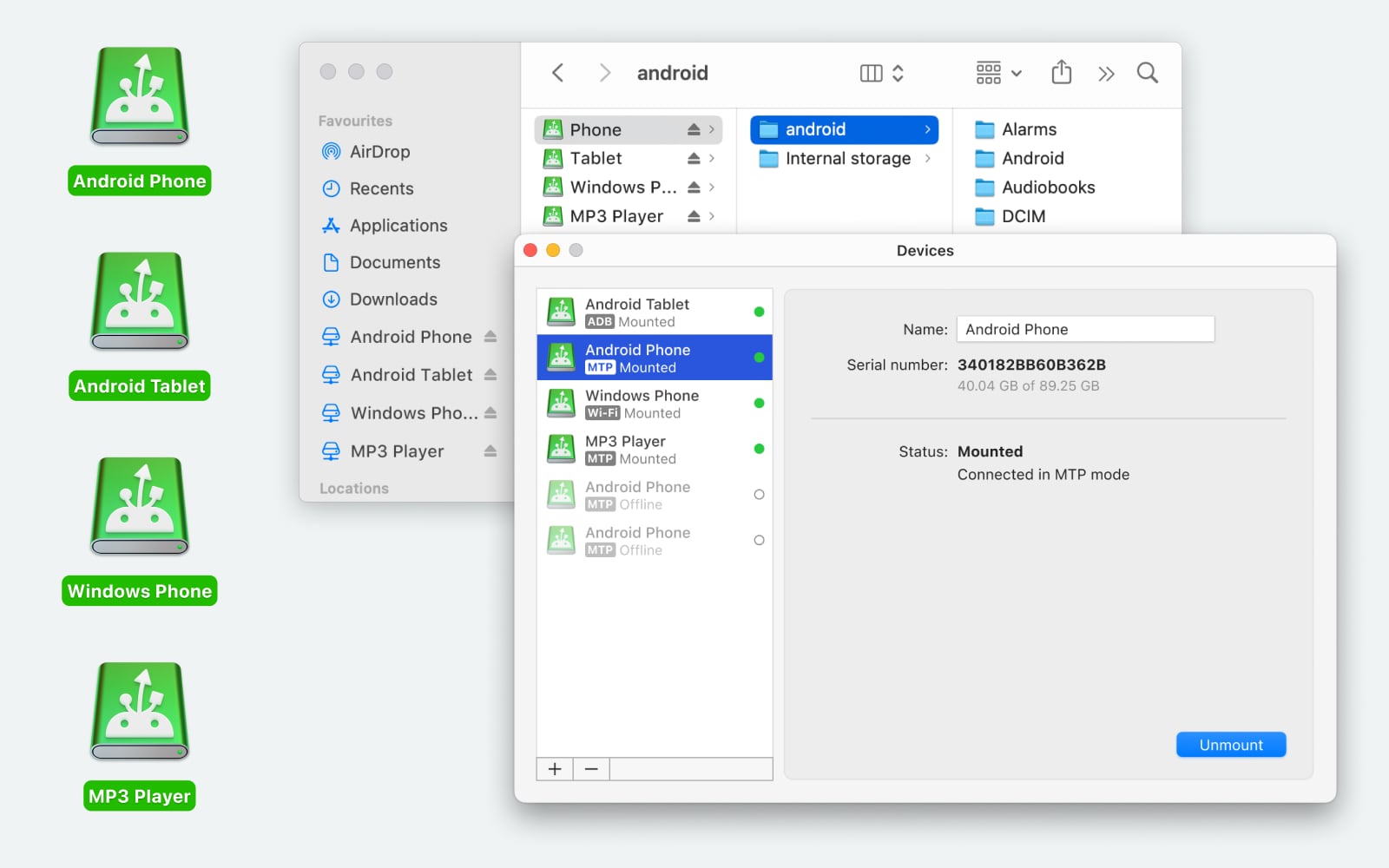
MacDroid takes a different angle. Instead of a separate app window where you “browse,” it essentially mounts your Android device in Finder so it looks like an external drive. Once connected you can:
-
Browse and manage Android internal and external storage directly in Finder
-
Transfer photos, videos, music, documents, folders, and most other file types with drag-and-drop
-
Edit, delete, rename, and duplicate files on the device without pulling them to your Mac first
-
Work over both USB and Wi-Fi connections
-
Transfer in both directions (Android → Mac and Mac → Android) – bidirectional support is part of the paid tier, with a free version also available
There’s a free tier and a paid version, so you can explore that approach without paying until you decide if you need bidirectional or more advanced features.
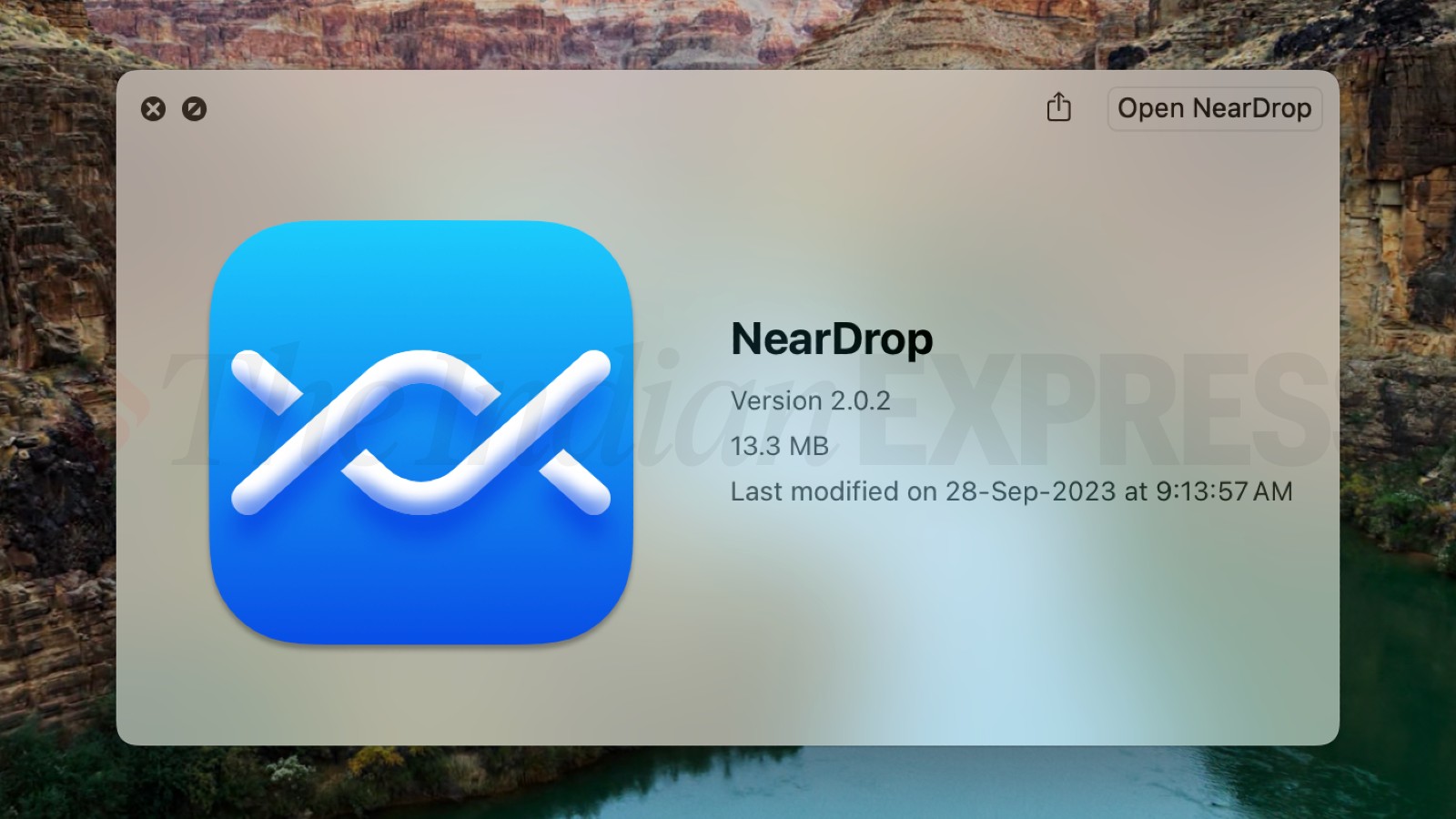
NearDrop is another option people talk about if you want a wireless route. It uses Google’s Nearby Share mechanism, so you and your Mac must be on the same Wi-Fi network and have Bluetooth enabled. Traditionally, NearDrop lets you send files from your Android phone to your Mac – and recent updates have added support for sending from Mac to Android via QR codes. It doesn’t require a cable at all, and it doesn’t involve cloud storage. The key points here are:
- Wireless transfers using Nearby Share tech
- Works between Android and macOS without USB
- Can handle photos, videos, and regular files
- More dependent on local network conditions (and requires Nearby Share on your phone) than some USB methods
Each of these tools has a slightly different vibe – MacDroid feels more like traditional file management, and NearDrop is more about quick wireless send/receive without cables.
 Bottom Line
So is it “worth it”? If you just need a simple way to move files over USB and it recognizes your device, OpenMTP works well enough and doesn’t cost anything. If you hit compatibility quirks with your phone, then trying something like MacDroid or a wireless method like NearDrop makes sense. It really depends on your device and how you like to transfer files – wired, wireless, occasional, or frequent.
Yeah, people actually use OpenMTP, but it’s very “your mileage may vary” in real life.
My setup: M2 Pro MBP on Sonoma, a Pixel 8 and a relatively crusty Galaxy S10.
What matches @mikeappsreviewer and @yozora:
- It can be boring in a good way on the “nice” devices. Pixel 8 + OpenMTP is fine for a few GB of photos or tossing some music over. Nothing fancy, it just behaves like a two‑pane file manager.
- Samsung is cursed. S10 connects, then half the time browsing certain folders feels like wading through molasses. Sometimes internal shows, SD vanishes. Sometimes nothing shows and I’m just staring at two empty panes like a clown.
- Error reporting is pretty bad. When something dies mid‑transfer, you often get no clear reason, just a frozen UI.
Where I’d push back a bit on both of them:
They’re a little generous on how “acceptable” the flakiness is. If you only move, like, 1–3 GB at a time, sure, you can tolerate it. But once you start doing regular 10+ GB jobs, the inconsistency is more than “annoying,” it’s actually unreliable as a workflow. Reliability matters more than the fact that it’s open source and free.
Stuff that bites me specifically:
- Huge folders with thousands of little media files are way more likely to hang than a single big 10 GB file.
- If you try to do other things on the Mac while OpenMTP is scanning a big DCIM tree, it can feel like the app just gave up silently.
- It does not recover gracefully. One bad hiccup and you’re re‑plugging, re‑selecting File transfer, re‑opening folders. Gets old real quick.
What I actually ended up doing:
- OpenMTP is now my “quick & dirty” tool. Need to yank 200 screenshots or drop a podcast folder onto the phone? Fine, OpenMTP is fast enough and costs $0.
- For anything that looks like a proper backup or a big video dump, I use MacDroid. Having the Android device show up directly in Finder and behave like external storage is a completely different experience. It is not magic, but it’s consistent, and consistency beats tweaking workarounds every week.
So, if I were in your spot today:
- Install OpenMTP and give it a real‑world test: one medium photo batch, one larger mixed folder.
- If it works on your combo of Mac + phone and you only do transfers occasionally, keep it. Save your money.
- If you hit random stalls or missing storage even once during those tests, do not waste an evening debugging. Grab MacDroid, try the free version, and see if Finder‑level access feels smoother. If you’re moving big stuff often, paying for that sanity is worth more than arguing with MTP.
TL;DR: yes, it’s in use, but it’s a coin flip per device like @mikeappsreviewer said. I’m closer to @yozora’s take: use OpenMTP as a free probe to see if your setup is blessed. If not, move to something like MacDroid and don’t look back.
Short version: OpenMTP is usable, but only if your workflow is light and your tolerance for random friction is high.
Where I diverge a bit from @yozora, @ombrasilente and @mikeappsreviewer:
They treat the flakiness mostly as a “see if your setup is blessed” test. I’d go further: if you care about integrity of large transfers (backups, long 4K clips, whole DCIM copies), you should assume OpenMTP is untrustworthy by default until you have verified it with actual checksums or at least spot‑checks on both ends. The silent stalls and unclear errors are exactly how half‑copied folders sneak into your backups without you noticing.
For your original question, “Is anyone actually using OpenMTP?”:
- Yes, plenty of people are, but usage tends to fall into:
- Occasional, low‑risk pulls and pushes: screenshots, a few albums, one‑off video grabs.
- “Last resort” when you are on a machine where you cannot or will not install a paid solution.
- As a primary tool for structured, repeatable backups, it is a poor fit. The lack of reliable resuming, robust logging and clear failure states means you are guessing more than you should.
Where MacDroid fits in, without repeating all the how‑to details others gave:
Pros of MacDroid
- Finder integration: treating the phone like a drive is not just “nicer UX,” it reduces error vectors because you use the same tooling (Finder, rsync, your backup app) you already trust.
- Better for large jobs: big DCIM exports, music libraries and multi‑gig project folders are far less likely to freeze half way through.
- Plays nicer with mixed devices: in practice it copes better with the weird MTP stacks on older or Samsung phones than OpenMTP typically does.
- Predictable workflow: for regular, scheduled transfers consistency is more important than raw speed, and MacDroid generally wins on that front.
Cons of MacDroid
- It is not free: if you transfer occasionally, the cost may feel hard to justify.
- Still MTP‑adjacent: you are not escaping all Android quirks. Some devices will still need the usual cable / port / setting dance.
- Not magic for terrible cables or hubs: if your USB chain is flaky, MacDroid cannot fix that, so you can still see odd disconnects.
- Overkill for tiny use cases: if you only move a handful of files a month, setting it up and paying for it might be unnecessary.
Relative to the others’ comments:
- I am closer to @yozora on “OpenMTP as a free probe,” but I’d explicitly add: check that the files arriving on your Mac are actually intact and complete at least once, especially after a big move.
- @ombrasilente is right that once you cross into 10+ GB territory, the annoyance becomes workflow‑breaking. I would stop even trying to force OpenMTP there.
- @mikeappsreviewer is slightly more charitable about OpenMTP’s “good” scenarios than I am; in my view, even on good days it is still a tool you have to watch, not one you can fire and forget.
Practical recommendation:
- If your use is “grab some photos occasionally, toss a playlist onto the phone,” test OpenMTP first and keep it if it behaves.
- If you need repeatable backups or often shuffle tens of gigabytes, plan around MacDroid from the start and treat the price as paying for not having to babysit every transfer.