I accidentally deleted important photos from my Canon camera before backing them up, and now I’m trying to figure out if they can still be recovered. The memory card hasn’t been used much since it happened, and these pictures really matter to me. What are the best ways to recover deleted Canon camera photos without making things worse?
Yep, deleted Canon photos are often recoverable. I’ve had this happen, and the first thing I did was stop shooting right away. That part matters most. When a photo gets deleted, the camera usually removes the index entry, not the photo data itself. The files often stay on the SD card until new shots overwrite the same space.
Pull the SD card out of the camera and plug it into your computer with a card reader. If your card has the small lock tab, switch it to locked before you do anything else. And if Windows or macOS pops up a format warning, ignore it. Don’t format the card. I’ve seen people do that in a panic and make recovery harder for no good reason.
If I were doing this from scratch, I’d start with Disk Drill. I used it because the layout was easy to follow, it picked up common Canon formats including RAW, and the photo preview saved me time. You get to check whether the files look intact before restoring them, which cuts out a lot of guesswork.
Here’s the usual flow:
- Install Disk Drill on your computer.
- Connect the Canon SD card through a card reader.
- Pick the SD card inside Disk Drill.
- Run a Universal Scan.
- Go into the Deleted or Lost results.
- Filter the results to Pictures.
- Preview the files you want back.
- Recover them to your computer, never to the same SD card.
Also, take two minutes and check the obvious backup spots. I’ve found “missing” photos sitting in Recycle Bin, Trash, Time Machine, File History, Google Drive, OneDrive, and Canon’s image.canon app after forgetting I synced them earlier. Sometimes the photo looks gone, then turns up in some random folder you haven’t opened in months. Kinda dumb, but I’ll take it.
Your odds are best if the card hasn’t been used since the deletion. If you kept shooting or recorded video after the mistake, recovery drops because new data starts replacing the old stuff.
Not too late if the card saw little or no new use. Deleted photos on Canon SD cards often stay recoverable until new data overwrites them. That part matters more than the delete itself.
I agree with @mikeappsreviewer on one big point, stop using the card. I disagree a bit on the backup check being the first move, though. If these shots matter, I’d make a full image of the card first on a computer, then work from the copy. Fewer risks, less panik clicking.
What I’d do:
- Remove the SD card.
- Use a card reader, not the camera cable.
- If possible, make a byte-for-byte image with a tool like USB Image Tool or dd.
- Scan the image or the card with Disk Drill.
- Recover files to your computer or another drive, never back to the same card.
Disk Drill is a solid pick here because it handles JPG, CR2, CR3, and common deleted-file scans well. If your goal is the top photo recovery software for SD cards, it’s one of the easier options to start with.
One more thing people miss. If you deleted in-camera after a partial import, check Canon EOS Utility, Lightroom catalogs, and your phone if you used Canon Camera Connect. I found ‘lost’ raws there once. Felt dumb, but hey.
This video also helps if you want a quick walkthrough:
watch this SD card photo recovery guide
If the card was formatted, recovery is still possble, but the odds drop if you kept shooting after.
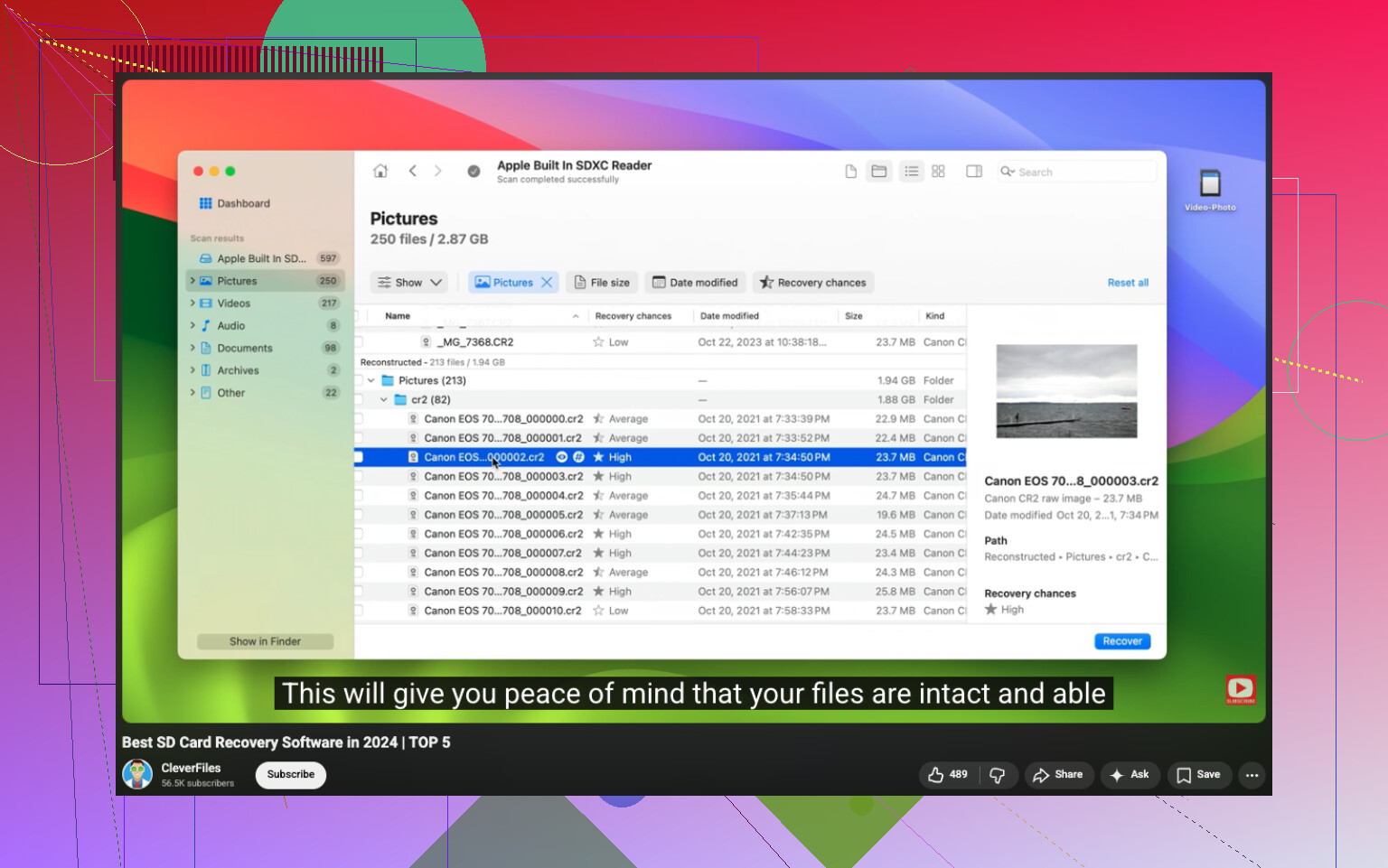
Not too late, probably. If the card really “hasn’t been used much,” your chances are still decent. Deleted photos on Canon cameras usually aren’t instantly destroyed, they just get marked as free space. The real killer is continued shooting, especially burst shots or video.
I mostly agree with @mikeappsreviewer and @waldgeist, but I’m a little less obsessed with making a full image first unless the photos are super critical and you’re comfortable doing it. For a lot of people, that step just adds confusion and panic-clicking. The bigger win is simply: stop using the card, don’t format it, and recover to a different drive.
One thing I’d add that people skip: check whether the camera was set to write duplicate files if you used 2 cards, or whether Canon’s software already imported smaller previews somewhere on your computer. Also, if you shot RAW+JPEG, sometimes one version is recoverable even when the other isn’t.
Disk Drill is a solid Canon photo recovery option because it can identify Canon RAW formats and lets you sort through image results without too much hassle. If the thumbnails preview correctly, that’s usually a pretty good sign.
Also worth reading: Canon photo recovery advice from real users on Facebook
So yeah, not hopeless at all. Just don’t keep fiddling with the card cuz that’s how recoverable turns into gone.
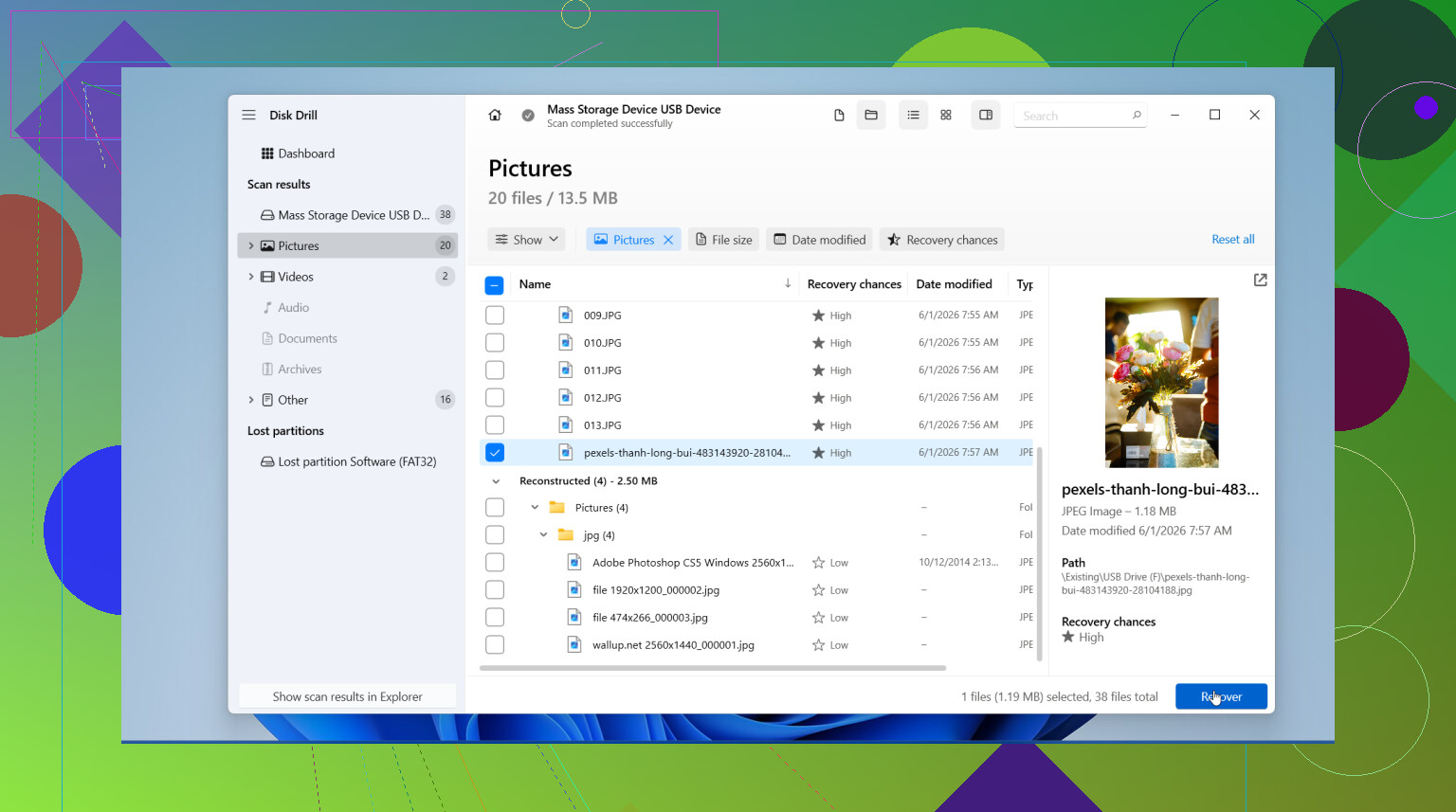
Not too late, most likely. I’d push back slightly on the “just scan it now” advice from @viajantedoceu and @mikeappsreviewer. If these photos are truly important, the smarter move is to first check the card’s health with something simple like H2testw or f3read, because a failing SD card can get worse during a long recovery scan.
A couple things people haven’t stressed enough:
- If the card was deleted in-camera, Canon sometimes leaves folder structure damage that makes normal browsing fail even when the image data is still there.
- RAW recovery can look worse than JPEG recovery at first because filenames and dates may be lost, but the photos themselves can still be fine.
- If you used continuous shooting, recoverable files may come back fragmented or partly corrupt.
Disk Drill is reasonable here.
Pros:
- Good support for Canon formats like CR2/CR3 and JPG
- Preview helps separate intact photos from junk
- Easier than many forensic-style tools
Cons:
- Deep scans can return lots of unnamed files
- Not the cheapest option
- Less ideal if the card has physical issues
I agree with @waldgeist on one thing though: recover somewhere else, never back onto the SD card.
If Disk Drill misses stuff, alternatives people try are PhotoRec or R-Studio, but those are less beginner-friendly. If the card starts disconnecting or reading painfully slow, stop DIY and consider a recovery lab before the controller dies completely.
Try Recuva’s free wizard. It is simpler than imaging the card or using forensic tools.
Remove the SD card, lock it, then connect it through a reader. Open Recuva, choose Pictures, select the card, and enable Deep Scan. Save recovered photos to your computer, never the card.
This works best when you stopped shooting soon after deletion. Expect missing filenames or dates, especially with RAW files. Preview several results before saving everything.
If Recuva finds nothing, stop scanning repeatedly. Repeated reads add risk on a damaged card. Take it to a local data recovery shop instead. Dont format it first.
Honest expectation: if you only deleted and didn’t shoot anything after, you’ll probably get most of them back, but don’t count on filenames or folder order surviving. The thing I’d flag past all the tool talk is that in-camera deletes sometimes leave the DCIM folders half-broken, so if the card mounts weird, that’s normal and not a sign the data’s gone. Disk Drill’s nice touch here is it saves the scan session, so if you close it you don’t have to rescan the card from zero.