I accidentally deleted important files from my external hard drive, and now I’m trying to find the best data recovery software before anything gets overwritten. There are so many options, and I’m not sure which one is actually safe, effective, and worth paying for. I really need help picking a reliable data recovery tool that can recover deleted files quickly.
I’ve spent a long time testing file recovery apps, and most of them talk big, then fall apart once you try them on a real drive with real damage. A few are fine for stuff you deleted by mistake. A few are built more for repair techs than normal people. A few feel like punishment. If you want the short version, Disk Drill is still the one I point people to first.
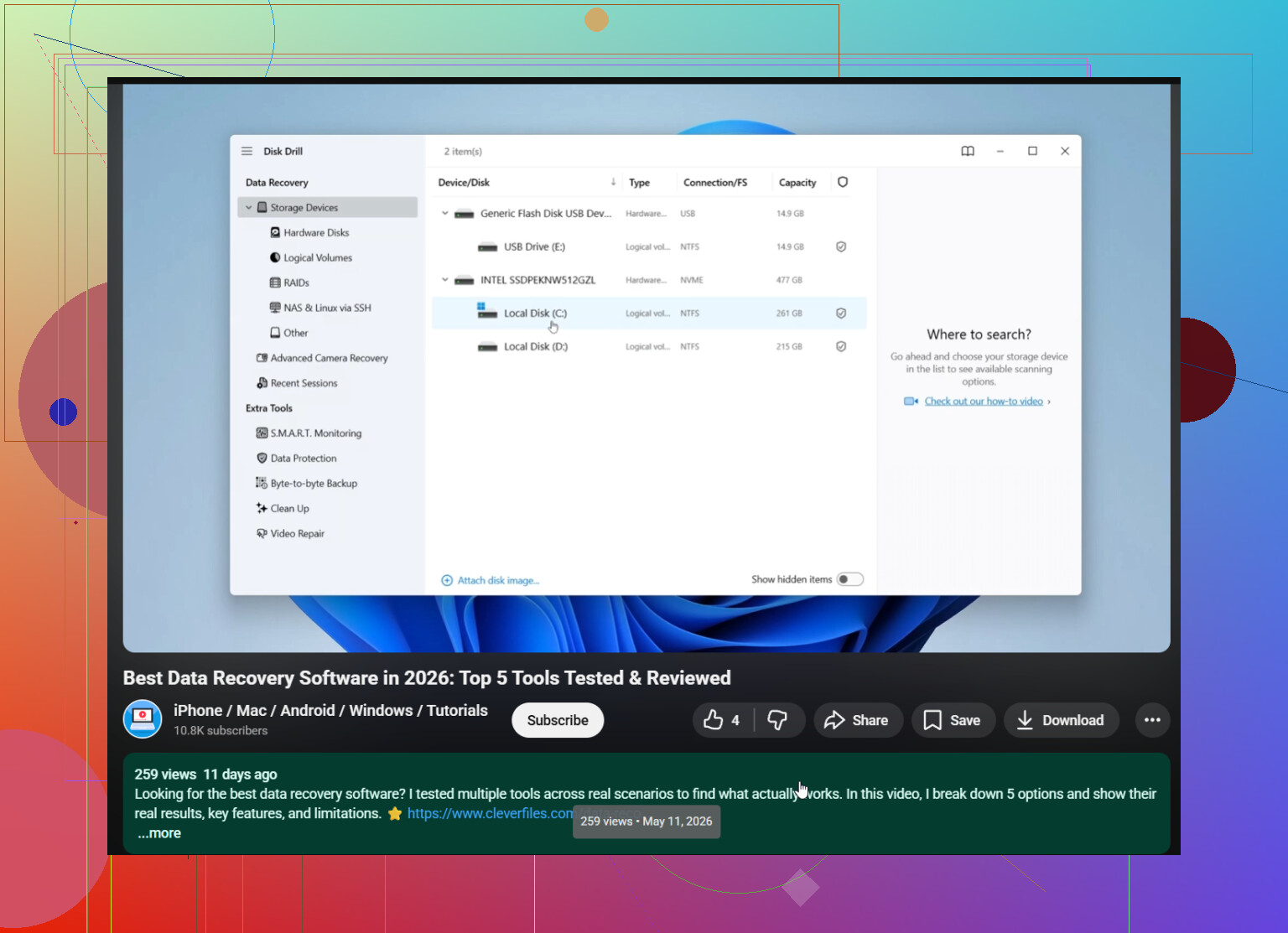
What kept me circling back to Disk Drill was simple. I didn’t have to fight it, and it still pulled decent results. I used it on deleted files, formatted drives, RAW partitions, messed up SD cards, USB sticks, external drives, and some camera cards. It handled more cases than I expected. The layout is clean enough that you do not feel like you’re one wrong click away from making things worse. File preview helps a lot too. I hate recovering 40 GB of junk only to find out the files I needed were toast. The byte-to-byte backup option matters more than people think. When a drive starts acting weird, I clone it first and scan the copy. Less risk, less regret. On Windows, you also get 100 MB free, which is enough for a small test run.
A few other tools still deserve a mention.
PhotoRec. Free, stubborn, and better than its old look suggests. I’ve seen it pull files off media I thought was done. The catch is the workflow. It is not friendly. You get back piles of files with chopped up names and no folder structure, so cleanup turns into its own job.
Windows File Recovery. This is Microsoft’s own tool. No cost, but you work through Command Prompt. I would not hand it to someone who freezes at a terminal window. For simple deletes on NTFS, it does fine. If you want a small built-in option and do not want extra software, it’s worth a shot.
GetDataBack. Old name, still around for a reason. I’ve had better luck with it on ugly file system damage and partition messes than with some newer apps. It feels more technical, and the interface is rough, but I’ve seen it read drives Windows barely understood. Good pick for NTFS and FAT recovery when the damage goes past a normal undelete job.
The first thing I’d do, every time, is stop using the affected drive. Right away. If data was deleted, it usually sits there until something writes over it. Every install, every download, every update, every new file cuts into your odds.
Also, do not install the recovery app on the same drive you’re trying to save data from. Put it on another internal disk, an external SSD, or even a USB stick. I’ve seen people ruin their own recovery chances by installing tools onto the damaged drive. Brutal way to learn.
One more thing. If the drive is clicking, grinding, dropping in and out, or missing from BIOS and Disk Management, I’d skip software. Send it to a recovery lab. Software helps with logical damage. Physical failure is a different mess. Repeated scans on a dying drive can make a bad day worse, fast.
Post back with what happened. I’m curious how your case turns out.
If the drive still shows up and it was a delete, not a dying drive, I’d keep it simple. Disk Drill is a solid first pick for external hard drive file recovery. @mikeappsreviewer covered a lot of the broad stuff, and I mostly agree, but I think people overrate PhotoRec for normal users. It recovers a ton, sure, then dumps you into a sorting nightmare. For family photos or work docs, taht gets old fast.
What I’d look for is this:
- Read-only scan behavior.
- Preview before recovery.
- Support for exFAT, NTFS, HFS+, APFS, if your drive moved between systems.
- Session saving, so you do not rescan for hours.
- Recovery to a different drive.
Disk Drill checks those boxes better than most. R-Studio is strong too, but it feels like overkill if you are not used to recovery tools. Recuva is easy, though I’ve had mixed results on larger external drives and damaged file systems.
If your files matter a lot, clone the external drive first, then scan the clone. That step saves people from making a bad sitution worse.
Also worth a watch if you’re comparing tools and recovery methods, best data recovery software video guide.
If it was just accidental deletion and the external drive is still mounting normally, I’d actually keep the shortlist pretty small. @mikeappsreviewer and @sognonotturno already covered a lot of the usual picks, but I’d push one thing a bit harder: recovery quality matters, but so does how easy it is to avoid making a second mistake while panicking.
That’s why I’d start with Disk Drill. Not because it’s magic, but because it balances usability and actual recovery performance better than most of the field. The preview and scan organization are a big deal on external drives with years of random junk on them. You want to identify the files fast, recover only what matters, and write them somewhere else.
I kinda disagree with people who still throw Recuva into every recommendation thread. It’s fine for basic undeletes, sure, but once the drive has any filesystem weirdness, it can get very hit-or-miss. R-Studio is excellent, but for a straight accidental delete case it’s often more tool than most people need.
My ranking for normal users:
- Disk Drill
- R-Studio if you’re comfortable with more technical options
- PhotoRec only if you’re desperate and patient
One thing nobody mentions enough: check SMART health first if the external HDD is acting slow or disconnecting. If health looks bad, stop scanning and clone first. That part is kinda boring, but it saves data.
If you want another comparison source, this best data recovery software comparison and recovery tips is worth a look too.
Also, do not recover back onto the same external drive. Super common screwup.
If the drive is healthy and this was a plain delete, I’d judge software by one thing the others only touched lightly: how well it preserves original filenames and folder paths. That is where a lot of “good” recovery apps become annoying fast.
I mostly agree with @sognonotturno, @sterrenkijker, and @mikeappsreviewer on keeping the list short. My slight disagreement is with pushing raw signature recovery too early. On an external drive full of mixed docs, videos, and project folders, getting 20,000 renamed fragments back is technically impressive and practically miserable.
So yeah, Disk Drill is a sensible first try.
Pros of Disk Drill
- Good interface when you’re stressed and trying not to click the wrong thing
- Usually decent at reconstructing folder structure, not just dumping loose files
- Previews are useful for photos, docs, and media
- Handles common external-drive file systems well
- Lets you save scan results, which matters on big drives
Cons of Disk Drill
- Not the cheapest option if you need a full recovery
- Deep scans can still return lots of clutter
- On badly damaged drives, it’s not the most advanced tool in the world
My personal rule:
- Healthy drive + accidental deletion: Disk Drill
- Weird partition/file system damage: R-Studio or GetDataBack
- Last-resort carve-everything approach: PhotoRec
One thing I’d add: if the deleted files were small and recent, sort recoverable results by original path/date first. That often gets you to the real targets faster than broad type filters.
Also, if this is an SMR external HDD, repeated full scans can be painfully slow. Patience matters more than people expect.