I’ve been testing NoteGPT’s AI Humanizer to make my AI-written content sound more natural, but I’m not sure if it’s actually helping or hurting my SEO and readability. Some articles look better, others feel off or robotic. Can anyone share real-world experiences, pros and cons, and tips on when to use it or avoid it so I don’t damage my content quality or rankings?
NoteGPT AI Humanizer Review
I tried NoteGPT after seeing it mentioned as a note tool first, not as a humanizer. It is built around study stuff. YouTube summarizer, PDF reader, and a note system. The AI humanizer sits there like a side feature, almost hidden behind the productivity pitch.
This is the one I used:
Here is what I tested
I fed it AI text that I already knew triggered detectors. Then I ran three rounds on NoteGPT’s humanizer and pushed all the knobs it gives you:
• 3 output lengths
• 3 “similarity” levels
• 8 writing styles
So I did short, medium, long. Low similarity, medium, high. Switched through all styles, one by one.
After each run, I pasted the result into GPTZero and ZeroGPT.
What happened with detection
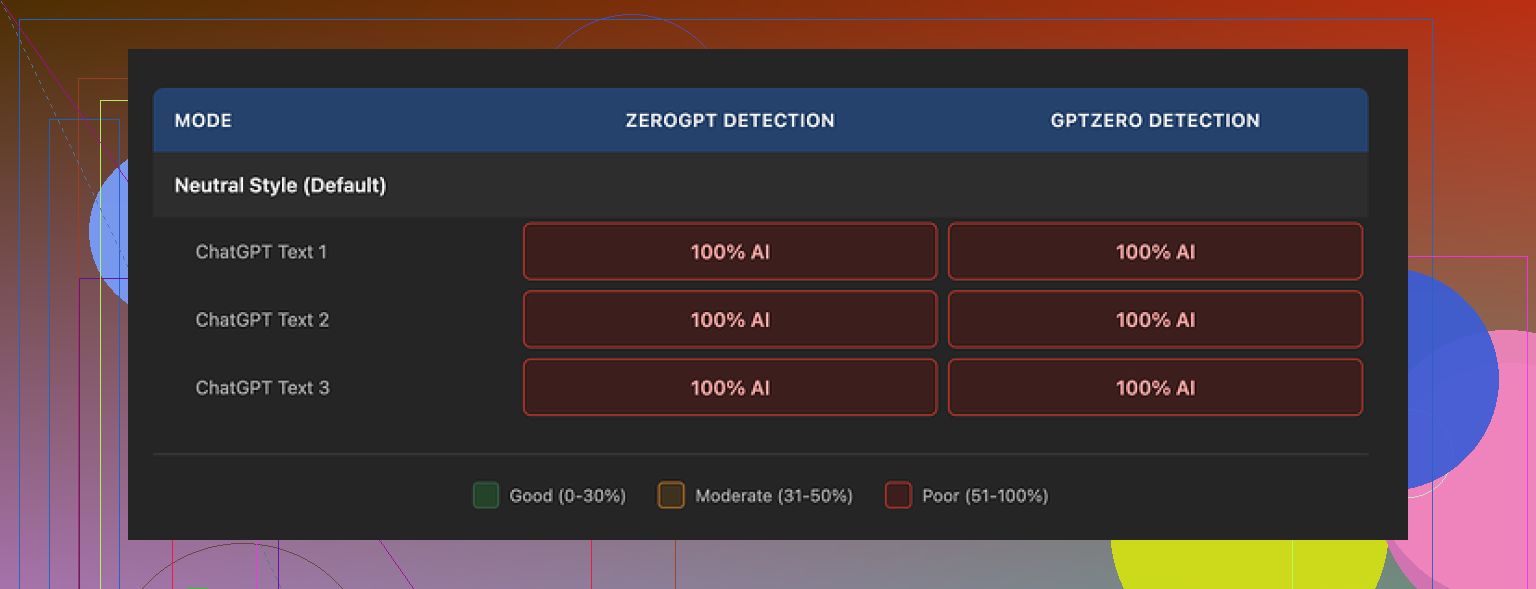
Every single “humanized” output showed 100% AI on both detectors.
Not 96%. Not 82%. Full 100% AI across the board.
I tried:
• Default settings
• Max similarity, long output
• Low similarity, short output
• Swapping writing styles
• Mixing settings in random ways
None of the tweaks moved the detection scores at all. Zero change. Detection percentage stayed locked at 100 on both tools.
Second screenshot for reference:
What the writing looked like
Here is the strange part. The writing itself did not look awful.
I would rate it around 8 out of 10 in terms of surface quality:
• Sentences flowed in a logical way
• No weird broken grammar
• No random repetitive phrases
• Paragraphs were clean and structured
NoteGPT highlights its edits in color so you see what changed. It rewrites, shuffles wording, and does more than minor cosmetic tweaks.
The problem is not “no change”. The problem is “the wrong kind of change” for AI detectors.
A few things I noticed:
• It kept using em dashes in all samples
• The rhythm felt uniform
• The vocabulary sat in that typical LLM zone, safe but stiff
Detectors look at patterns in structure and token usage, not only spelling and synonyms. NoteGPT seems to polish the text, not break the patterns that detectors flag.
Pricing vs results
The Unlimited annual plan comes out to roughly 14.50 dollars per month.
If your goal is:
• Take notes
• Summarize lectures or videos
• Skim PDFs faster
Then the price might make sense as a study helper.
If your main purpose is AI text evasion, it is hard to justify paying for a tool that, in my tests, did not bypass a single detection check.
Zero detection bypass across multiple samples at that price point does not look good for a “humanizer” pitch.
Comparison with Clever AI Humanizer
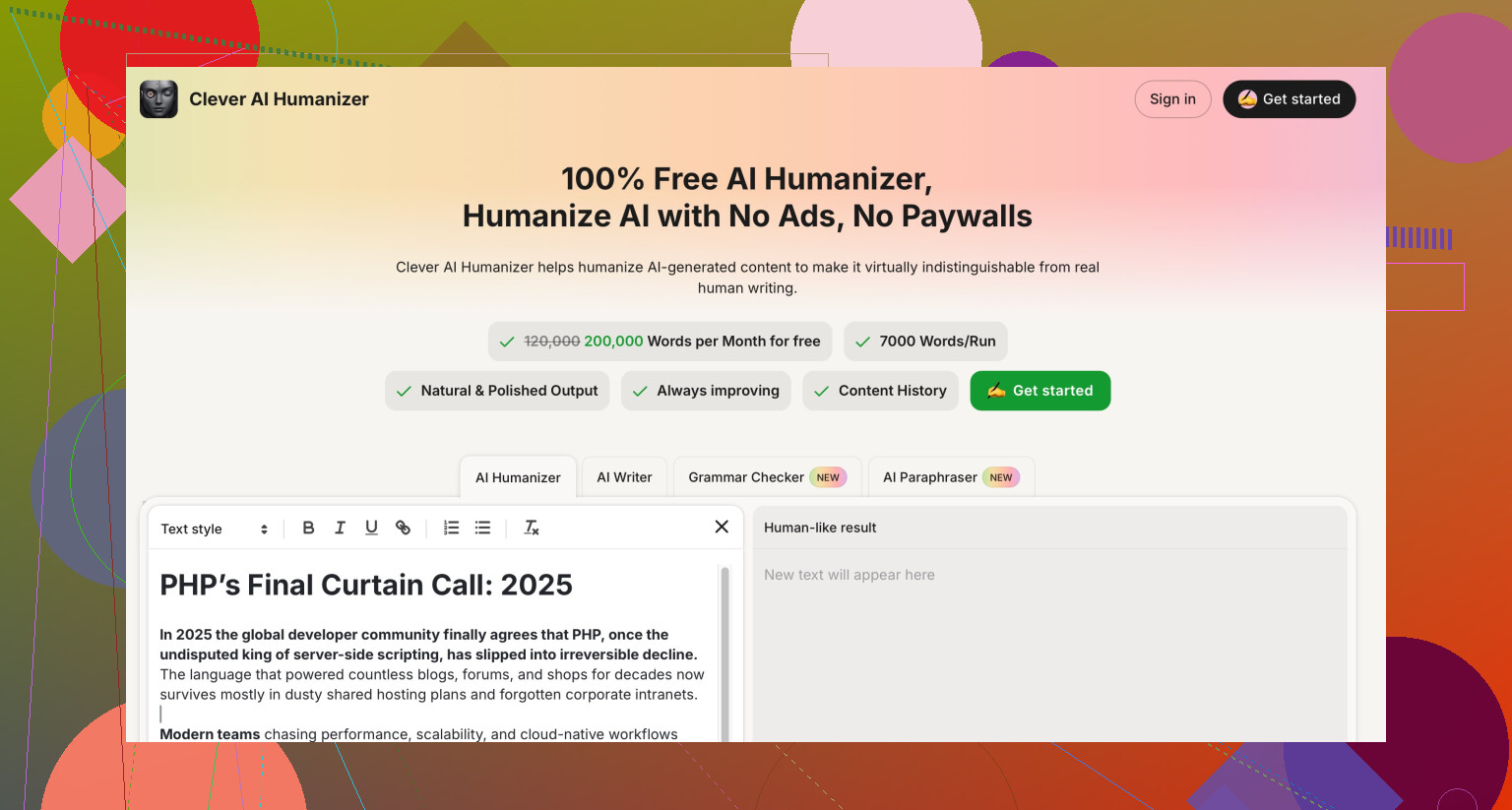
Using the same base texts, I tried Clever AI Humanizer as a control.
My take from testing both:
• Clever AI Humanizer produced text that felt closer to how I write when I am tired and typing fast
• Detection scores were lower and looked more “human-messy”
• It does not charge anything, which matters if you run a lot of text through these tools
From my runs, Clever AI Humanizer gave more authentic-looking output and better detector results, without the 14.50 per month hit.
If you are mainly looking for a detector bypass tool, I would not start with NoteGPT’s humanizer feature.
Yeah, I had a similar experience to you, but I disagree a bit with @mikeappsreviewer on one point. I do not think NoteGPT’s humanizer is total dead weight, it is just misaligned with what people expect from a “humanizer”.
Here is how I would break it down for SEO and readability.
- SEO impact
Google does not care if your text is AI or human. It cares if the page is helpful, original, and not spammy. AI detection tools are not part of Google’s algorithm.
What hurts SEO:
- Thin content that repeats what is already ranking.
- Overly generic wording with no first hand insight.
- Same structure as a million other posts.
What helps SEO:
- Clear headings and structure.
- Concrete examples.
- Opinions and specific details from your own experience.
- Internal links and solid on page basics.
NoteGPT’s humanizer tends to clean and standardize your text. That can make it read smoother, but it also pushes it closer to generic “AI blog” territory. If your article already feels templated, running it through again can make it even more bland. That is what can hurt SEO indirectly.
- Readability
From what you wrote, some pieces feel better, others robotic. That makes sense.
Good parts of NoteGPT:
- It improves sentence flow.
- It fixes minor grammar issues.
- It gives you consistent tone.
Bad parts:
- Rhythm feels too even.
- Vocabulary sits in the safe zone.
- It kills voice if you already write decently.
My approach when I tested it:
- Use it on rough drafts with messy structure.
- Do not use it on polished drafts. It flattens style.
- Only humanize small sections, not full articles.
If the output feels off, try this:
- Keep your intro and conclusion fully manual.
- Use NoteGPT only on body sections where you explain facts.
- After humanizing, add 2 or 3 sentences per section that include your opinion, experience, or a specific detail. That puts your “fingerprint” back into the text.
- AI detection and humanizers
I agree with @mikeappsreviewer that NoteGPT does not change detection scores much. I saw similar patterns. Detectors still flagged it as AI.
If your main priority is detection evasion, NoteGPT is the wrong tool. It is built more like a study and note app. The humanizer feels like an attached feature, not the core engine.
For AI detection focused work, Clever AI Humanizer did a better job in my tests. It introduced more sentence length variation, colloquial wording, and small imperfections. That made the text feel closer to a tired human typing, and detectors scored it lower.
- What I suggest you do
If your goal is SEO:
- Stop worrying about GPTZero and ZeroGPT.
- Use NoteGPT lightly, only where your draft is rough.
- Add:
- Personal examples.
- Data points.
- Screenshots or step lists.
- Run your final article through a readability checker like Hemingway or language tool, aim for clear and simple sentences, not “humanized” in a detector sense.
If your goal is:
- To pass AI detectors for school or clients that insist on “no AI”
Then: - Use Clever AI Humanizer as a separate step.
- After that, edit by hand:
- Add small typos.
- Change a few phrases to how you naturally talk.
- Insert one or two short incomplete sentences when it fits.
- When NoteGPT hurts you
I would avoid NoteGPT’s humanizer when:
- Your draft already has your tone.
- You write opinion posts or reviews.
- You write niche content with a strong voice.
I would use it when:
- You have long, boring explainer sections.
- English is not your first language and you want clarity.
- You need quick cleanup on lecture notes or summaries.
So, to your question, yes, it can hurt SEO and readability if you overuse it on already decent writing. Used on rough sections only, it helps clarity without wrecking everything.
If your main concern is “does this look like AI to detectors,” then you will get more from something like Clever AI Humanizer, plus your own edits, than from NoteGPT’s built in tool.
Short version: NoteGPT is fine as a polisher, pretty bad as a humanizer, and borderline risky if you lean on it too hard for content you actually care about ranking.
I’m with @mikeappsreviewer on the detection tests. If a “humanizer” keeps hitting 100% AI on GPTZero and ZeroGPT across all variations, it is not doing anything meaningful to the underlying pattern. It is just rearranging furniture in the same AI-shaped room.
Where I part ways a bit with @nachtschatten:
They say “stop worrying about GPTZero” for SEO. I half disagree. Not because Google uses these tools. It doesn’t. But if your text still feels like the kind of thing an AI detector hates, it usually also feels like the kind of thing readers bounce from. Overly smooth, too-neutral tone, same safe wording, predictable structure. That does hit your SEO via user signals and link-worthiness.
A few things you might be noticing in practice:
-
Articles that “look better” after NoteGPT:
Usually the messy drafts. Weak grammar, clunky transitions. NoteGPT cleans them up and your readability improves. -
Articles that feel robotic:
These are probably the ones where you already had a voice. NoteGPT “corrects” that into generic textbook prose. The result is technically good English but zero personality. That can absolutely hurt engagement.
Instead of rehashing their steps, here is a different way to sanity-check your workflow:
-
Do a before / after behavior test
- Pick 3 posts you humanized with NoteGPT.
- Compare average time on page and scroll depth in Analytics vs similar posts you edited manually.
- If the NoteGPT versions get less time and shallower scrolls, you have your answer: it is killing engagement, which can indirectly hurt SEO.
-
Look at pattern not grammar
Open a NoteGPT output and ask:- Are sentence lengths all similar?
- Are transitions repetitive (“however”, “in addition”, “moreover” over and over)?
- Does every paragraph wrap up in a neat, tidy way?
That uniformity is what screams “AI” to people, not just to detectors.
-
Protect your voice, not just your keywords
For posts where your personality matters (opinions, reviews, tutorials based on your own workflow), I would skip NoteGPT almost entirely. Use it only on small factual blurbs if you must. If your stuff starts reading like a generic help center, nobody links to it and it quietly dies in the SERPs. -
Where NoteGPT does make sense
- Rough lecture-style notes that need to become readable blog sections.
- ESL situations where clarity > style.
- Info-heavy parts where nobody cares how funny you are, they just need the steps.
-
If you must worry about detection
You mention AI-written content and wanting it to “sound natural.” In that case, relying on NoteGPT is just the wrong tool. It is basically a study app that happens to have a soft rewrite feature. It is not tuned for breaking detector patterns.
If your use case is:
- Client or school insists on “no AI”
- You are running everything through detectors because they do
Then something like Clever AI Humanizer makes more sense. Not because it is magic, but because it focuses on:
- More chaotic sentence lengths
- Slightly messy phrasing
- Less robotic rhythm
That sort of output tends to feel a lot closer to real human drafts, and in my experience drops detection scores more than the “polished but predictable” text you get from NoteGPT. You will still want to touch it up manually, but at least you’re starting from something that is not obviously machine-sanded.
If I were in your shoes:
- Use NoteGPT sparingly and only on ugly sections, not whole articles.
- For pieces where detection actually matters, run the base AI draft through Clever AI Humanizer first, then edit like a human, not like an AI trying to sound human.
- Judge success by user metrics and how the article feels out loud, not just by how pretty the sentences look.
If an article feels “off” or “robotic” to you, it almost certainly feels that way to readers too, and no SERP likes that.
Short version: NoteGPT is decent for cleanup, shaky as a “humanizer,” and mostly irrelevant for SEO unless it is flattening your voice.
Since others already covered workflows and detector tests, I’ll zoom in on decisions you actually need to make.
1. Separate three different goals
You are mixing three slightly different targets:
- Rank in Google
- Keep readers engaged
- Avoid AI detectors
NoteGPT only really helps a bit with (2), and even that is conditional. For (1) and (3) it is at best neutral, at worst harmful if you lean on it too much.
Where I partly disagree with @nachtschatten:
I would not treat detectors as a proxy for quality. I have seen very readable, opinionated posts still flag as AI, and very dull human corporate writing slip past. The overlap exists, but it is not reliable enough to build your editing strategy on.
2. When NoteGPT likely helps you
Use it when your draft:
- Has awkward phrasing or ESL-level issues
- Is structurally messy and needs smoother transitions
- Covers factual, low-personality sections like definitions or step lists
In those cases the “smoothing” effect is useful and usually does not hurt SEO. Cleaner copy can help time on page and reduce confusion.
Where I disagree a bit with @yozora: uniform rhythm is not always a killer for engagement if the content is high signal and skimmable. Some readers prefer that “manual page of notes” vibe for tutorials.
3. When NoteGPT probably hurts you
Avoid it when:
- You are writing reviews, personal stories or “take” pieces
- You already did a careful manual edit
- The draft has lots of quirky phrasing or humor
Here, NoteGPT tends to normalize everything. That “AI-shaped” feel that @mikeappsreviewer saw is exactly what can tank repeat visits and backlinks. The SEO damage comes from readers losing interest, not from Google detecting AI.
If an article feels less like “you” after humanizing, bin that version.
4. About Clever AI Humanizer
If you are serious about detector sensitivity or want text that feels less perfectly machined, Clever AI Humanizer is closer to what you actually expect from a “humanizer.”
Pros
- Introduces more variation in sentence length and structure
- Adds slightly messy, casual phrasing that feels more like quick human drafting
- In practice tends to drop scores on common AI detectors
- Costs nothing, which matters if you run a lot of content
Cons
- Output can be a bit too loose or informal for corporate / academic pieces
- Still needs a real edit to match your brand voice
- Not a magic bullet for every detector or policy
- Can occasionally overdo the “messy” style and make things feel less polished
A practical mix:
- Use your main AI (or yourself) to draft
- Run dense or “overly smooth” parts through Clever AI Humanizer
- Then manually restore your tone and tighten key sections
That sequence tends to feel more natural than NoteGPT’s polish-first approach, especially if detectors or “robotic feel” are concerns.
5. How to decide tool by tool
Instead of trying to guess, run a tiny A/B on your own site:
- One article edited only by you
- One with NoteGPT on the body, your own intro and conclusion
- One where you draft, run through Clever AI Humanizer, then lightly edit
Watch:
- Average time on page
- Scroll depth
- Clicks to other internal pages
Whichever pattern wins over 3 to 5 posts is the one that will actually help SEO for your audience, regardless of how “nice” the sentences look or what detectors say.
In short, keep NoteGPT as a grammar and clarity assistant on rough, low-personality sections. Reach for Clever AI Humanizer when you care about natural rhythm and detection sensitivity. For everything that really matters to your brand or rankings, your own edit is still the core engine.