I need an AI headshot generator app for my iPhone that can create professional, realistic profile photos for LinkedIn and job applications. I’ve tried a couple of random apps from the App Store, but the results looked either too fake or low quality. Can anyone recommend a reliable iPhone app with good AI, clear image output, and reasonable pricing, and share why you like it?
Best AI headshot tools I tried so you do not have to
I hit that point where my LinkedIn photo was older than my last laptop. Local photographers in my area were quoting around $250–$350 for a pretty basic session, so I went hunting for AI options instead.
I went through:
- Web services (SaaS, browser stuff)
- iOS apps
- Android apps
- Free experiments with ChatGPT and Gemini
Below is what I got, what broke, what looked cursed, and what I would reuse.
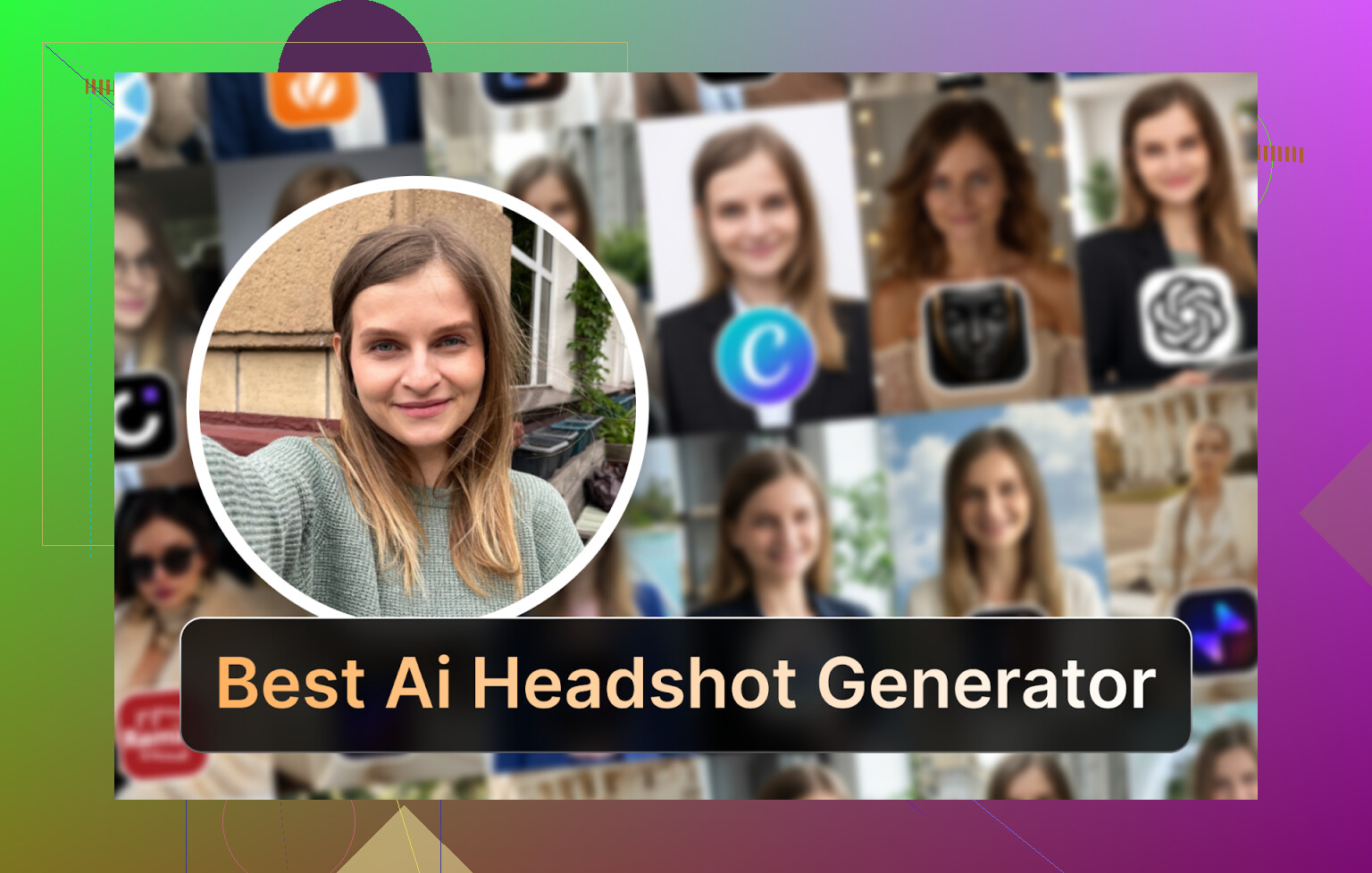
Eltima AI Headshot Generator on iPhone
App: Eltima AI Headshot Generator App - App Store
Product page: Eltima AI Headshot Generator App - Create Pro Photos in 2026
Short video: https://www.youtube.com/watch?v=wjPmMi6FGIw
Reddit thread I saw about it: https://www.reddit.com/r/DataRecoveryHelp/comments/1qi12pn/best_ai_headshot_generator/
This one kept showing up around Reddit and random forums, so I started here on my iPhone.
What it does for me
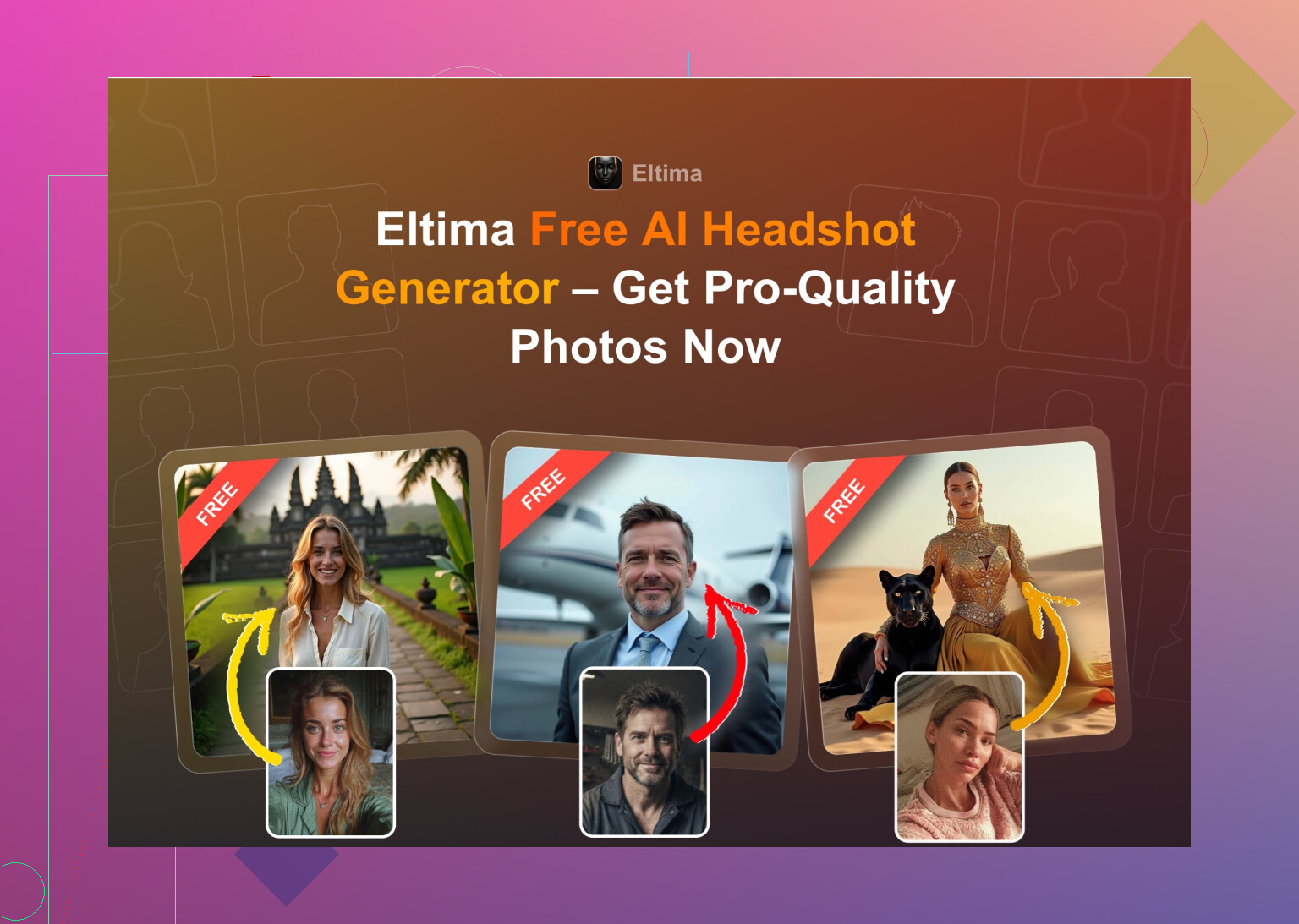
- Gives one free photo every day, no tricks
- Needs only one input photo to start
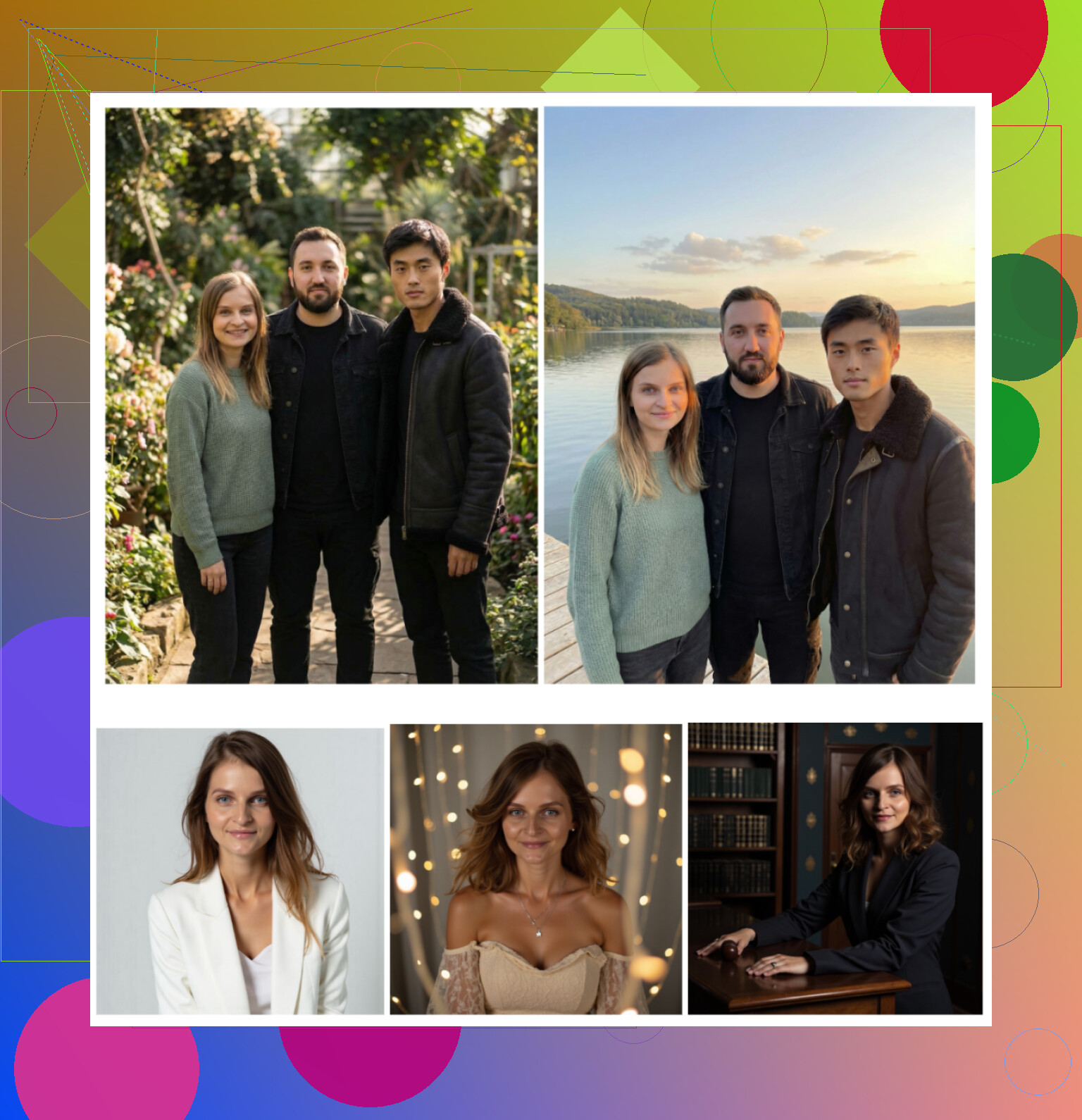
- Lets you generate photos with up to 3 people in one frame
- Has an extra video-from-photo feature
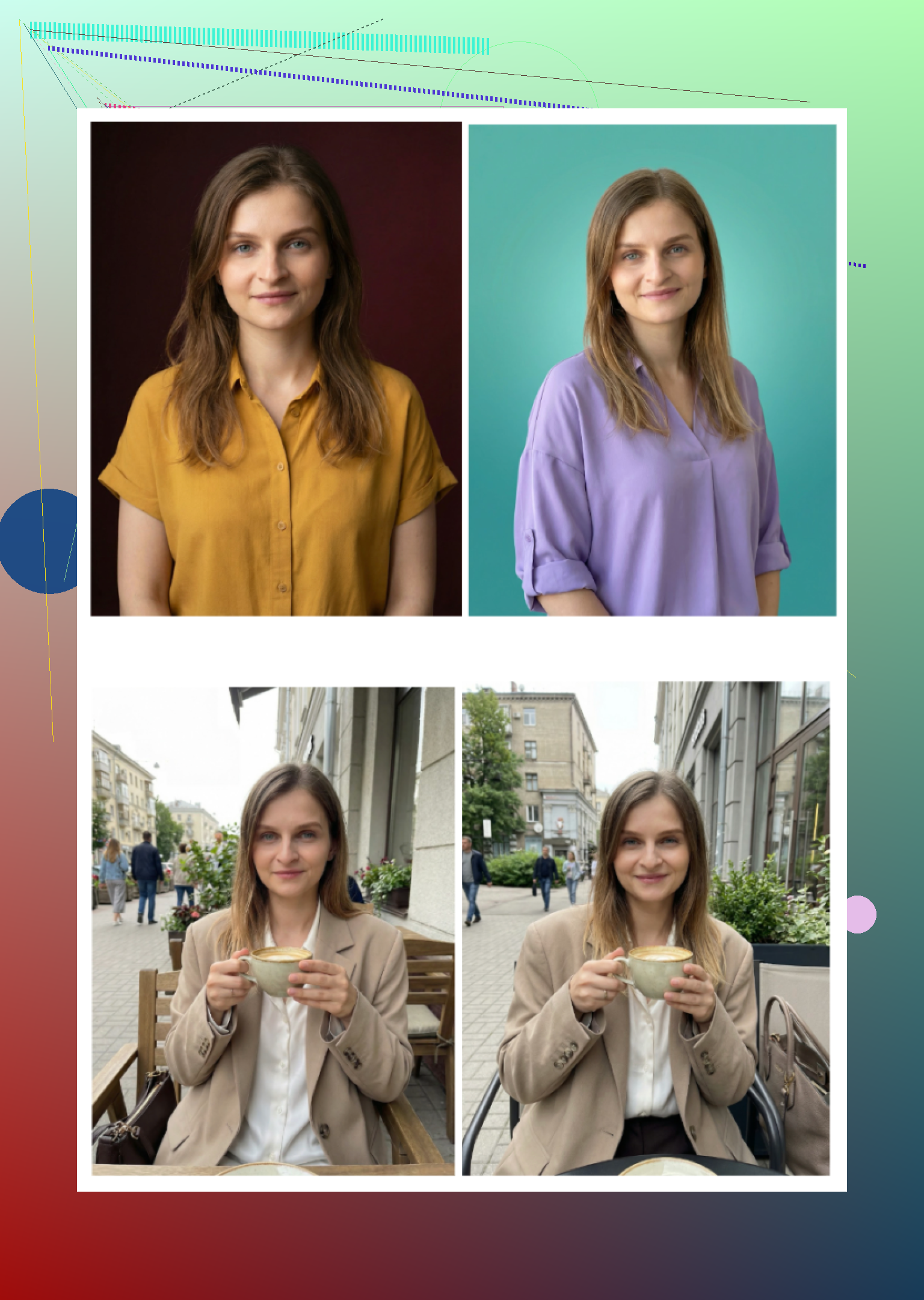
- Handles skin, lighting, and hair in a way that did not scream “AI”
- Has an absurd number of templates, they claim 800+, and it feels like it
What I noticed
-
Realism
The faces stayed mine. No weird smoothed-out doll skin, no extra teeth, no nightmare hands in the frame. It looked like a normal studio session, with a bit of beauty mode applied but still believable. -
Styles
I tried:
- Standard LinkedIn type poses
- Casual hoodie / coffee shop vibes
- “Conference speaker” style
- Some more weird ones with colored backgrounds
All of them still looked like me, not like some random model.
- Price
At the time I tried it:
- 7.99 per week
- 49.99 per year
- Plus that one free daily generation, which is nice for testing outfits and backgrounds over a week without paying
- Speed
Photos showed up fast enough that I did not leave the app. Roughly in the “open Instagram notification and come back” range.
My personal verdict
This was the first tool where I thought: yeah, I would not be embarrassed using this on my company Slack, LinkedIn, email avatar, and even dating profiles. I kept it installed and used the daily free shots to test different backgrounds and outfits.
Direct link again if you missed it:
Big web services everyone keeps recommending
I asked around, searched Google, read threads. The same three names always showed up: Canva, Aragon AI, HeadshotPro.
So I ran all three on the same set of photos.
Canva
Site: https://www.canva.com/
I already use Canva for slides and random social stuff, so I knew the interface. They now have portrait generation inside the same platform.
What I did
- Uploaded a few clear selfies
- Picked “professional” options in their presets
- Let it run once without paying extra
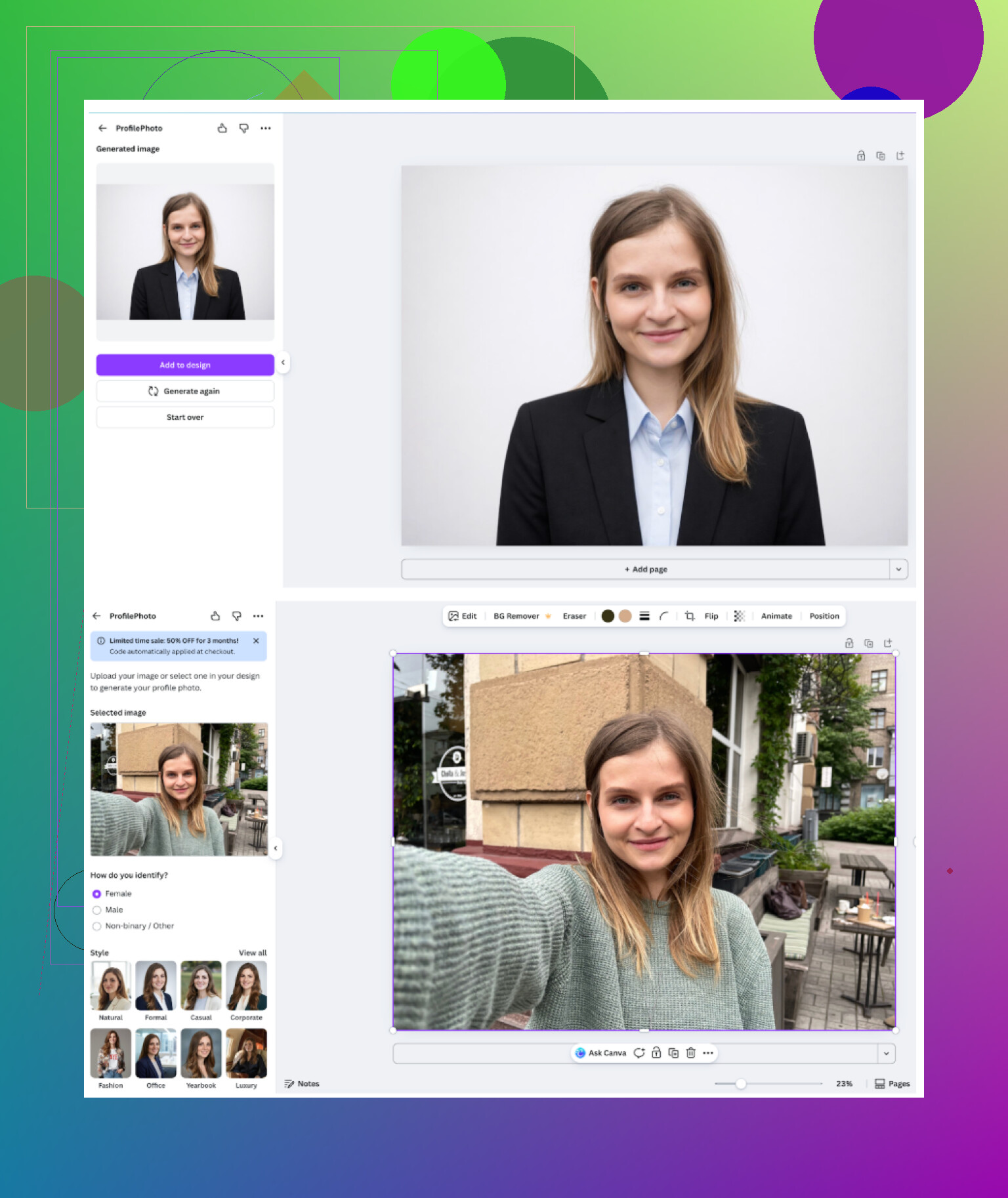
Result looked like this:
What worked
- Dead simple workflow
- Good enough for resumes or basic profile pages
- Lots of free templates and post-edit options after generation
What bugged me
- Once you start pushing for higher quality or more variants, you hit their “coins” and paid stuff
- On some outputs, my skin looked too smooth, like “Instagram filter at 100 percent,” which looks odd side by side with real photos
Cost I saw
- Around 120+ per year for Pro, sometimes discounted
If you already live in Canva and need one or two decent professional headshots, it is serviceable. For me, the price stung compared to more specialized tools.
Aragon AI
Site: https://www.aragon.ai/
This one appears everywhere when people ask for “serious” AI headshots.
Onboarding
- Long intro questionnaire about job, industry, and stuff like that
- Asked for a decent chunk of photos before it would generate anything
- No free test, straight to paid
<img alt=‘Part 4: The ‘Free’ Way (ChatGPT, Gemini, & Hustle)’ src=‘https://forum.dvdrw.com/uploads/default/original/image-1768927098.png’ height=‘537’ width=‘381’>
What worked
- Best facial resemblance out of the web tools I tried
- The output faces looked like me, not an upgraded cousin
- Turnaround time was fine once the photos were uploaded
What annoyed me
- Needed at least 6+ photos of my face before starting
- A bit of effort upfront, so not great if you want something quick
Price range I saw
- Roughly 12 to 25 for a pack, depending on options
If your main concern is “It must look like me, no surprises,” this one does well, but it is not instant.
HeadshotPro
Site: https://www.headshotpro.com/
Positioning is blunt: this is for corporate, badges, company directories, serious business profiles.
Their website talks a lot about data handling and security, so you can guess the target users.
What I felt from the results
- Every result looked like it belonged on a banking site or big company intranet
- Lighting, framing, clothes, all very “safe”
What worked
- Consistent look across multiple outputs
- Perfect if HR wants all employees to look like they went to the same photographer
- Clean backgrounds, no weird props, no surprises
What I did not like
- Little room for anything more relaxed or personal
- Can feel stiff if you work somewhere casual
Price I saw
- Around 29 and up
I would use this if a company asked for a uniform, formal headshot set. I would not use it for dating apps or social media.
iOS apps I tested
I tried these on my iPhone:
- Remini
- Fotorama AI Photo Generator
- Collart AI Photo Generator
- IRMO AI Photo Generator
- Eltima AI Headshot Generator
I looked at:
- Ease of use
- Whether the face looked like me
- Style variety
- Price and free options
- Speed
Remini on iOS
App Store: Remini - AI Photo Enhancer App - App Store
I tested the headshot / avatar and video options.
What using it felt like
- Interface is clear, no trouble finding features
- Upload photo, pick style, press generate
Video from photo
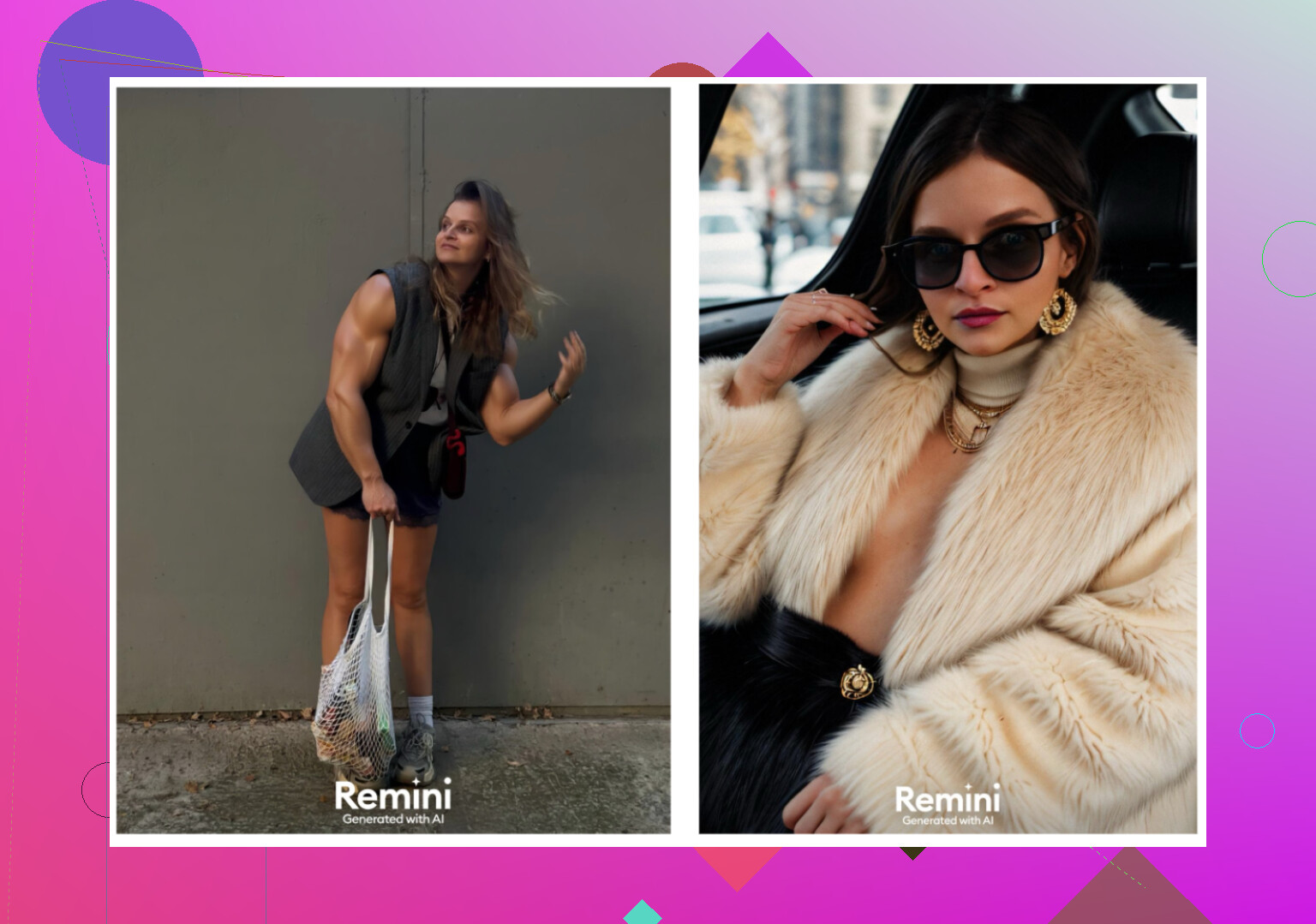
This is where things got weird. It generated short clips from static photos, but in my test, it created a scene of a kid being lifted from under the stairs. No idea why. It looked nothing like the original intent.
Quality
- Faces in videos looked off, heavy filters, sometimes stretched
- Clothes and body proportions broke or warped in random places
Styles
- Plenty of presets, including LinkedIn style and more casual stuff
- Output consistency was all over the place from one run to another
Pricing I saw
- 9.99 per week
- 79.99 per year
- One week free trial
Speed
- My video generation took about 13 minutes
My verdict
Fun to try as a toy. For a serious public profile, it felt unreliable. Too many results looked wrong when I zoomed in.
Fotorama AI Photo Generator
App Store: AI Photo Generator - Fotorama App - App Store
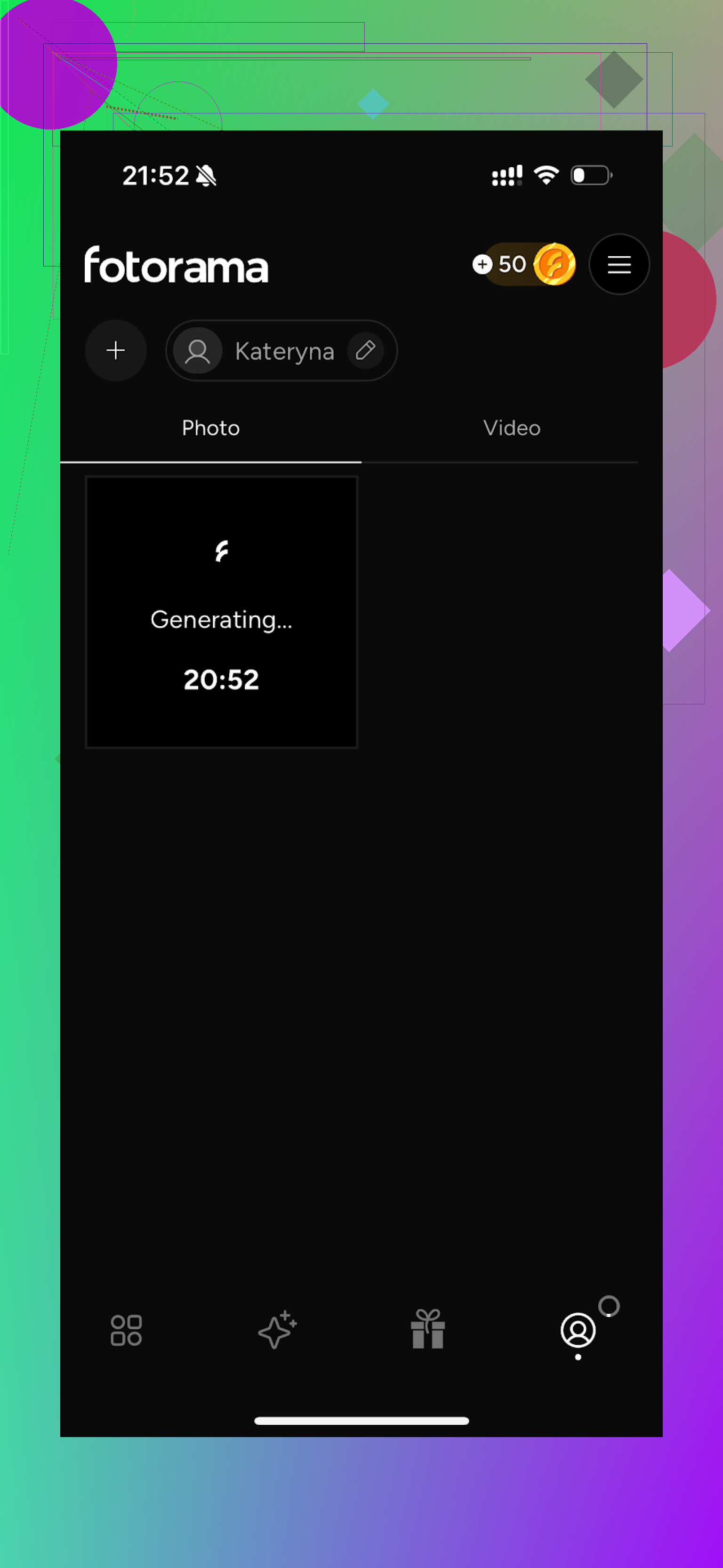
What happened
- Interface was simple enough
- I started a generation with my own photos
- It sat there for around 30 minutes “analyzing”
- I gave up and closed the app
- Coins disappeared, no final image
Styles
- Many categories for fashion shoots and “inspired by” characters
Price I saw
- 11.99 per week
- 79.99 per year
Speed
- Too slow to be usable in my test
My verdict
The style options looked promising on paper, but the delay and coin loss killed it for me. I did not manage to get one solid headshot out of it before giving up.
Collart AI Photo Generator
App Store: AI Photo Generator - Collart App - App Store
This one looked more “fun” at first glance.
What using it felt like
- Interface was easy to follow
- It can animate photos too
Where it failed
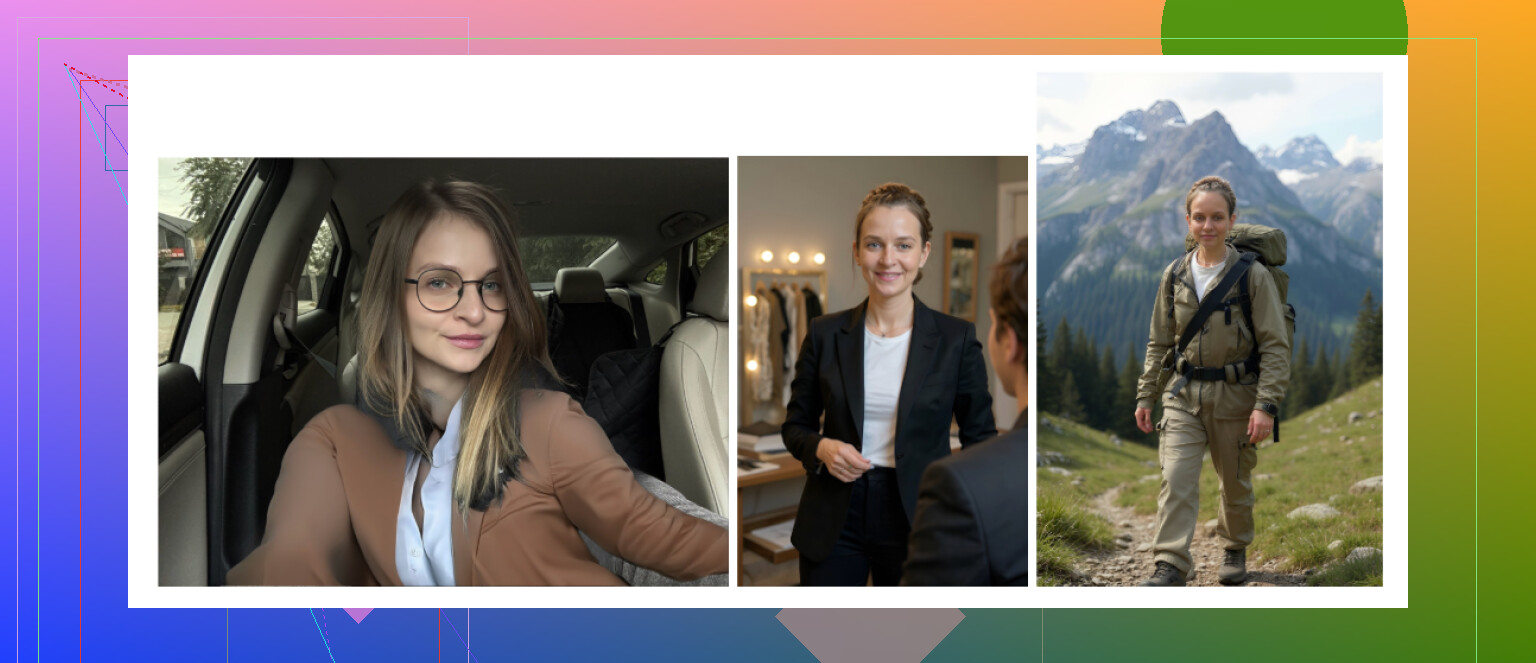
- It only asked for one reference photo
- Most outputs did not resemble me at all
- Some results landed in the “I do not want anyone to see this” zone
Styles
- Huge number of themes and vibes
- Did not matter much if the face itself was off
Price I saw
- 3.99 per week
- 59.99 per year
Speed
- Generation was reasonably quick
My verdict
If you want goofy avatars of “someone” with your rough hair color, sure. For a headshot that needs to represent you, it missed the mark.
IRMO AI Photo Generator
App Store: AI Photo Video Generator: IRMO App - App Store
What it felt like
- Straightforward interface
- No confusion about where to tap
Features
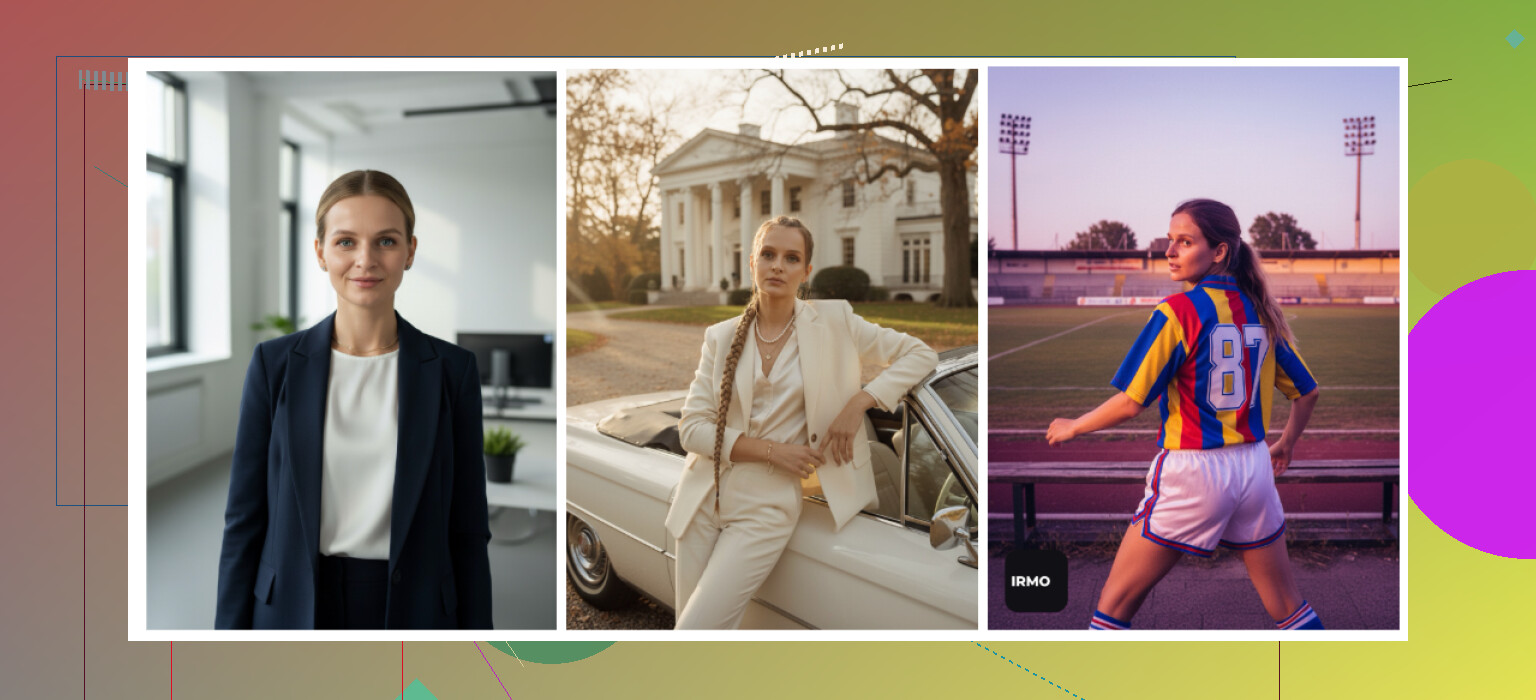
- Does both photos and videos
- Offers plenty of scenes, outfits, and backgrounds
Weak point
- Again, only one reference photo allowed
- Without multi-photo training, many results looked like an approximate version of me, not an accurate one
Price I saw
- 5.99 per week
- 99.99 per year
Speed
- Around 2 to 6 minutes for an image
My verdict
Usable if you treat it as a novelty. For something you want to attach to your resume or portfolio, the resemblance gap becomes obvious.
Android apps I tried
I went slower here, because the Play Store is full of junk and weird ad traps. I picked three:
- Remini
- GIO
- Momo
Remini on Android
Google Play: https://play.google.com/store/apps/details?id=com.bigwinepot.nwdn.international&pcampaignid=web_share
Most people already know this one.
What stood out
- Setup and usage are dead simple
- Upload selfies, pick the feature, wait for it to finish
Pros
- Smooth workflow
- Decent enhancement and avatars overall
Cons
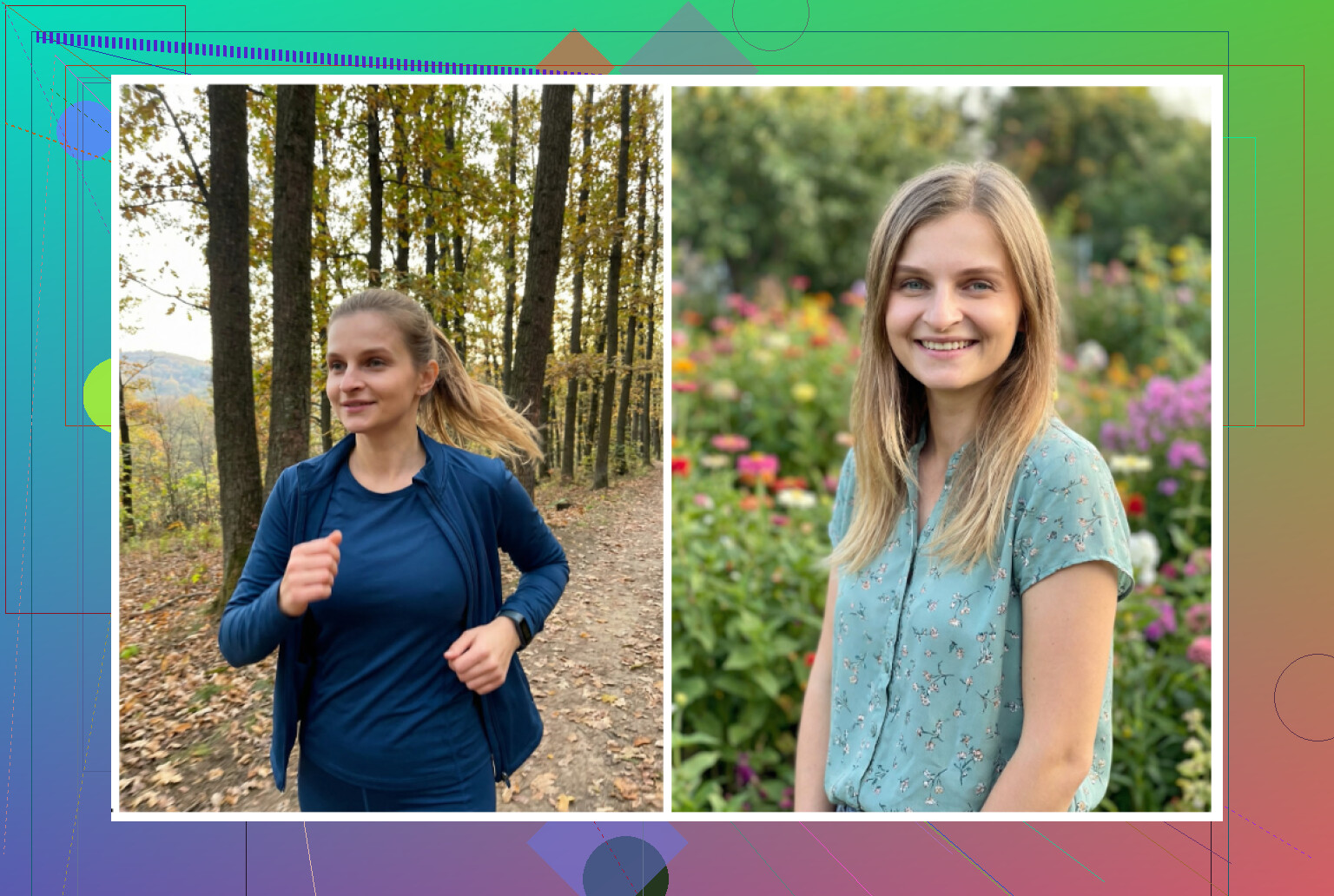
- Even in “professional” modes, it tends to glam up your face too much
- I ended up looking like a heavily edited influencer version of myself
Good for
- Social photos, dating apps, casual stuff
- Less ideal for conservative workplaces
GIO: AI Headshot Generator
Google Play: https://play.google.com/store/apps/details?id=com.prequelapp.aistudio&pcampaignid=web_share
It is also on iOS, but I focused on Android to avoid repeating everything.
Pros
- Less plastic look than Remini when it works
- Clothing swap does a solid job, suits and shirts look okay
Cons
- Many outputs came out broken or off
- Overall quality was below what I hoped
verdict
If Remini outputs look too artificial for you, this is a slightly more grounded alternative. Still, I had enough unusable results to lose patience.
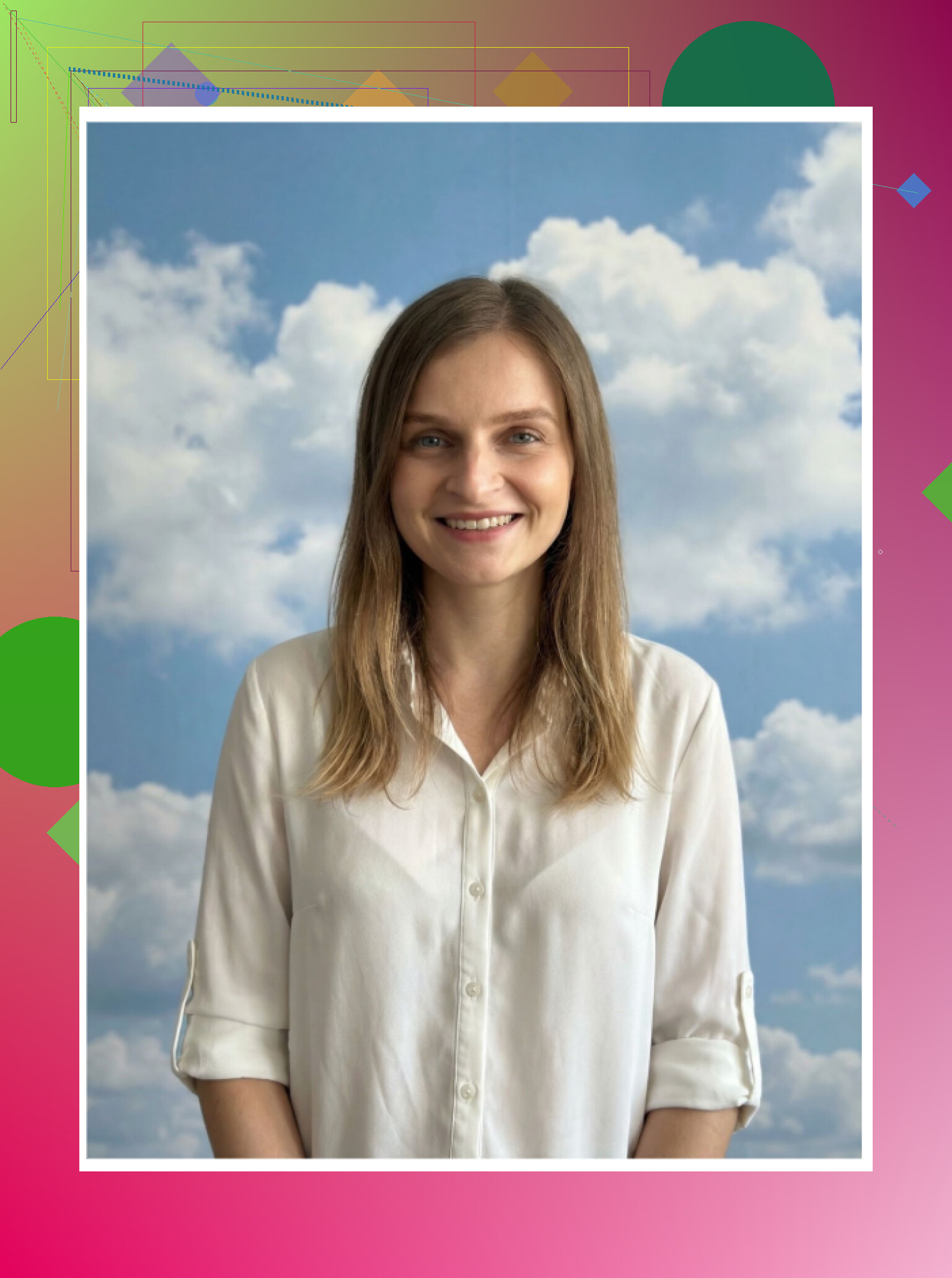
Momo
Google Play: https://play.google.com/store/apps/details?id=com.scaleup.dreame&pcampaignid=web_share
Pros
- My results looked more balanced than what I got from GIO
- Some of the headshots were usable without post-editing
Cons
- Priced higher than some competitors
- The quality did not feel high enough to justify the difference, especially compared side by side with Remini
Verdict
Not terrible, better than GIO on average in my tests, but still behind top tools on realism and sometimes costs more.
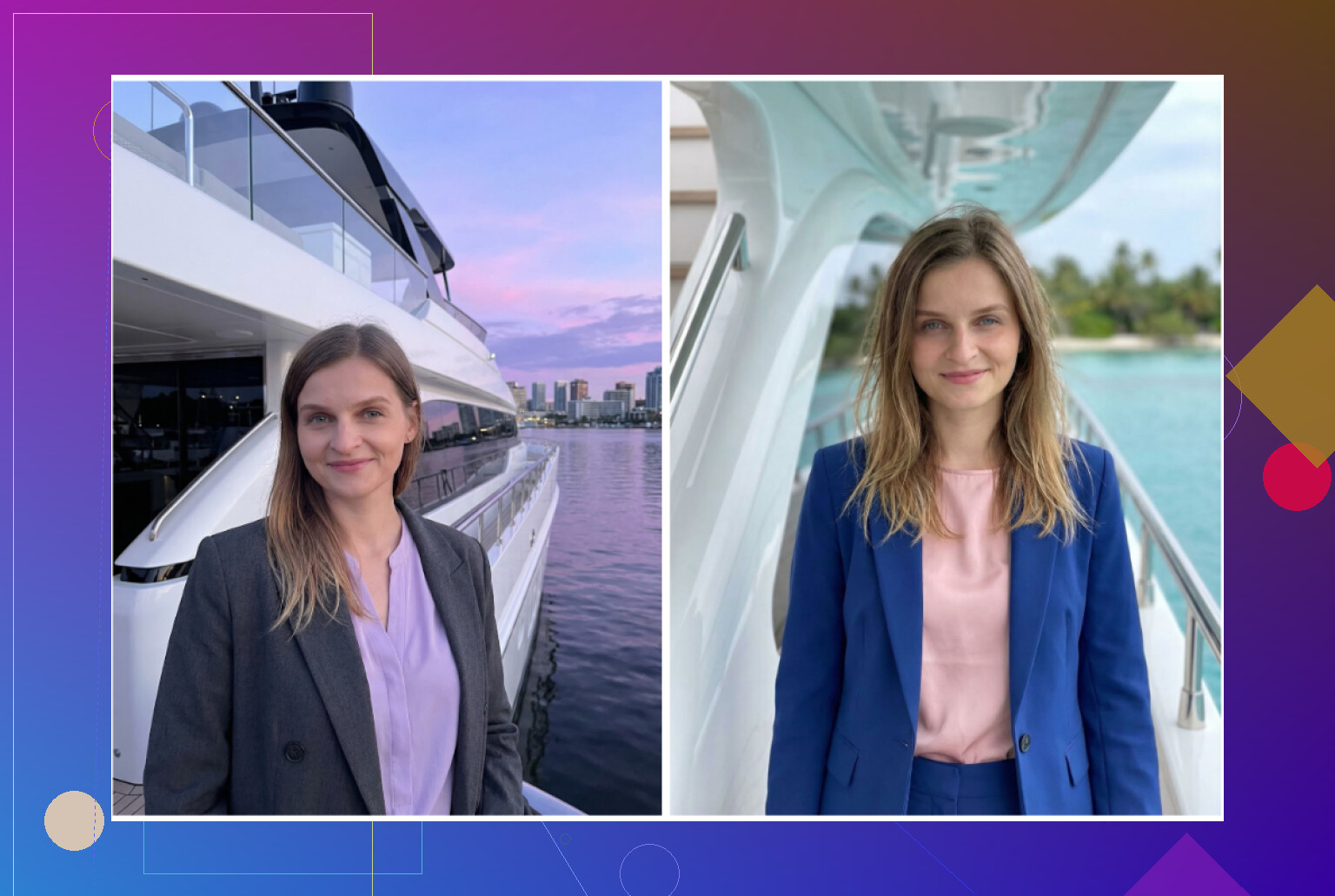
Zero dollar approach with ChatGPT and Gemini
Website, ChatGPT: https://chatgpt.com/
Website, Gemini image generation: Gemini AI Nano Banana Pro: KI-Bildgenerierung und Bildbearbeitung von Google
If you want to avoid paying, there is a rough workaround. It takes some time and you need access to image models like DALL·E in ChatGPT and the Nano Banana Pro or similar model in Gemini.
What I did I will call the “description loop” trick:
Step 1
Find a photo on the internet that has the look you want, outfit, framing, lighting. Paste it into ChatGPT or Gemini and ask for a detailed description of the image.
Step 2
Copy that description into a fresh chat.
Step 3
Tell the model something like:
“This is the style I want for a professional headshot, but use my face instead.”
Step 4
Upload your best selfie in that same chat.
Step 5
Switch to the image generation model, DALL·E in ChatGPT, Nano Banana in Gemini, and ask it for a new headshot based on your selfie plus the description.
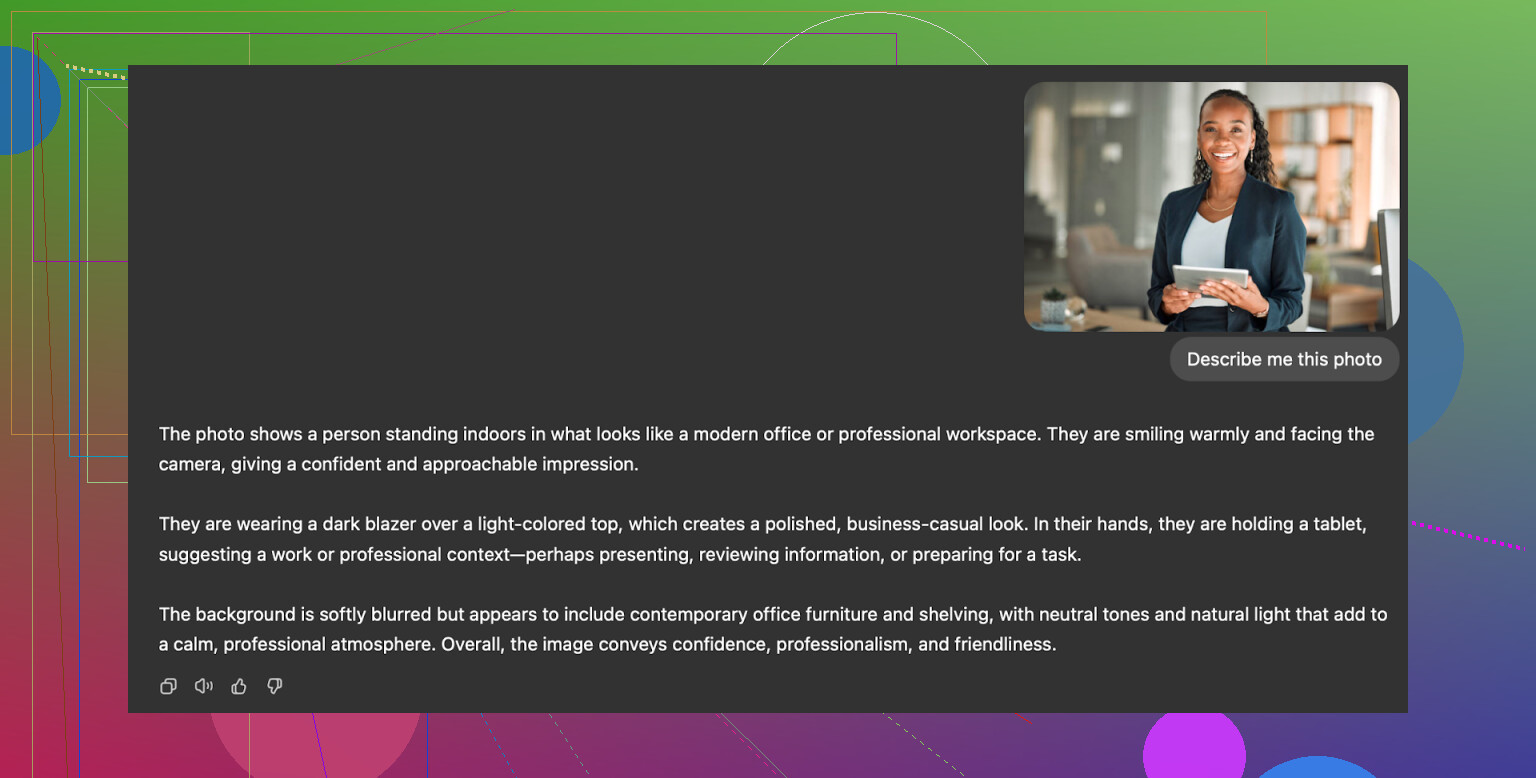
What I got
ChatGPT with DALL·E
- Output person looked like a relative, not fully me
- It captured outfit, background, mood
- Face always had a small “style” drift that made it feel like an AI cousin
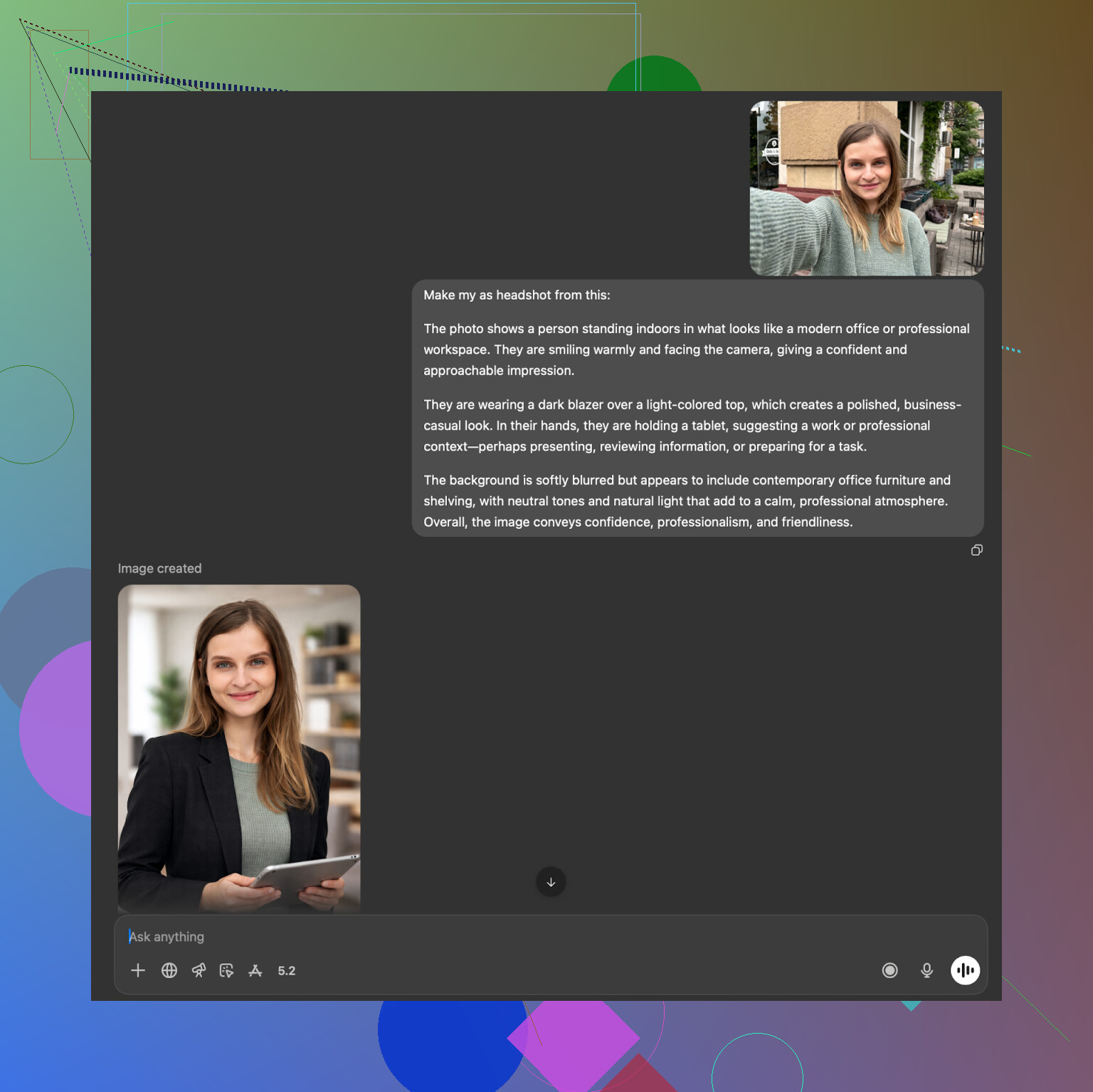
Gemini with Nano Banana Pro
- Surprisingly strong on photorealism when it agreed to generate
- Strong safety filters, sometimes refused if it thought I was asking for a real-person recreation
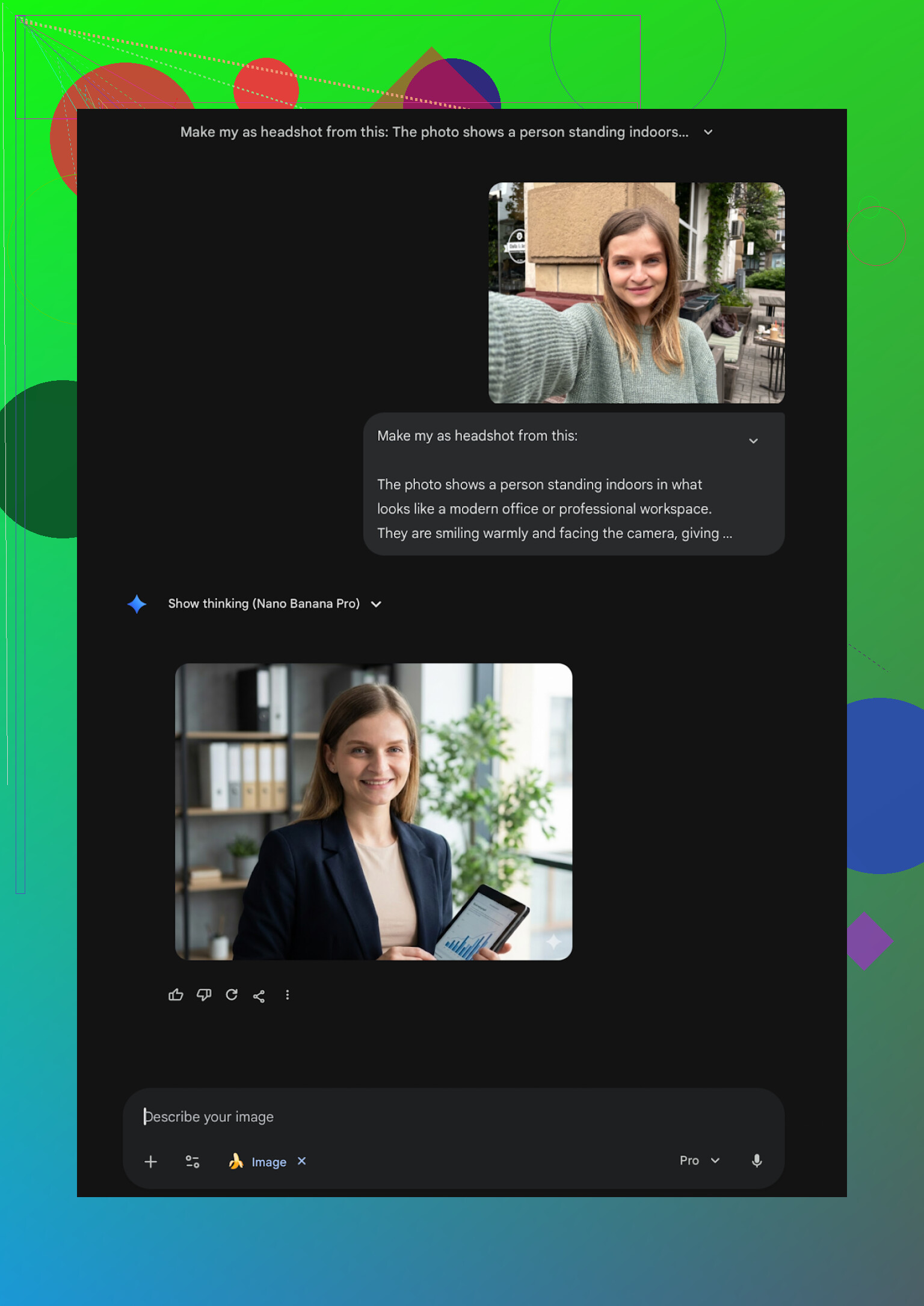
My takeaway from the free method
If you are willing to iterate prompts and accept that you will not get a perfect 1:1 likeness, this method is fine. It costs your time instead of money.
I ended up with a few good-looking portraits, but they did not beat the specialized apps in terms of “this is clearly me” plus consistency.
Where I personally landed
After all of this, a few patterns showed up:
- Multi-photo training or more advanced face analysis gives more accurate likeness
- One-photo apps tend to create “someone similar” instead of you
- Many Android apps lean harder into beautification than realism
- Web tools aimed at corporate use produce safe but stiff portraits
For my own use:
-
For iPhone, I stuck with Eltima AI Headshot Generator as the daily workhorse, mainly because of the natural look and the free daily photo feature.
App: Eltima AI Headshot Generator App - App Store -
For free tinkering on desktop, Gemini’s image models gave me the closest usable results, as long as I stayed within the rules and took my time with descriptions.
If you are trying to pick something fast:
-
Need formal corporate and do not care about creativity
Look at HeadshotPro or Aragon AI -
Need a general purpose “use anywhere” photo on iPhone
Eltima was the most reliable in my tests -
Want zero cost and have time to tweak
Play with the description loop using ChatGPT and Gemini until you get a decent version
That is the setup that worked for me. Adjust based on whether you value realism, price, or speed more.
I had the same problem for LinkedIn, so I’ll keep this tight and practical.
Short answer for iPhone only
If you want realistic, professional shots without weird plastic skin, I would start with:
- Eltima Ai Headshot Generator App
- Aragon AI (web, but works fine on Safari on iPhone)
- Canva if you already pay for it
Where I slightly disagree with @mikeappsreviewer is on “one photo is always worse”. For quick LinkedIn style stuff, Eltima did surprisingly well for me even with 1–2 inputs, as long as the base photo was:
• Sharp, no blur
• Neutral face, light smile
• Good lighting from the front
• No heavy filters
Why Eltima Ai Headshot Generator App is my top iPhone pick
On my iPhone 14, here is what I got from Eltima in practice:
• Likeness
Looked like me about 8 or 9 out of 10 times. Fewer “AI cousin” issues than Remini.
• Style for LinkedIn and job apps
Search “business”, “formal”, “corporate” in the templates. The ones with plain backgrounds and blazers worked best.
• Skin and details
Slight beauty effect but not influencer-level. Recruiters will not think it is a filter fest.
• Input effort
It accepts single photos, but I got noticeably better results when I uploaded 3–5 shots with:
- No glasses in some, glasses in some, if you wear them
- Different tops
- At least one straight-on shot
Pricing felt saner than most weekly-sub apps. You also get that 1 free daily generation, which is enough to test styles through a week before paying. That part lines up with what @mikeappsreviewer wrote.
Where other tools fit
Remini (iOS)
• Pros
Fast. Tons of styles.
• Cons
Looks over-edited for conservative roles. My face looked younger and smoother than real life, which is not ideal for interviews.
I only use it for dating profiles now, not for LinkedIn.
Canva
• Works if you already pay for Pro.
• Workflow: upload a clean selfie, use their “AI headshot” or “portrait” templates, then manually adjust brightness and contrast.
• Output is fine, but quality was below Eltima and Aragon in my tests, and the Pro price is high if you only want headshots.
Aragon AI
• Strong on likeness and consistency.
• Good if you apply to formal jobs, tech, finance, consulting.
• Needs multiple photos and some patience. Not an in‑and‑out iPhone app experience, but worth it once for a full set of serious headshots.
Practical setup I would use in your case
You want LinkedIn and job applications, using iPhone:
- Install Eltima Ai Headshot Generator App on your iPhone.
- Pick 3–8 good selfies: plain wall, natural light near a window, no heavy makeup filters, no hats.
- Start with “business” or “corporate” templates first. Avoid heavily stylized backgrounds.
- Use the daily free headshot for a few days. Check:
- Does it still look like you when zoomed in
- Any strange ears, teeth, or hair details
- When you get one you like, export it at the highest resolution.
- Open it in the default Photos app and do tiny tweaks only: slight brightness, slight contrast, no extra filters.
If you still get “AI-ish” results from several apps, the usual fix is better input photos. Front light and no shadows under the eyes matter more than the specific app.
For a fast, iPhone-only answer though, I would put my money on Eltima first, then Aragon through the browser if you want a one‑time, more serious pack.
For iPhone specifically, I’d say you’re on the right track looking beyond the random App Store stuff. Most of those “AI avatar” apps are great at making you look like a Marvel extra, terrible at making you look employable.
I’m mostly aligned with @mikeappsreviewer and @hoshikuzu on this, but I don’t 100% share their ranking, so here’s my take based on what you asked: LinkedIn + job apps + realistic.
1. Eltima Ai Headshot Generator App
If you only try one iPhone app, make it this. I agree with both of them that Eltima hits the best balance between “polished” and “still looks like a real human.” Where I slightly disagree: I don’t think you need a whole pack of reference photos to get something usable. With 2–3 solid selfies (sharp, front lighting, no filters) I got results that were completely fine for LinkedIn. The free daily headshot is also super underrated for testing poses and backgrounds before you pay.
Use it for:
- Standard LinkedIn / resume headshots
- Company Slack/Teams profile pics
- Slightly more casual but still professional shots
Skip the overly stylized templates for job stuff and stick to clean backgrounds, neutral colors, and “business” tags.
2. Aragon AI (via Safari on iPhone)
I’d put Aragon just behind Eltima for your use case. It is better if you want a one-time, “serious” pack of photos and you’re willing to upload a bunch of pics and wait. The likeness is usually excellent, but it’s less convenient than opening an app and pressing a button. I’d treat Aragon as your “final” set and Eltima as the thing you use when you want to quickly refresh or experiment.
3. Canva
This is where I’m a bit colder than they are. If you already pay for Canva Pro anyway, then yes, use their AI headshot stuff. If you don’t, I honestly don’t think it’s worth subscribing just for headshots. The results are “good enough” but:
- Skin often looks over-smoothed
- You need to fiddle with edits to make them not look overly filtered
So:
- Already a Canva Pro user: sure, fine backup option.
- Not a user yet: I’d stick with Eltima + maybe Aragon instead of paying Canva just for this.
Why your random App Store tries probably looked fake
Most of the “AI photo generator” apps:
- Take only 1 reference pic
- Overuse beauty filters
- Add weird lighting that screams AI when you zoom in
For something like LinkedIn, that’s exactly what you don’t want. Recruiters can’t always tell it’s AI, but they can tell it looks “off.”
What I’d actually do in your shoes
On iPhone, keeping it simple:
- Install Eltima Ai Headshot Generator App.
- Grab 3–5 decent selfies:
- Plain wall
- Window light in front of you
- Light smile, no goofy expressions
- Start with their business / corporate templates and ignore crazy backdrops.
- Use the free daily shot for a few days and keep only the ones that:
- Still look like you when zoomed in
- Have normal skin texture and no insane smoothing
- If you later want a bigger, more formal set for years to come, run a pack through Aragon once in Safari and be done.
If Eltima can’t give you at least one photo you’d be ok putting on LinkedIn after a week of free daily generations, then the issue is probably the input photos (harsh lighting, odd angles, heavy filters), not the app itself.