I accidentally formatted a USB drive that had important work files and family photos on it, and now I’m trying to recover as much as possible. I need recommendations for the best USB data recovery software that actually works, is safe to use, and won’t make things worse.
I’ve hit this mess more than once. You plug in a USB stick, Windows pops up a blank folder, or worse, throws the “you need to format the disk” message. At that point I usually stop touching things, because deleted files from a flash drive do not land in the Recycle Bin. They’re gone from view, and if you keep writing to the drive, gone for real.
What I do first
Before trying any recovery app, I stick to a short checklist. It saves time, and it saved my files at least twice.
-
Open Disk Management and see if the drive shows up there. If Windows still sees it, even as RAW or unallocated, software recovery still has a shot. If the USB drive does not appear at all, I stop there. That usually points to a hardware fault, and software won’t fix a dead controller or bad flash memory.
-
Unplug it right away. The worst thing for recovery is overwriting old data with new data. Even a small write operation can wipe out pieces of what you’re trying to get back.
-
Do not restore files onto the same USB drive. Save everything to your PC or a different external drive. I learned this one the dumb way years ago.
Tools worth trying
For most people, I’d start with Disk Drill. It covers the stuff flash drives tend to run into most often, deleted files, accidental formatting, RAW partitions, damaged file systems, and other logical errors.
What stood out to me is how it scans. It does not depend on one trick. It uses a few recovery methods in the same pass and recognizes a long list of file types, so you’re not stuck hoping your docs or photos fit one narrow pattern.
One part I ended up liking more than I expected is the byte-to-byte backup feature. If your USB stick keeps disconnecting, freezes, or looks unstable, make an image first. Then scan the image instead of hammering the original drive over and over. Safer move. The preview option helps too, since you get to check whether the files are intact before spending time finishing recovery.
If you want a free route
PhotoRec is still one of the stronger free picks. It takes a different approach. Instead of relying on the file system, it scans the raw data on the drive for known file signatures. This matters when the partition is trashed or the file system is missing.
The catch, and yeah, there is one, is usability. PhotoRec feels rough if you’ve never touched a text-based tool before. It also does not keep original file names or folder layout. Recovered files usually come back with generic names, so you end up sorting the pile by hand. For a few files, fine. For 2,000 vacation photos, have fun, lol.
My usual order
I’d try Disk Drill first. If it sees your files and keeps the names and folders, that’s the cleanest outcome. If the file system is badly wrecked and you only care about pulling raw files off the stick, PhotoRec still earns a spot.
Small thing, but it matters. If the drive vanishes from Windows entirely, skips mounting, or gets hot for no reason, I would stop messing with it. I’ve seen people turn a recoverable problem into a dead one by retrying too many times.
If you formatted the USB by mistake, my top pick is Disk Drill. It does a better job with formatted flash drives than a lot of the old free tools, especially when you need docs and photos back with names and folders intact. That part matters. Raw recovery dumps are a mess.
I don’t fully agree with @mikeappsreviewer on starting with PhotoRec as the free fallback for most people. It’s solid, sure, but it turns recovery into cleanup work. If your USB had work files, sorting 5,000 renamed files is painfull.
What I’d use, in order:
1. Disk Drill
Best mix of scan depth, preview, and ease of use. Strong on exFAT, FAT32, NTFS, and formatted USB sticks. It also handles photo and document signatures well when the file system is trashed.
2. R-Studio
More technical. Better if Disk Drill misses partitions or if you know what RAID, hex, and file system metadata mean. Overkill for many people.
3. UFS Explorer
Great tool, expensive, less friendly. More of a technician pick.
4. PhotoRec
Free, ugly, effective. Last resort if you only care about pulling files off.
One more thing. For flash drives, recovery rates drop fast after formatting if you kept using the drive. If you stopped right away, your odds are much better.
If you want a simple breakdown, this Disk Drill review covers the main recovery features and what to expect from scans on USB storage: watch this Disk Drill USB recovery walkthrough.
Short version, try Disk Drill first. If it finds your files in preview, recover them to your PC, not back to the USB. If the drive keeps dropping off or reads at 0 bytes, switch from software fixes to a recovery lab fast.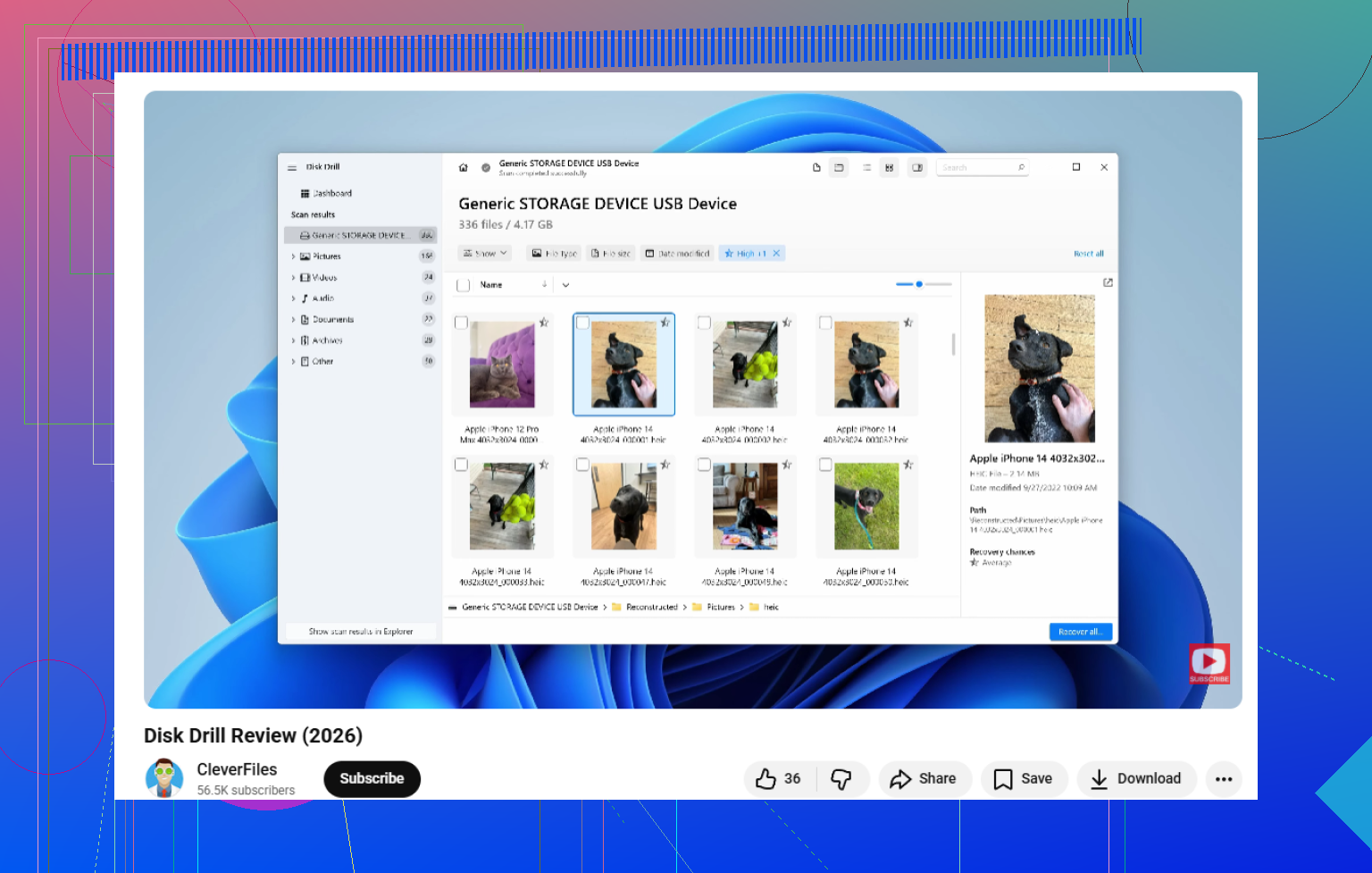
I’d put **Disk Drill** at the top for this specific mess: accidentally formatted USB, mix of work docs + family photos, and you want the recovery to be usable, not just technically “successful.”
I mostly agree with @mikeappsreviewer and @himmelsjager, but I disagree a bit on one thing: people jump too fast to the most powerful or most “forensic” tool. That’s not always the best move on a USB stick. If you just need your files back without turning it into a weekend project, usability matters a lot.
My ranking would be:
1. **Disk Drill**
Best overall USB data recovery software right now for normal users. It’s especially good when the drive was quick-formatted and the data hasn’t been overwritten. Big plus is that it often gives you recoverable filenames, previews, and a cleaner result than raw-carving tools. That alone saves hours.
2. **R-Photo**
Kinda underrated. If photos are the main priority, it’s worth a shot before going full nerd mode. Not as broad as Disk Drill, but for image recovery it can do surprsingly well.
3. **Recuva**
Old but still useful for simple deletions. For a formatted USB, though, it’s hit-or-miss. I wouldn’t make it my first pick here.
4. **PhotoRec**
Effective, yes. Pleasant, no. If all else fails, it can still pull files out of the wreckage, but sorting the output is a total pain.
One more thing nobody mentions enough: **quick format vs full format**. If it was a quick format, recovery odds are way better. If it was a full format, especially on newer Windows versions, recovery gets way uglier fast.
Also worth reading if your flash drive now shows as RAW or acts weird: best advice for RAW USB data recovery problems
Short version: use **Disk Drill** first, scan the USB, preview the files, and recover everything to your computer or another drive. Not back to the same stick. If the USB disconnects randomly or shows 0 bytes, stop messing with it becuase software may not be enough anymore.