I accidentally deleted several important videos from my SD card after moving files off my camera, and now they’re nowhere to be found. I need help finding the best SD card recovery software for videos that can safely recover deleted or lost video files without damaging the card or lowering video quality.
I went through this once with a microSD from an old camera, and the first thing I learned was simple. Stop using the card.
When files get deleted from an SD card, the card usually does not wipe the data right away. It drops the pointer to the file, so the photos and videos often stay there until something new gets written over them. If you keep shooting, copying, or moving stuff onto the card, your odds get worse fast.
If you want the short version, here’s how I’d sort the tools.
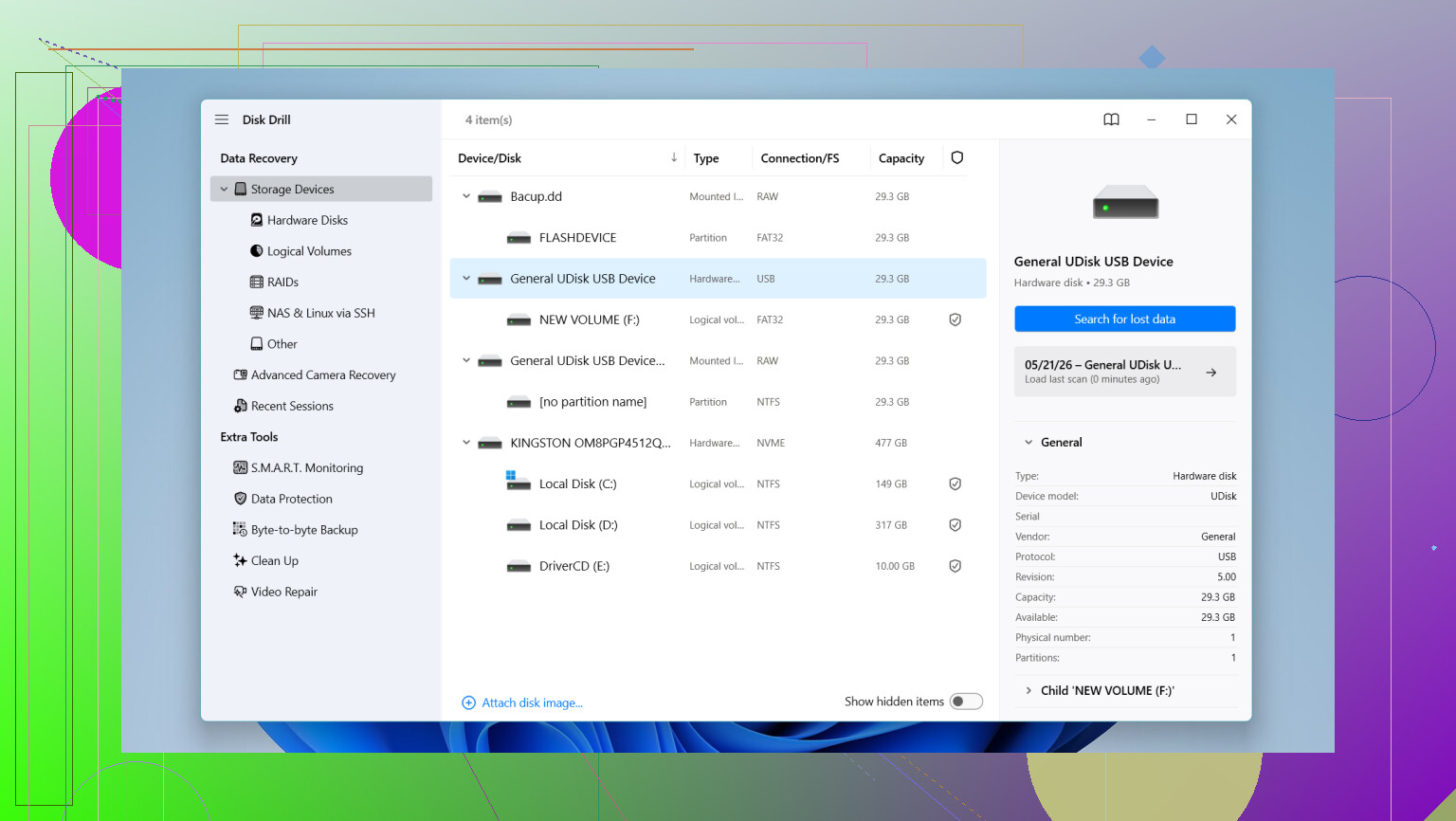
This is the one I’d hand to someone who wants results without fighting the software. I found it easier to work with than most recovery apps, and it did well with normal deleted media, RAW files, and cards the computer suddenly stopped reading. The preview helps a lot, since you can check whether the scan found usable files before you recover anything.
What stood out to me was the camera-specific recovery. It handles fragmented video better than a lot of tools I tried, especially footage from GoPro, DJI, and mirrorless cameras. That matters if your clips were split up on the card and came back broken in other apps. It also reads common RAW formats like Canon CR2 and CR3, Sony ARW, and Nikon NEF. On Windows, you get up to 100MB free recovery.
- UFS Explorer
This one feels more like a tool for people who don’t mind menus, options, and a steeper learning curve. I would not call it friendly. Still, the scan quality is good, and it deals with damaged storage better than a lot of simpler apps. If your card is in rough shape, this is one people keep coming back to. I’ve seen techs mention it for a reason.
- Recuva
Old, simple, still useful. If you deleted a handful of JPGs or MP4s on Windows, this is often enough. It’s light, quick to install, and easy to understand. I would not expect miracles from it with busted cards, odd file systems, or camera formats tht get messy, but for basic mistakes it still earns a spot.
- R-Photo
If your focus is photos and videos and you want a free Windows tool, this one is worth a look. The thumbnail view makes a big difference when you’re sorting through a pile of deleted media. I liked tht it stays focused instead of trying to be an everything-tool.
One thing people mess up all the time, save location.
Do not recover files back onto the same SD card. Save them to your computer’s internal drive or to another external drive. If you write recovered data onto the card you’re trying to rescue, you risk overwriting the exact files you want back. I’ve seen people lose the second half of their recovery attempt this way. Bad feeling.
If the card is glitchy, disconnects randomly, or shows read errors, I’d take the safer route first and make a byte-for-byte copy of the card, also called a disk image. This guide covers it: disk image
Running recovery scans against the image instead of the original card puts less stress on failing hardware. If the card is dying, every extra read matters.
So, the practical order is:
Stop using the SD card.
Put it in a card reader.
Scan it with one of the tools above.
Preview what is still there.
Recover files to a different drive.
If the card still mounts, your chances are often decent. I’d start there before assuming it’s gone.
For deleted video files, I would rank them a bit differently than @mikeappsreviewer.
My pick is still Disk Drill for one reason, video recovery is messy. Big files get fragmented. A lot of cheap recovery apps find the file name but give you a broken clip. Disk Drill tends to do better with MOV, MP4, AVI, and camera card footage from action cams and drones. The preview is useful too, because you see fast if the file is playable or half-dead.
If you want a simple read on it, this quick Disk Drill video recovery review gives a decent overview.
I don’t fully agree with putting Recuva near the top for video jobs. For photos, sure. For large deleted videos, it feels dated and misses stuff on exFAT cards more often in my expereince.
My list for video recovery:
- Disk Drill, best balance of scan quality and ease of use.
- R-Studio, stronger if the card has file system damage.
- PhotoRec, ugly interface, solid raw carving, free.
- UFS Explorer, great tool, but overkill for most people.
Best tip nobody follows, recover by file size and format first. Look for your biggest MOV or MP4 files. Those are usually your missing clips. Save recovered files to your computer, not the SD card. If the card keeps disconnecting, image it first or you’ll make things worse fast.
I’d lean a little differently than @mikeappsreviewer and @espritlibre on one point. For deleted video files, the “best” app is usually the one that can recover a clip that actually plays all the way through, not just the one that finds the most file names.
That’s why Disk Drill is usually the safest first pick for SD card video recovery. It’s easier than the more forensic-style tools, but still pretty strong with MP4 and MOV files from cameras, drones, and action cams. The preview feature matters more for video than people think, because a recovered file that won’t open is basicly useless.
Where I kinda disagree with the usual rankings is PhotoRec. People recommend it because it’s free, and yeah, it can pull a lot of data, but for videos it can also leave you with a pile of giant mystery files with no folder structure or names. If you’ve only got a few important clips, that can get annoying fast.
My rough order for video jobs:
- Disk Drill for easiest and most reliable first pass
- R-Studio if the card structure is messed up
- PhotoRec if you want a free last-resort carve
- Recuva only for very simple deletions
Also, if the videos were “moved” and then vanished, check whether the move failed halfway and left temp data on the computer first. Happens more than people admit.
If you want more opinions focused specifically on recovering deleted camera footage, this thread is actually useful: best ways to recover deleted videos from an SD card.
Short version: for SD card video recovery software, Disk Drill is probly the best place to start unless the card is physically acting weird.
I’m mostly with @espritlibre and @sterrenkijker here, but I’d push one extra point: for video recovery, file integrity matters more than recovery count. Ten “recovered” clips that stutter or stop at 3 seconds are worse than two complete ones.
So my practical take:
- Disk Drill is the best first try for most people.
- Pros: easy to use, good preview support, usually better than basic tools with large MP4/MOV files, handles common SD card formats well.
- Cons: not the cheapest option, deep scans can return lots of clutter, and if the card is physically failing it’s not magic.
- R-Studio is stronger when the card’s filesystem is damaged.
- PhotoRec is still useful, but I disagree with people who treat it like the best default for videos. It’s more of a blunt instrument.
- Recuva is fine for simple deletions, but I’m closer to @mikeappsreviewer on this part: it falls off fast once the case gets messy.
One more thing nobody has stressed enough: if these were videos from a camera, some may be split across allocation blocks in ways that make raw recovery ugly. That’s why previewing recovered clips before saving everything matters.
Also check your computer’s temp folders and the original import destination. “Moved” files sometimes vanish because the transfer app failed, not because the SD card erased them cleanly.
Before installing recovery software, check for an automatic backup. Open Google Photos, iCloud Photos, OneDrive, Dropbox, or your camera’s companion app. Look in Recently Deleted, Trash, Imports, and Camera Uploads.
Also search your computer by file type and date. On Windows, search “.mp4” or “.mov,” then sort by date and size. On Mac, use Finder with Kind set to Movie.
Transfer apps sometimes store clips in unexpected folders. This takes five minutes and avoids scanning the SD card. I’ve found “missing” footage this way more than once, espescially after failed imports.